

Overview
Rokt provides tools to boost revenue, scale customer acquisition, and build stronger customer relationships. Integrated with Zeotap CDP, Rokt enables you to send audience segment data for precise and effective customer targeting.Supported Identifiers
This integration supports email addresses (both raw and hashed).Available Actions and Supported Features
The following table lists the available action types for the integration and the supported features for each action type:Components of Rokt
Ensure that you obtain the following details from Rokt before proceeding with this integration:Account ID
This is the account Id associated with your Rokt account. You can find it on Rokt OnePlatform.ROKT Public Key and ROKT Secret Key
These keys authenticate the endpoint for sending data from Zeotap to Rokt. Reach out to your Rokt account manager to create a public and secret key pair for the account where you plan to send data from Zeotap CDP.Create a Destination for Rokt
Perform the following steps to create a Destination for Rokt:1
Log into the Zeotap CDP App and go to the DESTINATIONS application.
2
Click + Create Destination.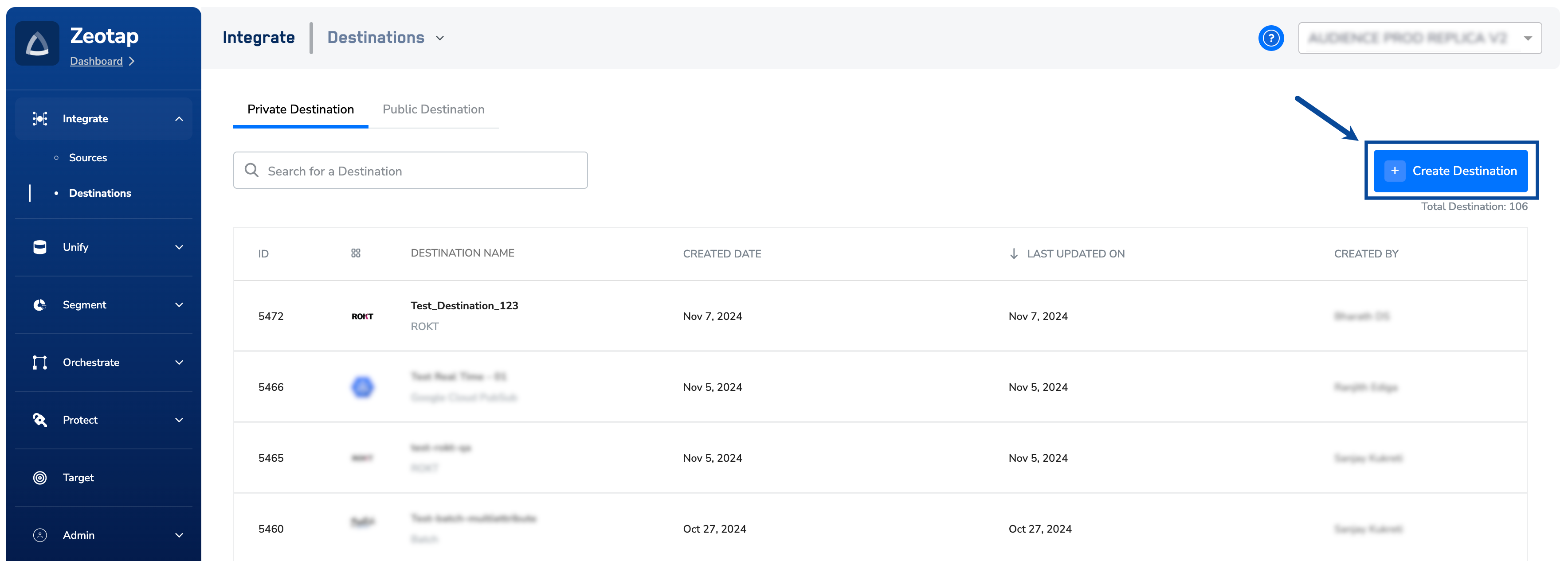
3
Under the All Destinations section, search for Rokt.
4
Click Rokt. A screen appears displaying details about the particular destination towards the left. On the right-hand side of the screen find a list of fields that are required for the integration to be established. Enter the required details as mentioned in the following steps:a. Enter a descriptive name for the Destination.
b. Enter the Account ID associated with your Rokt account.
c. Enter the Public Key and Secret Key obtained from your Rokt account manager.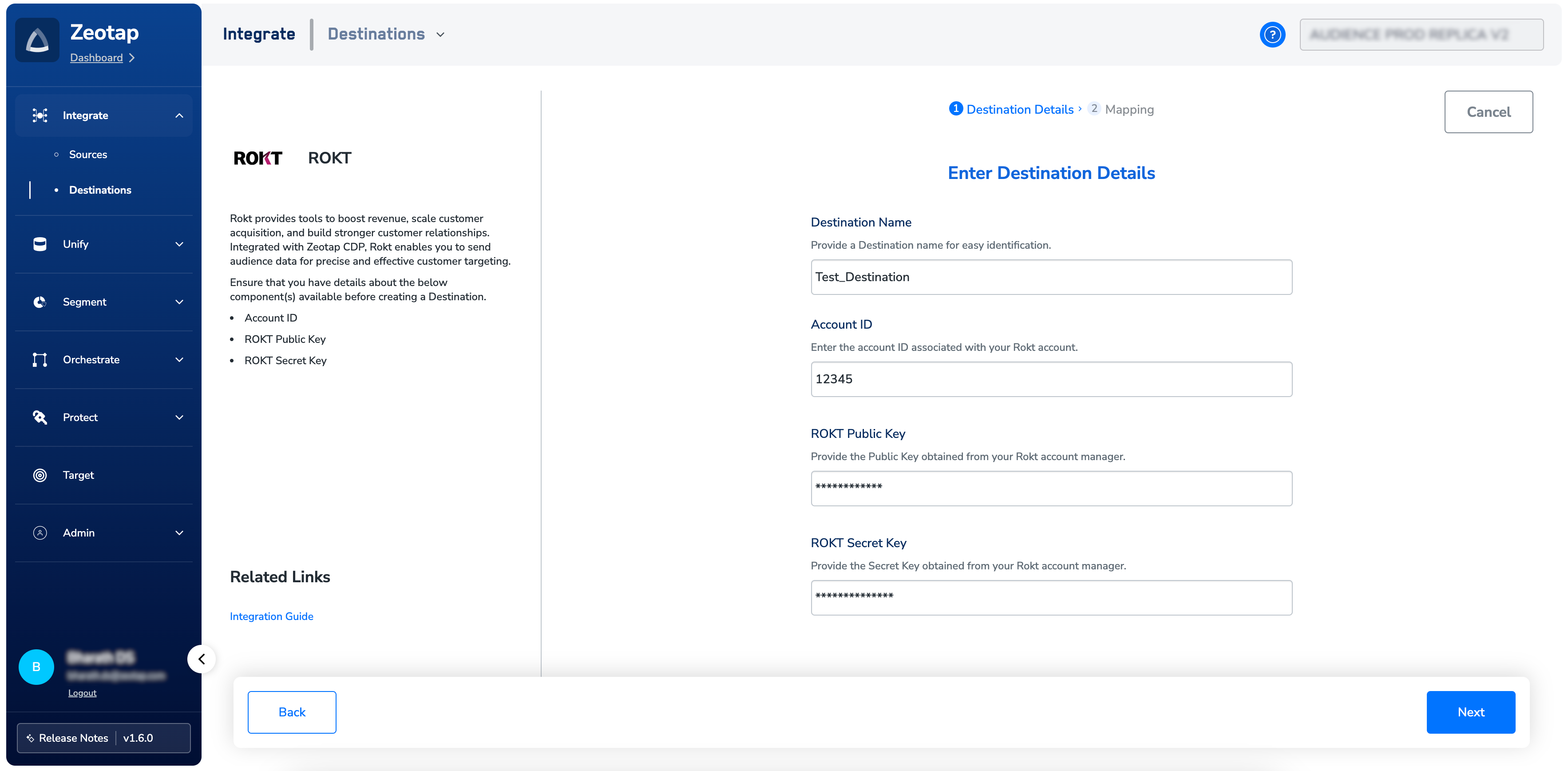
b. Enter the Account ID associated with your Rokt account.
c. Enter the Public Key and Secret Key obtained from your Rokt account manager.
5
Review all the values entered above and then click Next to proceed.
6
In the Action and Mapping screen that appears, you can either choose Send Raw Emails to Rokt or Send SHA256 Hashed Emails to Rokt as your action depending whether you want to send raw or hashed email addresses to Rokt. Correspondingly, map the Catalogue and Destination fields.
7
Click Create Destination. The created Destination gets listed in the Audiences application, which can be linked to an Audience/segment.
View Audiences on Rokt
To view the audiences sent from Zeotap CDP to Rokt, perform the following steps:1
Log into the Rokt platform.
2
In the left navigation panel, click Campaigns > Custom Audiences. Note that the custom audience name displayed on Rokt is exactly the same as the audience name provided while creating it in Zeotap CDP.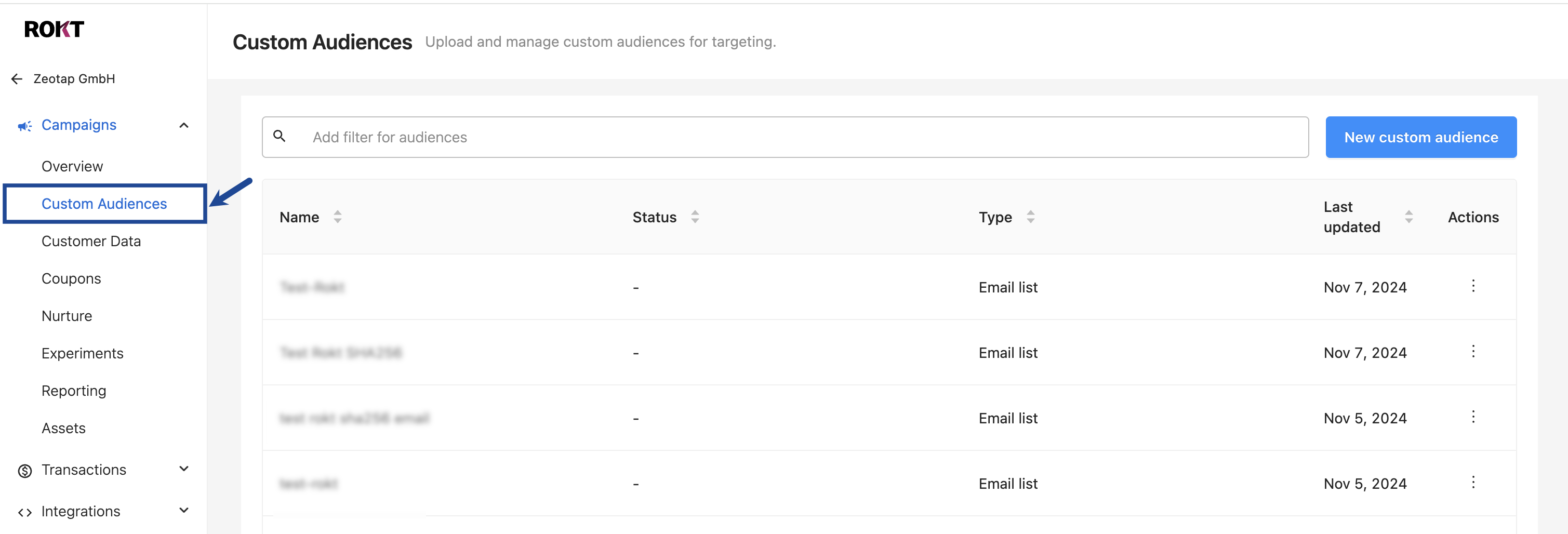
Note:It can take up to four hours (~4) for custom audiences pushed from Zeotap CDP to propagate through Rokt’s system and be visible on the front end.