

Overview
ELAINE is an AI-powered marketing platform that helps businesses to connect with their customers. By leveraging customer data and AI technology, ELAINE enables marketers to create highly personalised and targeted email campaigns for maximum engagement and conversions. Integrated with Zeotap it allows marketers to create recipient groups and more personalisation for the targeted audience.Supported Identifiers
This integration supports First Name, Last Name, Email Addresses (raw), Gender and Custom fields (any identifier/attribute).Available Actions and Supported Features
Components of ELAINE
Ensure that you have details about the below components of ELAINE available before creating a Destination.SFTP Host, SFTP Username, SFTP Port and Public Key
These are the details of the SFTP (Secure File Transfer Protocol) bucket hosted within ELAINE that you must provide to enable a secure connection. This ensures a smooth transfer of data between ELAINE and the SFTP bucket.- SFTP Host: The SFTP Host refers to the hostname or IP address of the server hosting the SFTP service. It represents the network location where the SFTP server is running and where the files are stored or transferred. The SFTP host information is essential for connecting to the correct server and establishing a secure SFTP session for data transfer.
- SFTP Username: The SFTP Username is a unique identifier that is used to authenticate and authorise a user for SFTP access. It is a combination of characters or a designated account name that identifies the individual or entity accessing the SFTP server.
- SFTP Port: The SFTP Port is a number that specifies the communication endpoint for SFTP connections. It represents the specific port on the server where the SFTP service is running and listening for incoming connections.
- Public Key: Zeotap uses a special method called SFTP Public Key authentication to keep things secure. It involves using two keys, a Public Key and a Private Key, that go together as a pair. These keys are unique and cannot be used interchangeably with any other keys. Note that Zeotap provides a public key that customers must register within their SFTP server.
API Host, Username and Password
The API host is the endpoint to which you can make API requests. The API Username and Password are credentials used in ELAINE to create recipient groups. These credentials provide authorised access to the API, enabling the creation and management of recipient groups for targeted marketing campaigns in ELAINE. Reach out to your ELAINE POC to obtain these details.Folder Id
The Folder Id is a unique identifier assigned to a specific folder within ELAINE. By specifying the Folder ID, Zeotap can accurately create recipient groups in the designated folder for the email upload to follow.Create a Destination for ELAINE
Perform the following steps to create a Destination for ELAINE:1
Log into the Zeotap CDP App and go to the DESTINATIONS application.
2
Click + Create Destination.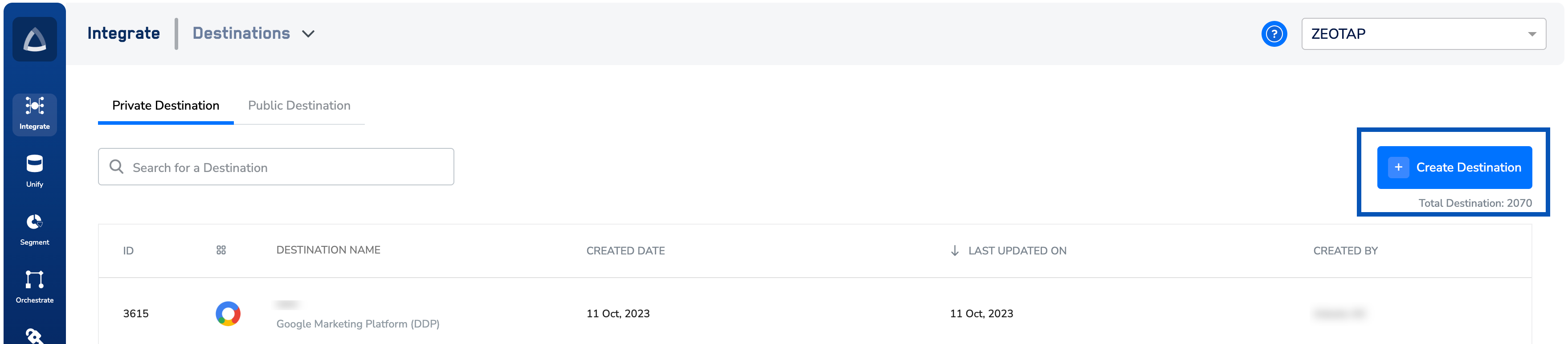
3
Under All Destinations, search for ELAINE.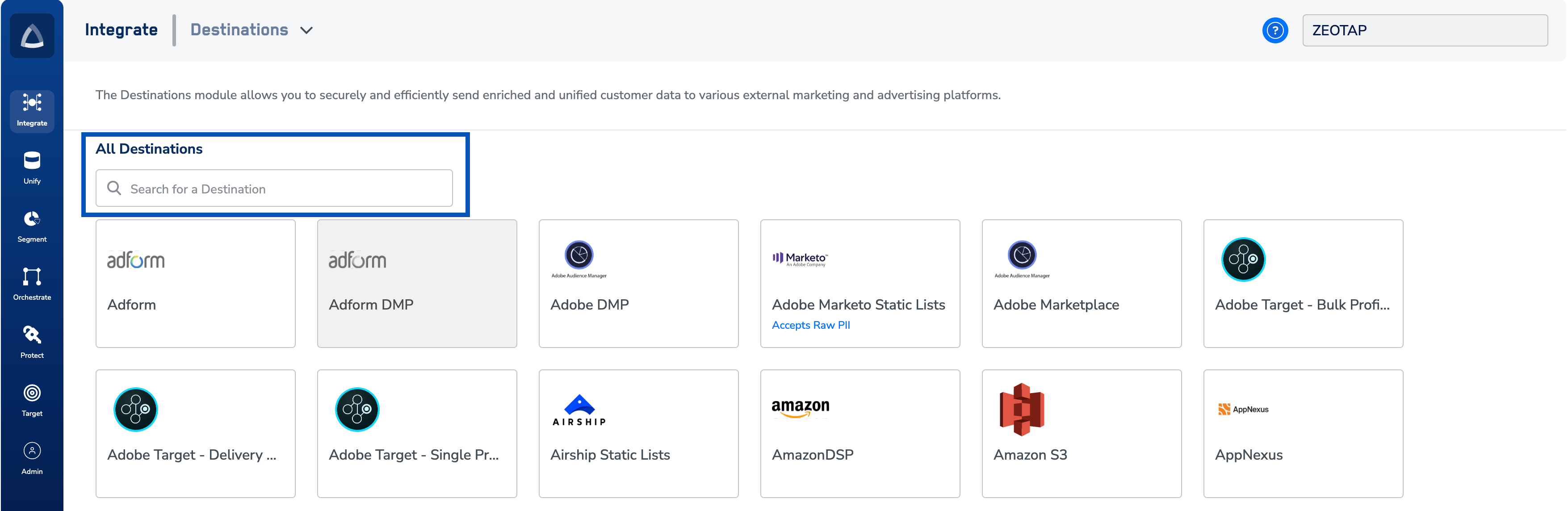
4
Click ELAINE. A screen appears displaying details about the particular destination towards the left. On the right-hand side of the screen find a list of fields that are required for the integration to be established. Enter the required details as mentioned in the following steps:a. Enter a name for the Destination.b. Enter the SFTP Port, SFTP Username and SFTP Host.c. Enter the API Host, API Username and API Password.d. Enter the Folder Id.e. Ensure that the Public Key is registered within the SFTP server.f. Review all the values entered above and then click Next to proceed.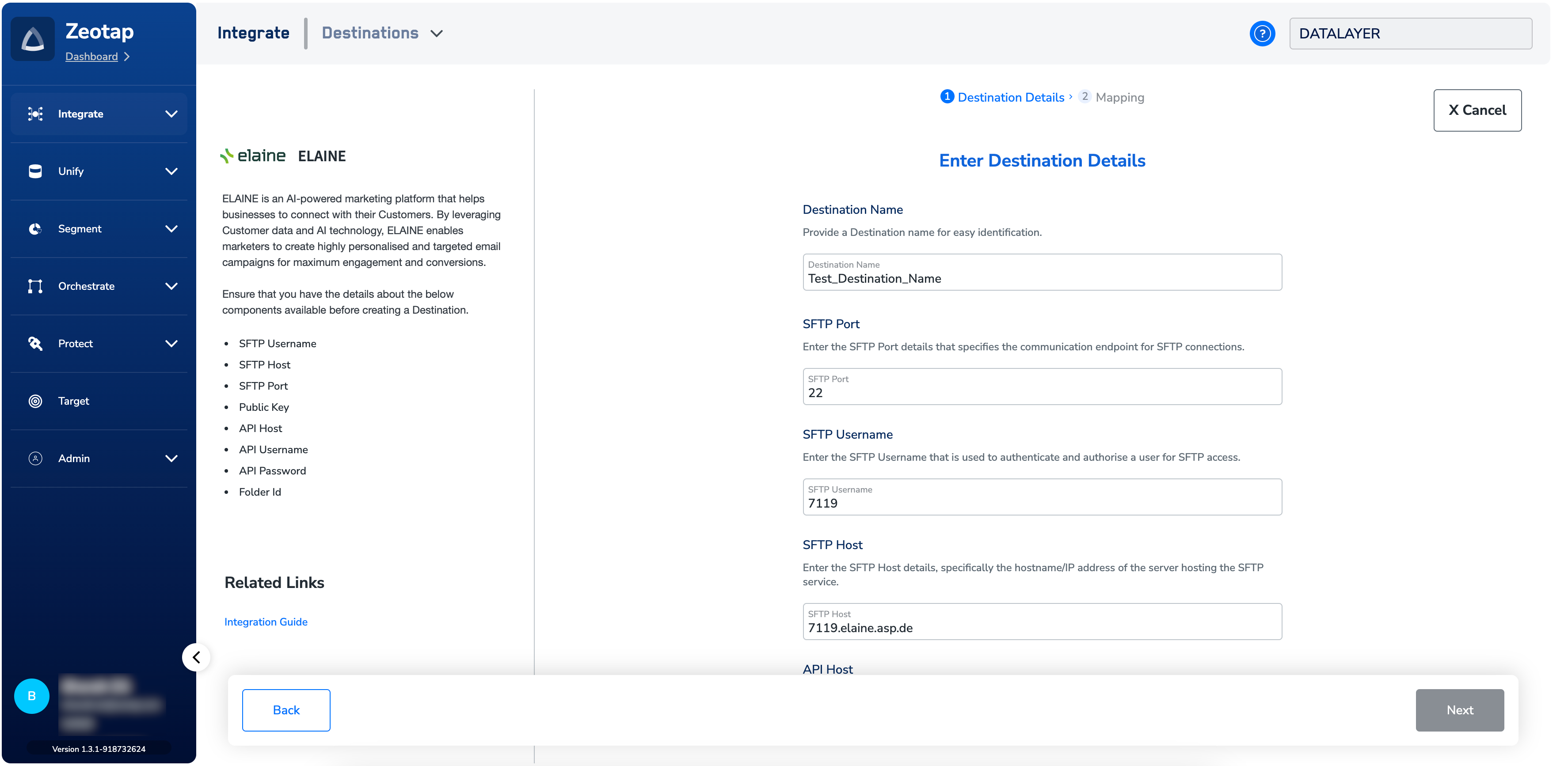
5
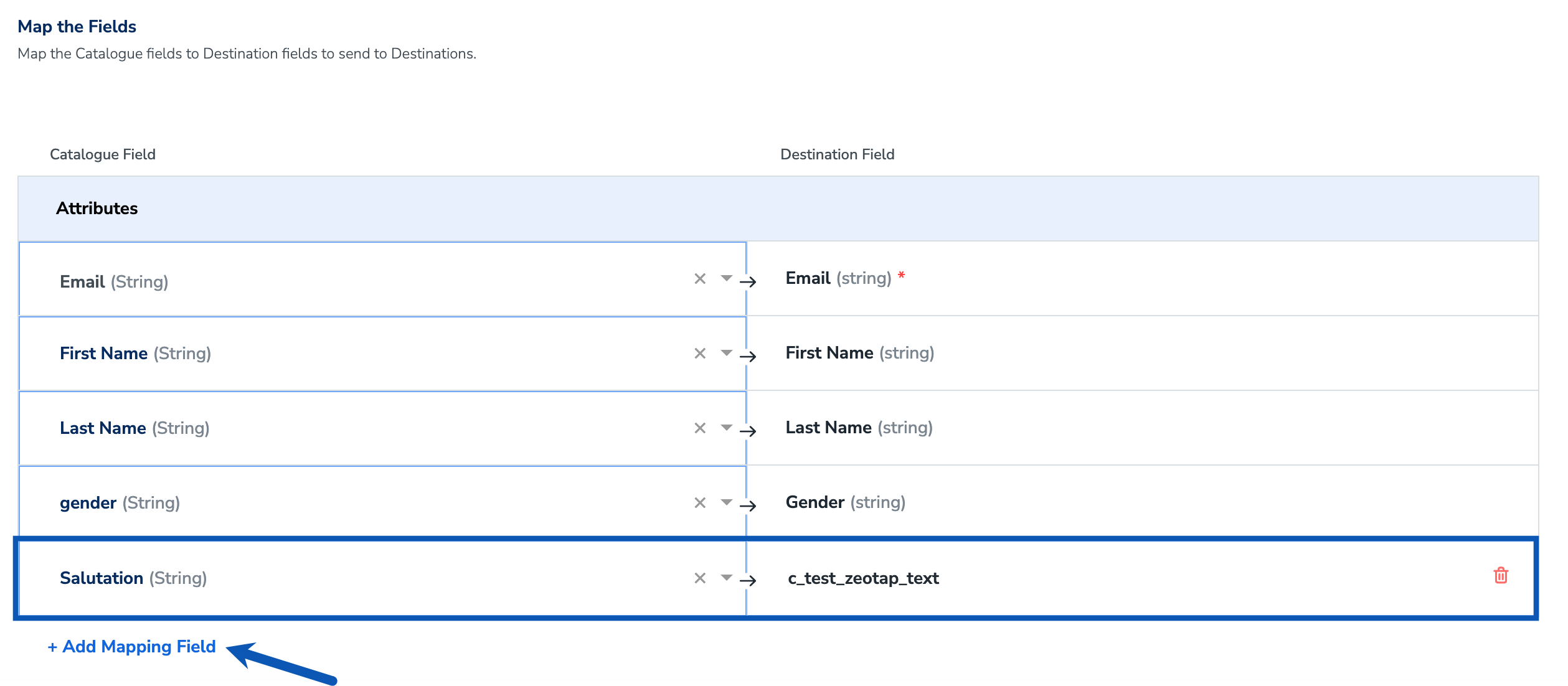
In the new screen that appears, under Choose your Action, you can either choose Send identifiers to ELAINE or Send attributes and identifiers to ELAINE based on your requirement and map the relevant Catalogue fields to the Destination fields.a. Send identifiers to ELAINE allows you to send Email Addresses (raw) only.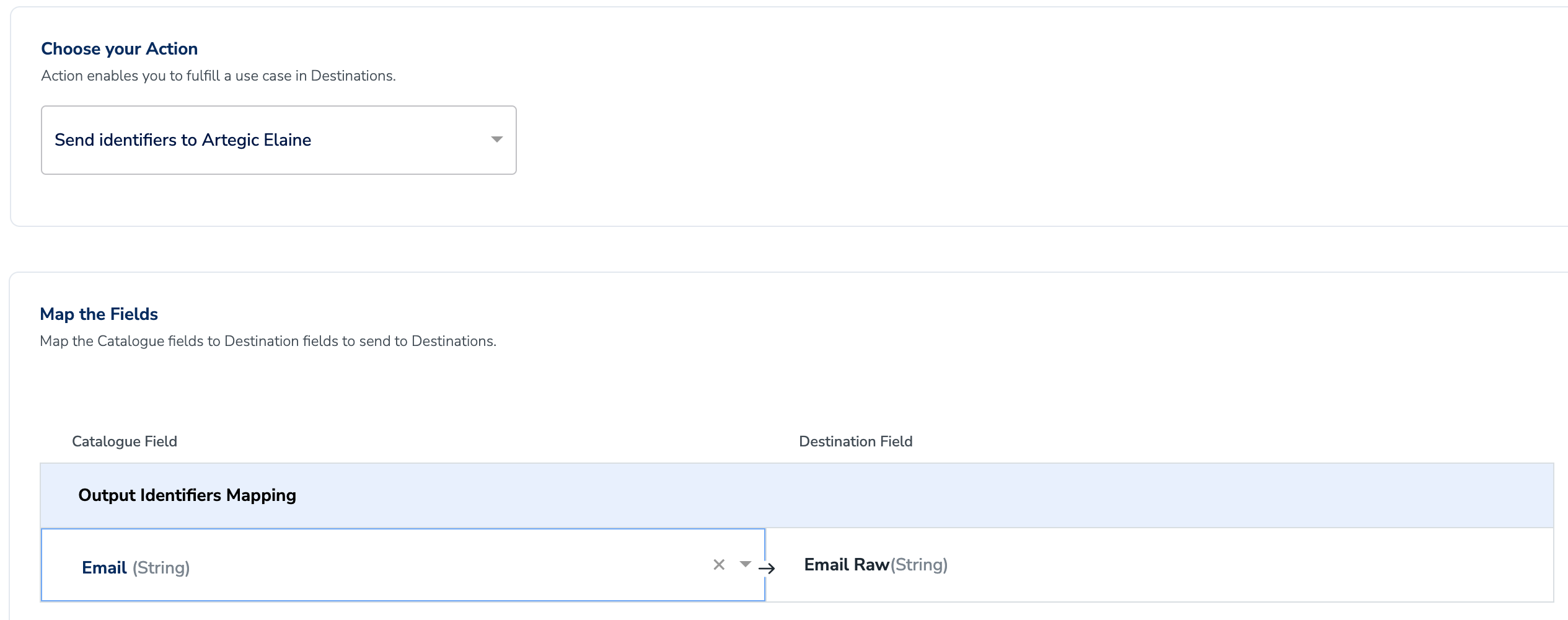
- Import Recipients to be Added in Recipient Group supports a delta update of data. For more information about how the data update occurs, refer to the Elaine help documentation. A Delta Update retrieves the complete dataset during the initial fetch, but subsequent synchronizations include only the incremental changes (deltas) made since the last sync. This method reduces data transfer by updating only the modified records, improving efficiency.
- Send Recipients to be Replaced in Recipient Group supports a full update of data. For more information about how the data update occurs, refer to the Elaine help documentation. A Full Update retrieves the complete dataset during the initial fetch and transfers the entire dataset during each subsequent synchronisation, regardless of any changes made. This process ensures the full dataset is updated at each sync frequency.
c_ or e_) into the Destination Field column when configuring it in Zeotap CDP. To identify the variable field names in Elaine, refer to the steps outlined below.i. Log into Elaine and navigate to the global folder or the relevant folder where the custom field is located.ii. Select Data Fields and review the list of available fields in the folder.iii. Click on the field you want to map in Zeotap CDP.iv. In the Characteristics section, locate the “Variable” field (usually starting with c_ or e_). In the below example, the variable name for the custom field added in Elaine is c_test_zeotap_text. Copy this value and enter it in the Destination field text box on the mapping screen in Zeotap CDP as shown below.6
Skip-Deleted parameter: If (default), users in the recycle bin will not be resubscribed. If the parameter 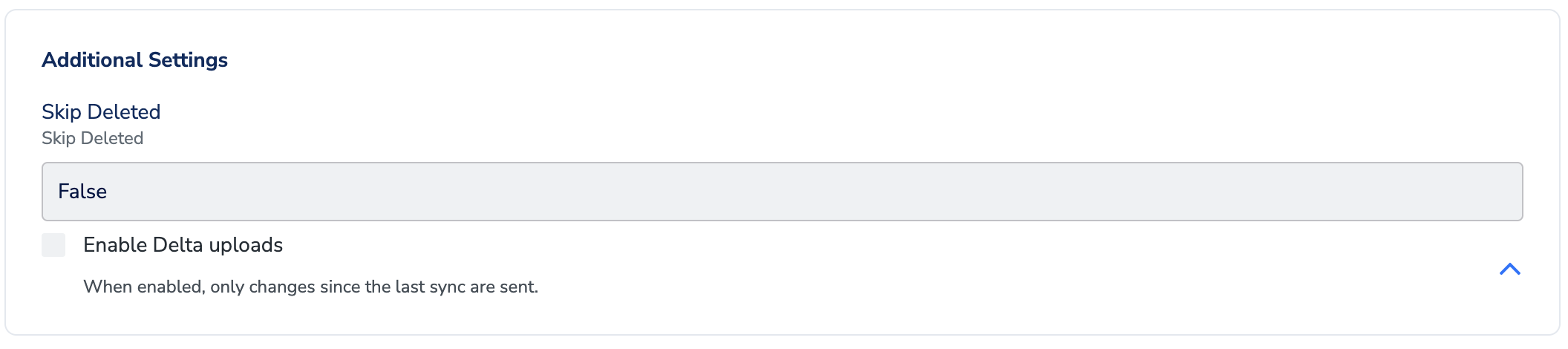
skip-deleted is set to True, only records which are not in the ELAINE recycle bin will be updated.7
Once the mapping is done, click Create Destination. The created Destination gets listed in the Audiences application, which can be linked to an Audience/segment.
Link an Audience (Recipient Group) to the ELAINE Destination
For information about how to link an Audience or segment to the created Destination in the Audiences application, refer here. Note that once the Audiences are pushed, emails begin to populate within one hour at the ELAINE seat.Note:The terms Audiences and Segments are used interchangeably to refer to customer cohorts belonging to a specific category. For example, an Audience or a segment can be a specific group of customers who are over 18 years of age and have performed an
addToCart event within the last 30 days.View the Audience on ELAINE Console
In the ELAINE console, you can view the Audience (recipient groups) organised within specific folders by using the associated Folder Id.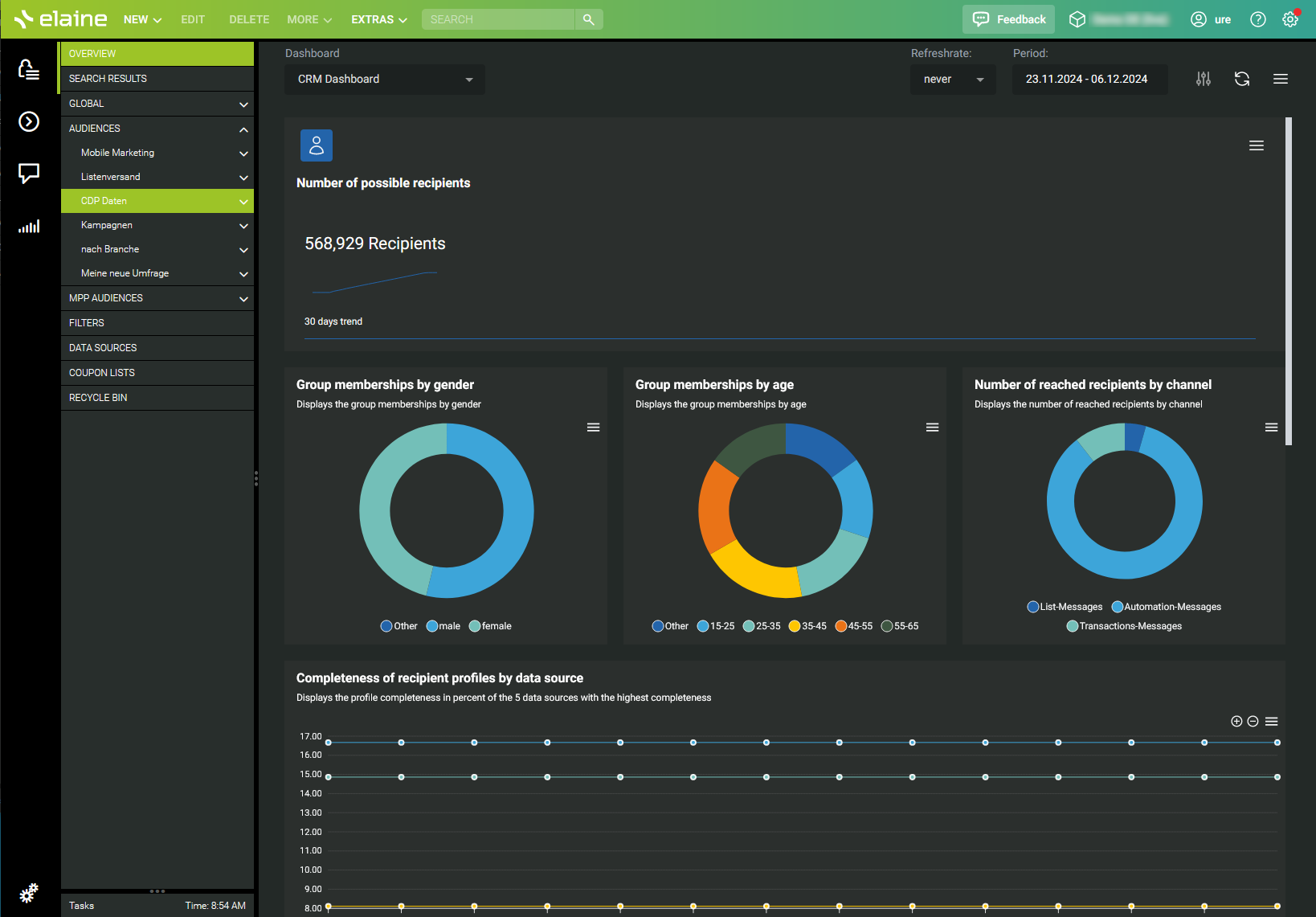
User Disqualification from Audiences
This integration supports user disqualification from audiences. That is, a user can be disqualified from an audience (segment) for various reasons, such as not meeting audience criteria, consent requirements or other conditions set for a particular audience.- When a user disqualifies from an audience, Zeotap CDP initiates a user deletion request in the next refresh cycle. These requests are sent to the audiences linked to the specific destination.
- The disqualified users are excluded from the audiences based on the configured refresh frequency for a particular audience.
- User disqualification is a programmatic process that works automatically. You do not need to specify anything to trigger the disqualification and exclusion of users from audiences.
Note:For more information about this functionality, refer here.