

What this is
Destination Access Rules are a governance layer that lets admins block specific destinations from selected audience and journey folders. They control which activation channels each team can send to — useful when a destination is high-cost, regulated, region-specific, or reserved for compliance-reviewed audiences. They apply to the entire destination — there is no attribute-level or mapping-level granularity, because the concern here is which channel a team can activate to, not what data leaves in each record. Destination Access Rules are the third layer of Zeotap’s governance model, alongside Folder Access Control and Mandatory Templates. For the full model, see Access Rules.When to use Destination Access Rules
- Restrict premium or high-cost channels. A destination that carries significant activation cost stays available only in a compliance-reviewed folder and is blocked from other folders.
- Prevent unauthorised channel use. A destination reserved for regulated communications is blocked from folders whose teams should not send through it.
- Enforce channel governance by region. A destination configured for one market is blocked from folders that build audiences for other markets.
- Protect brand safety. A high-visibility channel is blocked from folders whose audiences have not been reviewed.
Prerequisites
You need permission to view and edit access rules in your org. If your role does not include it, ask an admin — several built-in admin and manager roles carry this permission by default, and it can also be added to a custom role. See Access Rules for the exact list of roles and how the governance layers fit together.
How Destination Access Rules work
By default, every destination is available across every folder — nothing is restricted until an admin configures a rule. Once a blocklist rule is configured for a destination:- The destination is blocked from the folders named in the rule.
- All other folders retain access.
- Subfolders inherit the restriction from their parent folder.
- Folders created after the rule is set retain full access — a new folder must be added to the rule for the restriction to apply.
- Moving a folder updates its restrictions to match the new parent: a restricted subfolder moved under an unrestricted parent loses the restriction, and an unrestricted subfolder moved under a restricted parent picks up the restriction.
- Archive folders are outside the scope of access rules.
Configure a rule for a destination
Open the destination you want to govern and go to its access-rule view. From there you can: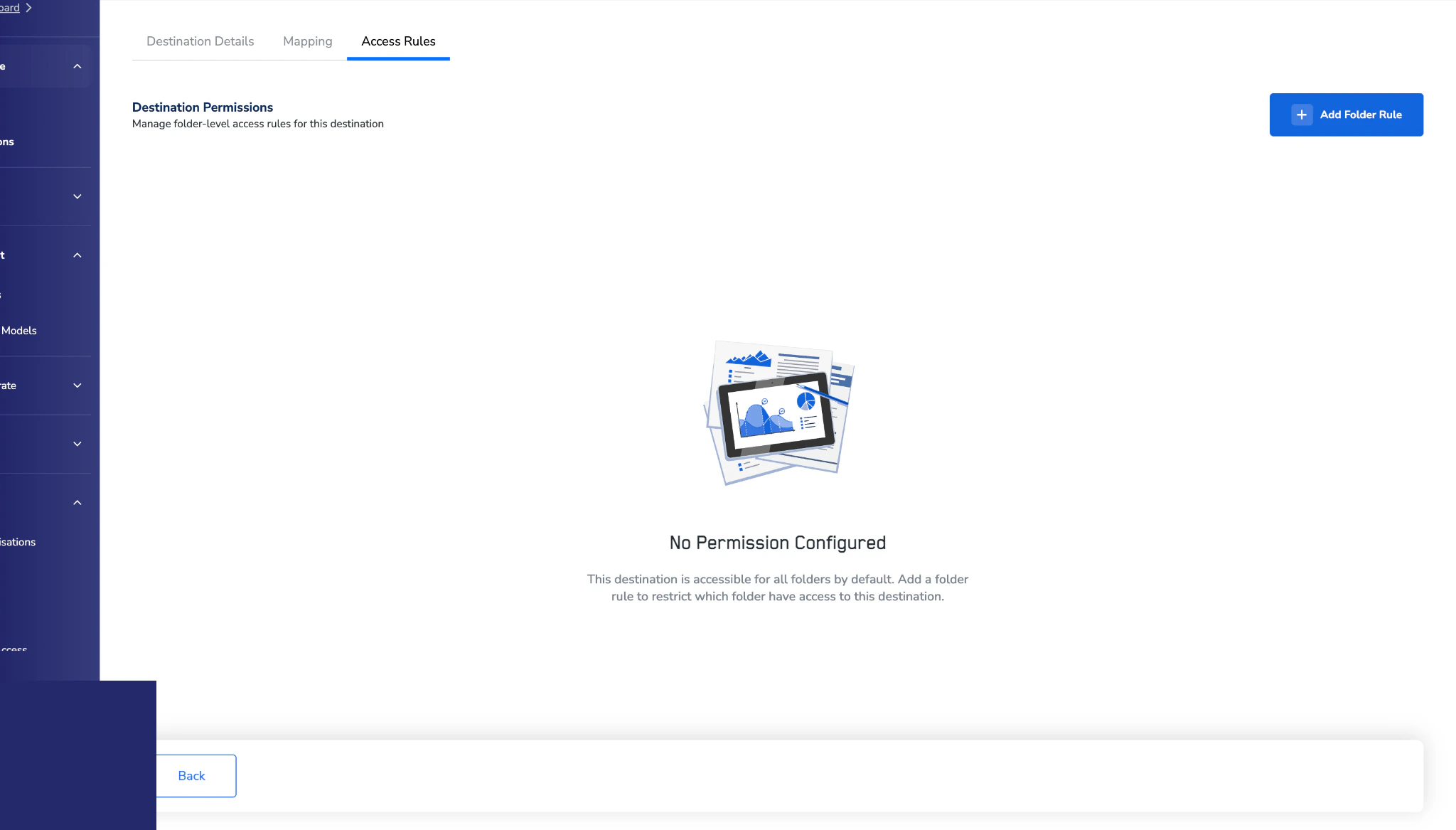
-
Add a rule — pick the audience and journey folders where the destination should be blocked, and save. The saved rule then lists the folders it covers.
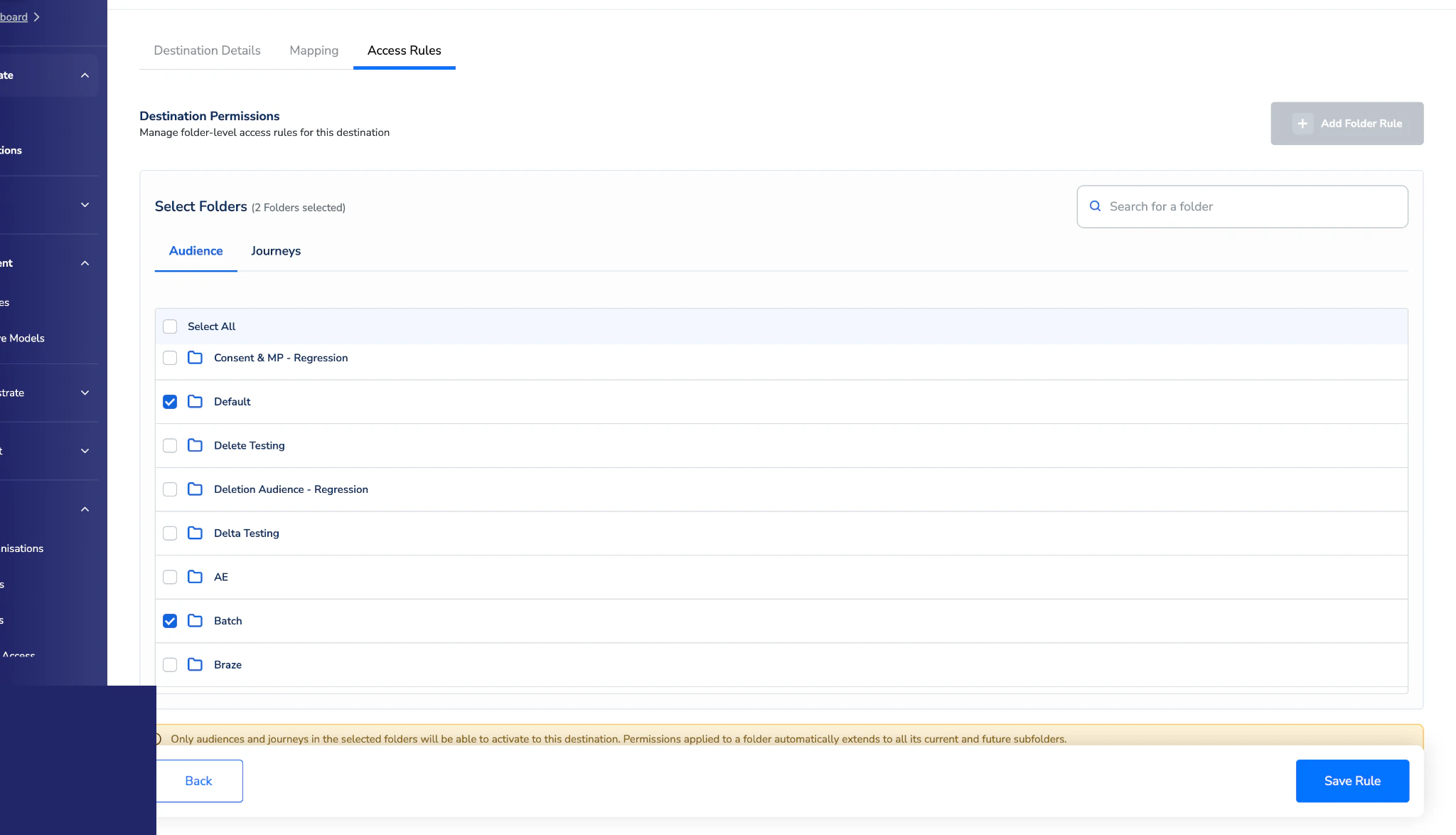
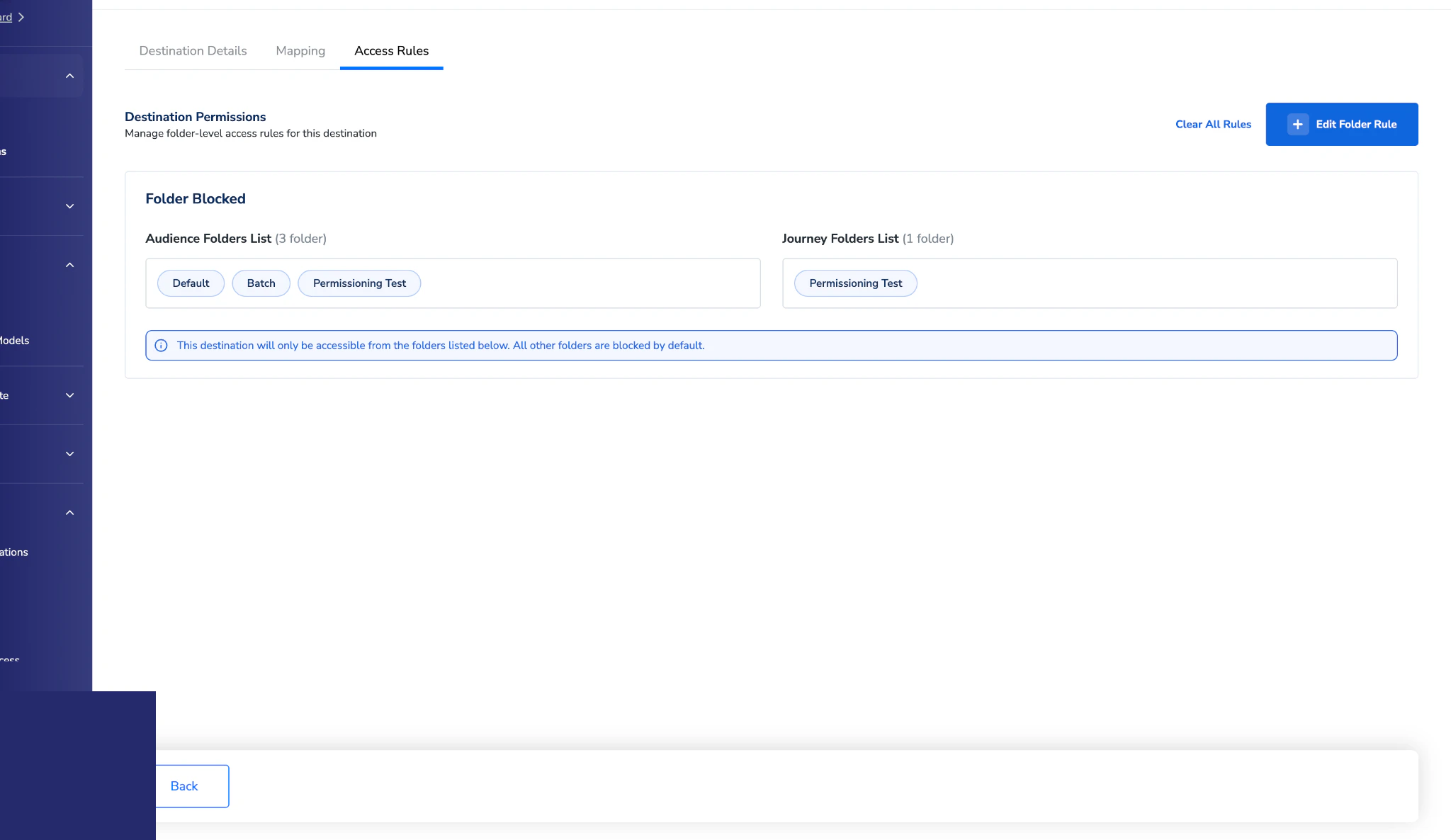
- Edit an existing rule — add or remove folders on the rule’s folder list and save.
- Delete a rule — clear every folder from the rule, or remove individual folders one at a time.
marketing/eu, marketing/us, or growth/acquisition cannot use the premium-dmp destination. Audiences built inside compliance/reviewed-segments continue to reach it. Any subfolder under marketing/eu inherits the same block.
Verify the rule is in effect
You know the rule is applied when all of the following are true in a blocked folder:- Building a new audience in that folder, the destination is absent from the destination list.
- Building a new journey in that folder, the destination is absent from the destination list.
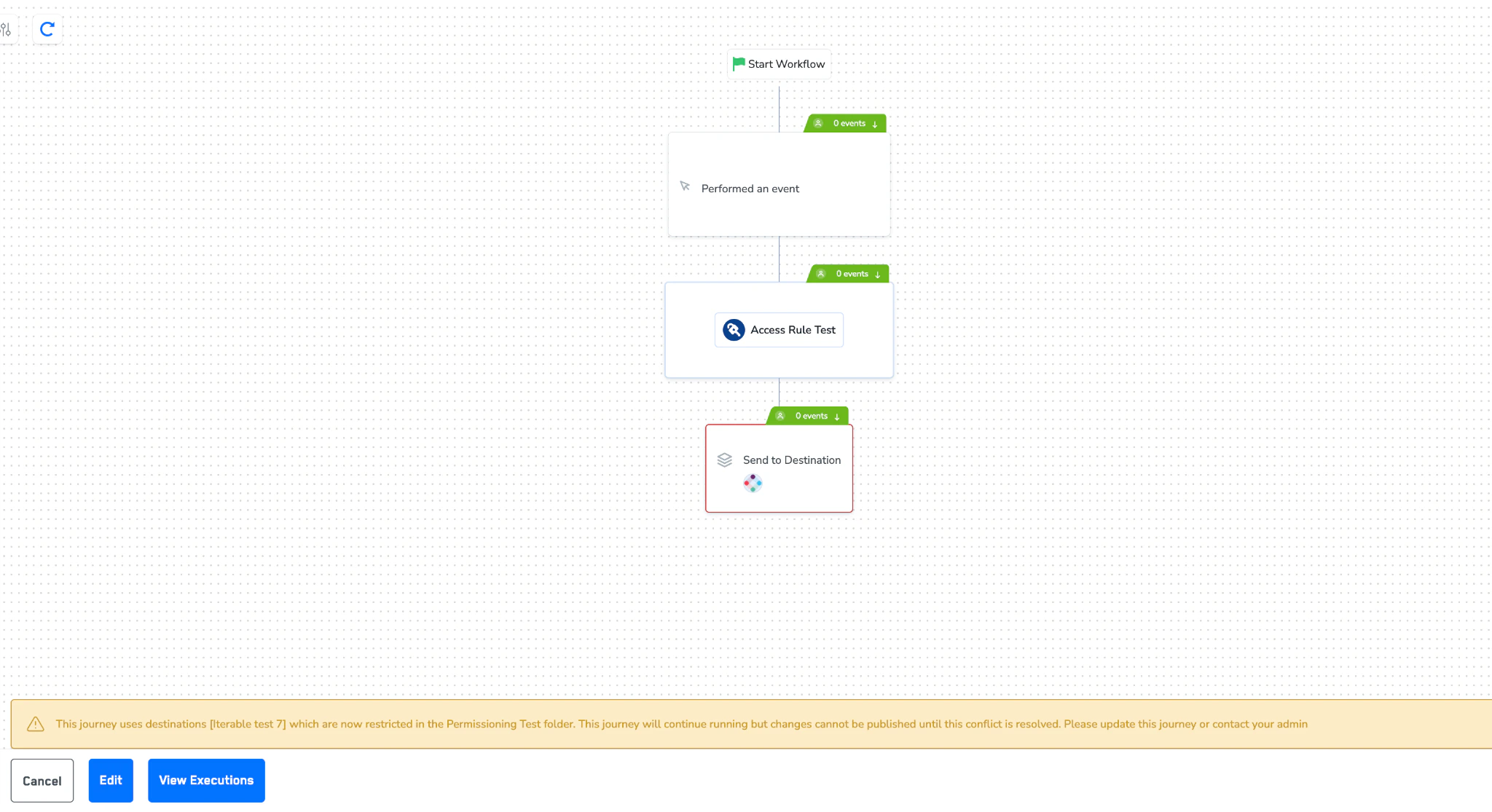
- Any existing audience or journey in that folder that used the destination shows a restricted-destination warning — both on the folder view and on the audience or journey definition itself.
- Republishing changes to a flagged audience or journey is blocked until the destination is removed from the definition or the rule is updated.
Troubleshooting
FAQ
Does blocking a destination stop audiences that already sync to it?
Does blocking a destination stop audiences that already sync to it?
No. Existing audiences and journeys continue to run against the destination without interruption. They are flagged for review and cannot publish further changes until the conflict is resolved, but their active syncs are not paused.
Can I block a destination for only some attributes or mappings?
Can I block a destination for only some attributes or mappings?
No. Destination Access Rules apply to the entire destination. For attribute-level control, use Source Access Rules on the source that carries the attribute.
Do new folders inherit existing destination rules?
Do new folders inherit existing destination rules?
No. A folder created after a rule was set retains full access to the destination. The folder must be added to the rule explicitly for the block to apply.
What happens if I move a restricted folder?
What happens if I move a restricted folder?
The folder’s restrictions update to match its new parent. A restricted subfolder moved under an unrestricted parent loses the restriction; an unrestricted subfolder moved under a restricted parent picks up the restriction.
Next steps
- Explore Access Rules — the full governance model, the roles that can configure rules, and how the three layers fit together →
- Explore Source Access Rules — the attribute-level control that complements destination-level blocking →
- Explore Batch Real Time Destination Integration — a representative destination you can govern with these rules →
- Explore Amazon Conversions API — another destination that fits governance by folder →