Note:The availability of these extensions depends on the data acceptance policy of the specific Destination/Platform. For any inquiries regarding these options, contact your Zeotap POC.
-
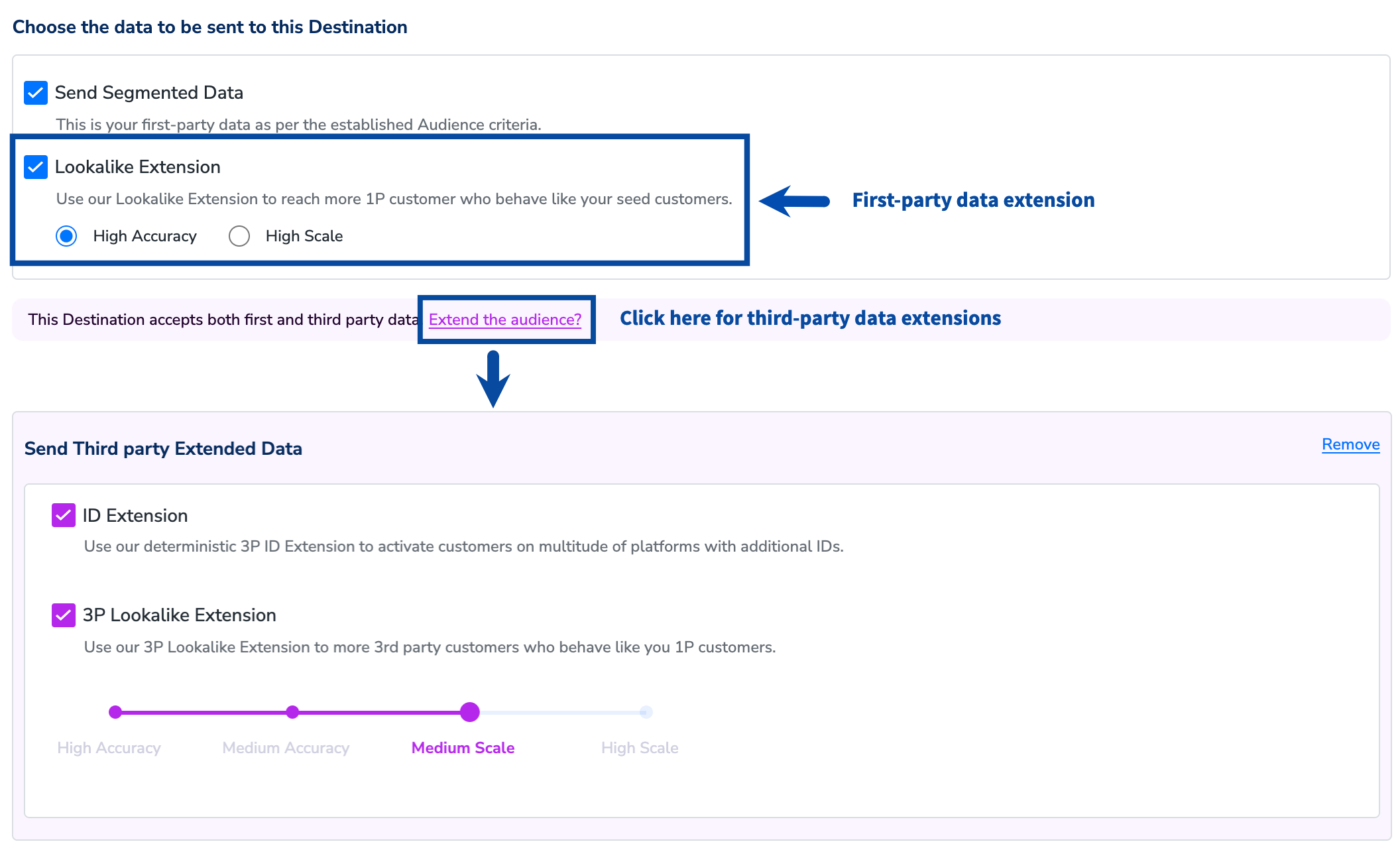
First-party data
- Send Segmented Data
- Lookalike Extension (1P)
-
Third-party data
- ID Extension
- 3P Lookalike Extension
Send Segmented Data
This is the first-party data as per the established Audience criteria. Note that, by default, the Send Segmented Data checkbox is selected, which enables the sharing of the first-party data. You can include third-party data based on the data acceptance policy of the particular Destination.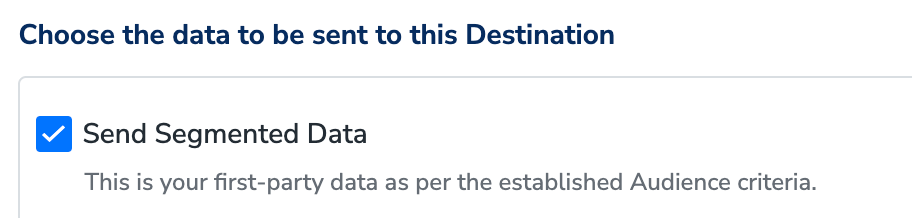
Lookalike Extension (1P)
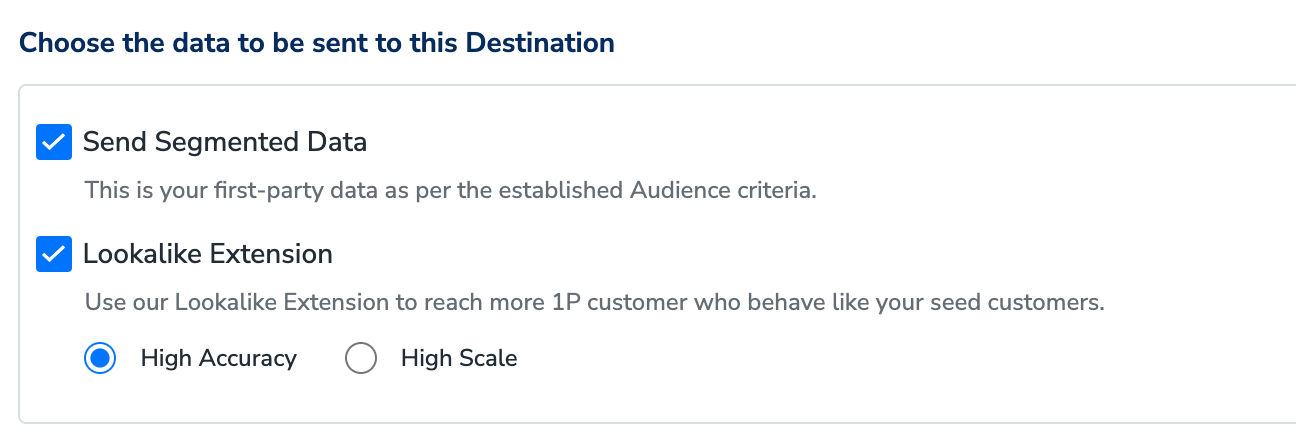
Use the Lookalike Extension when you possess abundant first-party data of your customers. It uses Zeotap CDP’s data science model to identify customer profiles that resemble and behave like your target audiences, such as your most loyal customers. This process allows you to target a wider audience group with similar profile properties, leading to more views and higher click and conversion rates. This, in turn, increases reach and conversion rates leading to enhanced sales, leads and subscriptions. For example, suppose you, as a marketer, create an audience to target high-value customers, qualifying 10,000 customer profiles. When you enable the Lookalike Extension in the Destination Settings, Zeotap CDP runs its data science model on your extensive first-party data and identifies additional customer profiles who is likely to behave similarly to your high-value customers. The exact number of additional customers qualified depends on the accuracy and scale of the lookalike extension configured. You can either choose High Accuracy or High Scale based on your requirement.- High Accuracy - Choose this option when you are highly concerned about accuracy or quality of the matched customer profiles.
- High Scale - Choose this option when you are only concerned about matching more number of customer profiles with less regard for its accuracy.
ID Extension
With Zeotap’s ID Extension, you can leverage our deterministic data for billions of customers to create comprehensive and accurate ID graphs for each customer. By using this extension, you can obtain online identifiers that correspond to your customers’ offline identifiers. This enables seamless customer activation across multiple channels, providing a valuable asset for your brand. The ID Extension includes a repository of known identifiers associated with individual customers, such as email addresses, phone numbers, cookies, and device IDs. By harnessing these identifiers, Zeotap enables successful customer identification across various platforms.
3P Lookalike Extension
Note:3P Lookalike Extension is being deprecated. We recommend migrating to Audience Boost for long-term enrichment.
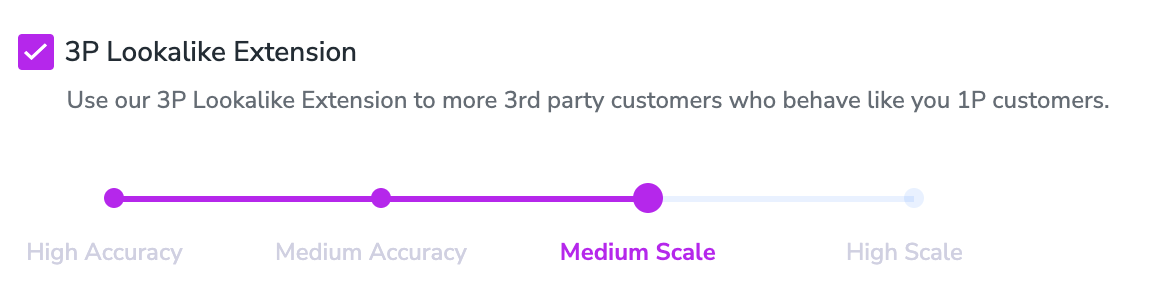
- High Accuracy – Choose this option when you are highly concerned about the accuracy or quality of your third-party data
- Medium Accuracy – Choose this option when you want your third-party data to have a higher scale and you also do not want to compromise with its accuracy much
- Medium Scale – Choose this option when you want your third-party data to have more scale with less regard to its accuracy
- High Scale – Choose this option when you are only concerned about the scale of your third-party data with less regard for its accuracy
Note:Activation of the 3P Lookalike Extension is subject to contractual obligations with specific platforms. Currently, it is limited to Google DV360, Facebook, OATH/Yahoo, SnapChat, Twitter and TikTok.