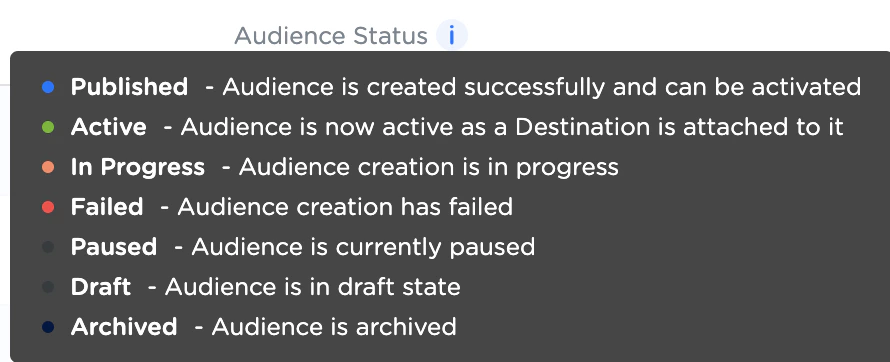
Audience Status
| Status | Description | Colour Code |
|---|
| Published | This indicates that the Audience is created successfully and can be activated. | Blue |
| Active | This indicates that the Audience is active as a Destination is attached to it. | Green |
| In Progress | This indicates that the Audience creation is in progress. | Amber |
| Failed | This indicates that the Audience creation has failed. | Red |
| Paused | This indicates that the Audience is currently paused. | Grey |
| Draft | This indicates that the Audience is in draft stage. | Grey |
| Archived | This indicates that the Audience is archived. | Black |
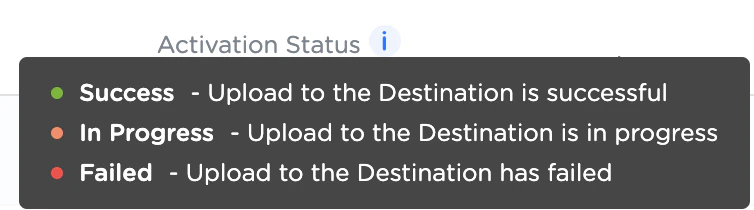
Activation Status
| Status | Description | Colour Code |
|---|
| Success | This indicates that the destination upload is successful. | Green |
| In Progress | This indicates that the destination upload is in progress. | Amber |
| Failed | This indicates that the destination upload has failed. | Red |
Additional information available for Activation Status
On hovering over the Activation Status of a particular Audience, a window appears displaying the following information:
- Count of the successful destinations
- Count of the failed destinations
- Count of in-progress destinations
- Message about the overall destination status (if any)
- Icons of each destination with the relevant colour code for their respective statuses
Last modified on February 26, 2026