Membership is a functionality that enables you, as a marketer, to keep your audience refreshed. Note that it labels users who become part of that audience through the Audience’s membership. This information can be further used through the Segment Membership Calculated Attribute for filtering or activating users through the Profile API. Note that the Membership refreshes every 24 hours. To understand this concept better, consider the following use cases: Use case 1: Assume that you wish to exclude users associated with a specific audience without activating it on a Destination. You can achieve this by enabling the membership of this audience to include only the most recent users. Use case 2: Let’s say, as a marketer, you wish to keep your loyal customer list updated, so that you can plan your marketing strategies accordingly. In this case, you can enable the membership for the Audience and set the refresh frequency as needed. This ensures you stay consistently updated, allowing you to make precise adjustments to your marketing strategies based on real-time user dynamics.
Note:Ensure that you are aware of the following points while working with Membership:
  • Any audience that is already linked to a Destination does not require this functionality, as it refreshes based on the Destination’s refresh frequency.
  • If you wish to enable this functionality for your organisation, then reach out to your Zeotap POC.

How do you Enable Membership?

To enable membership for an Audience, perform the following steps:
1
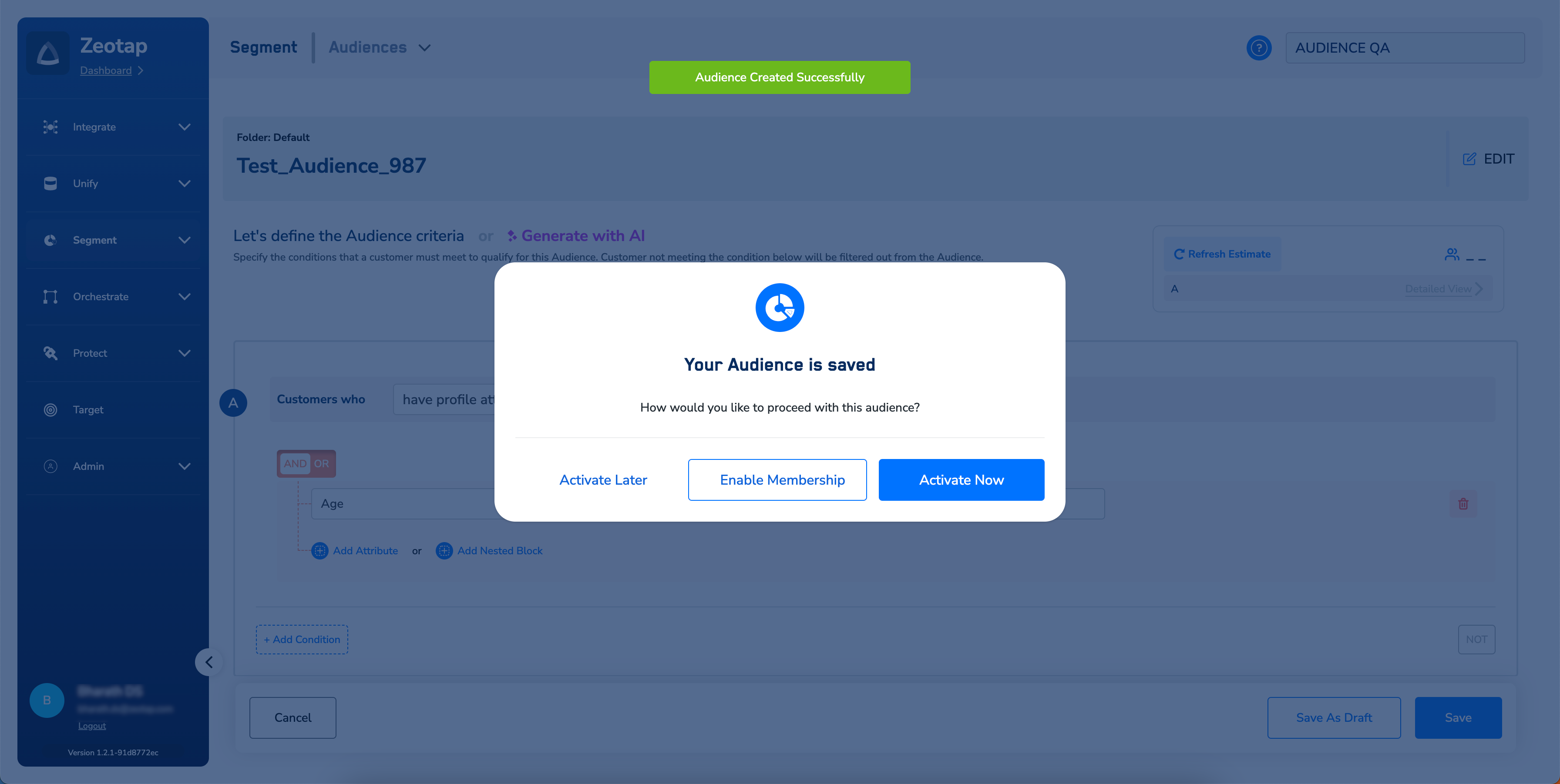
After defining and saving the Audience, a window appears with the following options to choose from:
2
Click Enable Membership.
3
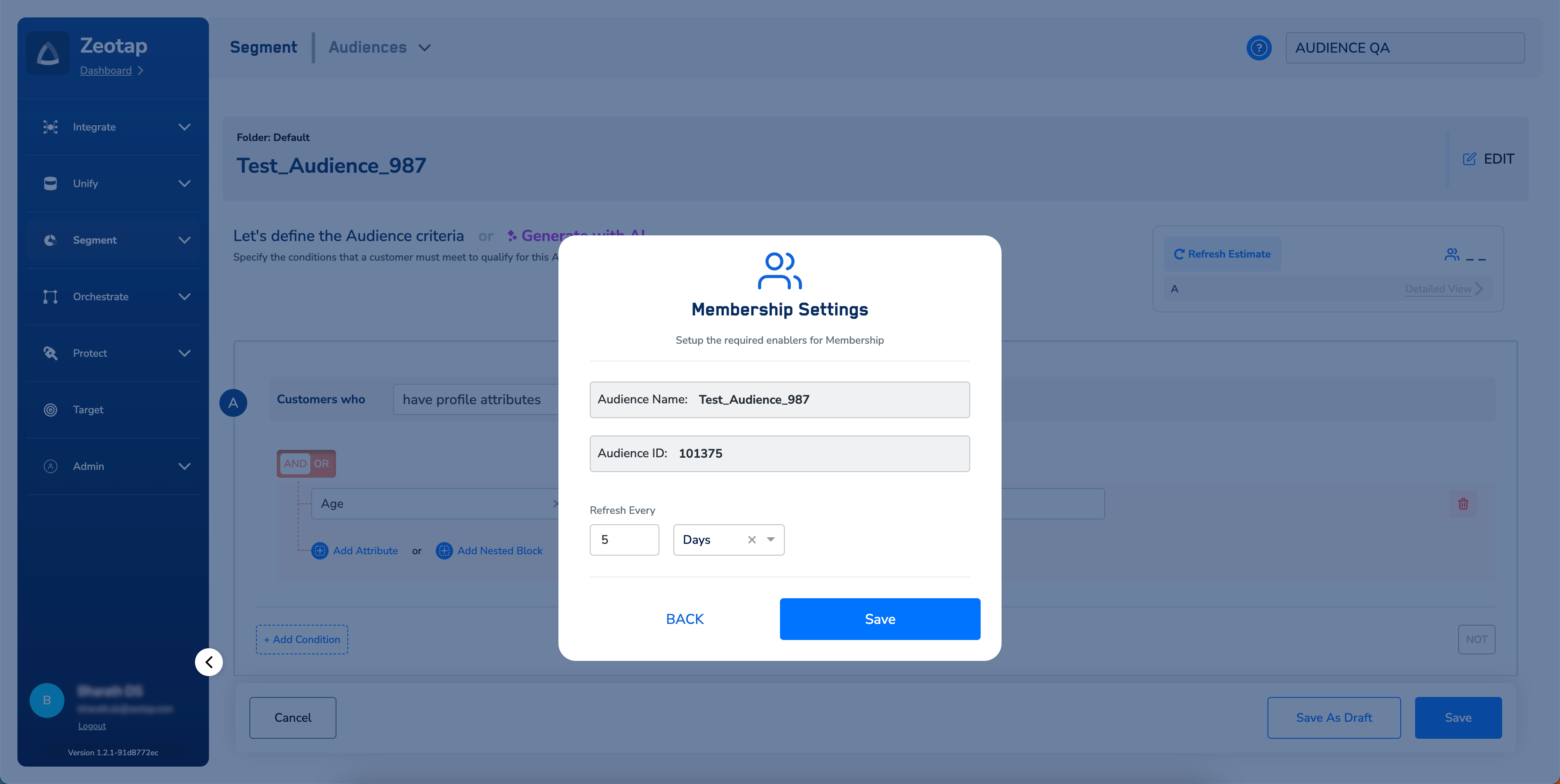
In the new screen that appears, set the refresh frequency for receiving the added/removed users’ information on this particular Audience.
4
Review the details and click Save.

Note that you can edit or disable a membership as per your requirement by using the options shown below.
Last modified on February 26, 2026