Zeotap CDP allows you to send attributes as objects, list/array of objects, and Non-Customer data (NCE) to Destinations, enabling effective targeting. The following use case explains how and when to use these data types in Zeotap CDP for sending data to destinations.
Stock Replenishment Use Case
In this use case, we explore how Zeotap CDP can be used to send List/Array of Objects for targeting based on user data related to product replenishment.
Customer Overview
Assume that the below table represents your customer data available in Zeotap CDP, where there are four user profiles (UCID1, UCID2, UCID3, UCID4) with different product information associated with them as shown below.
Step 1: Create an Audience and filter them by Age
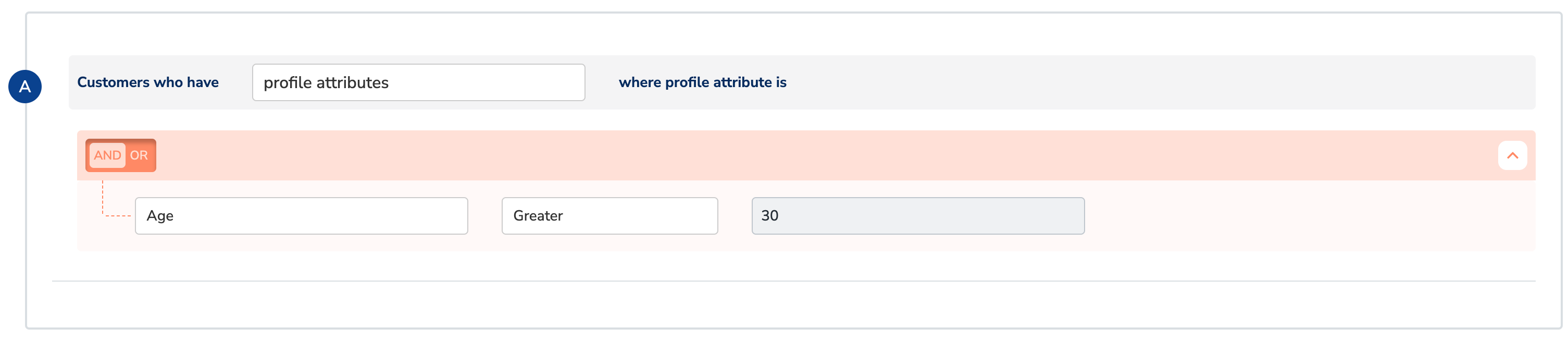
Let’s say, you create an audience with condition to filter users above 30 years as shown below.
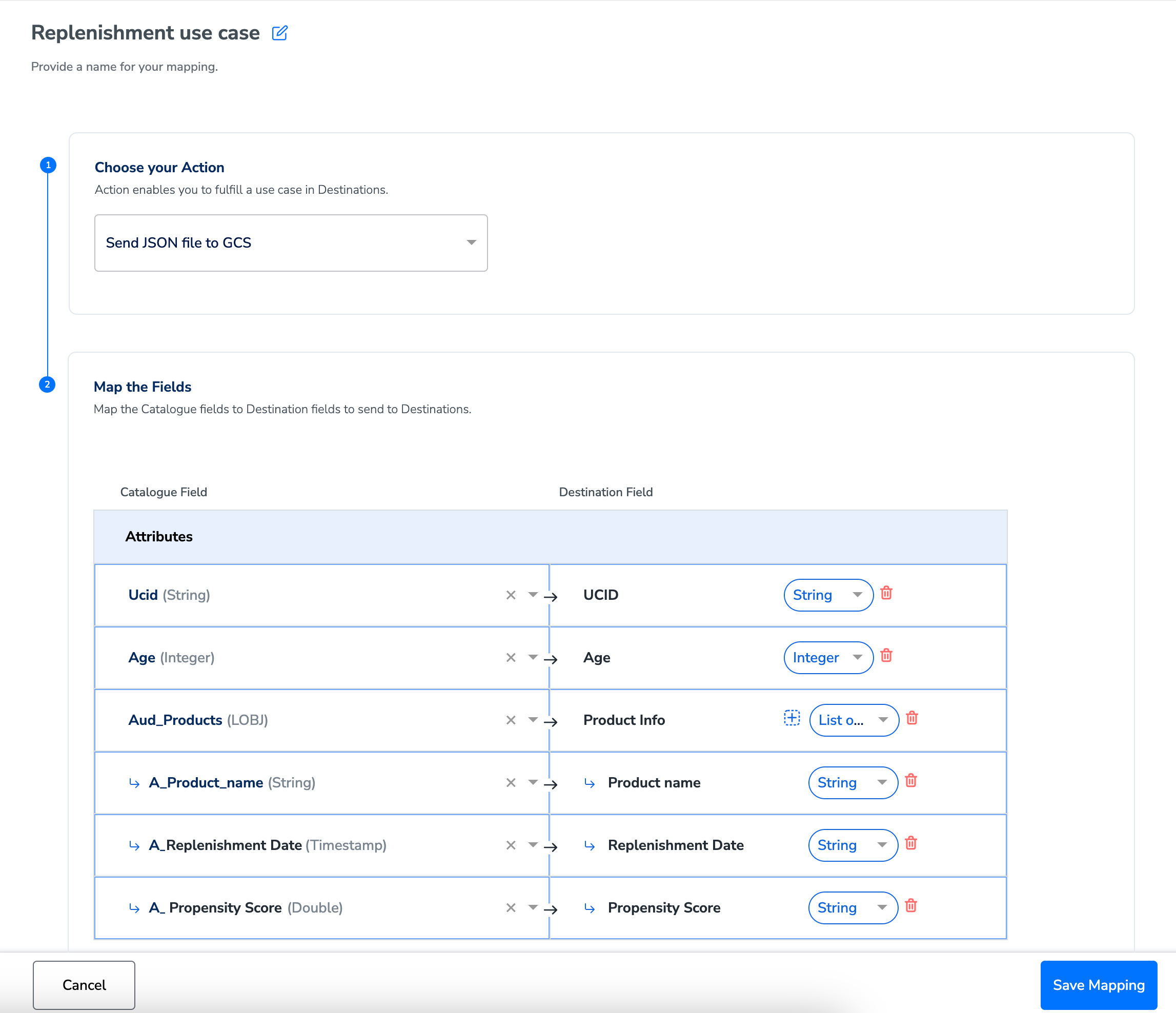
During the Activation stage, on the Mapping screen, use the drop-down against each attribute to choose the data type for your attribute or identifier and map the corresponding Catalogue fields to the Destination fields. If you select Objects or List of Objects, then you must also map the object properties below the object, as shown below. For more information about the data types supported and when to use them, refer here.
In this example, Product Info is a List of Object with Product name, Replenishment Date, Propensity Score as its properties.
So, when you create this audience with condition to filter users above 30 years, only UCID 2 and UCID 4 qualify as shown below. Note that each user profile (UCID) has multiple product information associated with it.
Step 2: Additional Filtering at Destination Level by Propensity Score
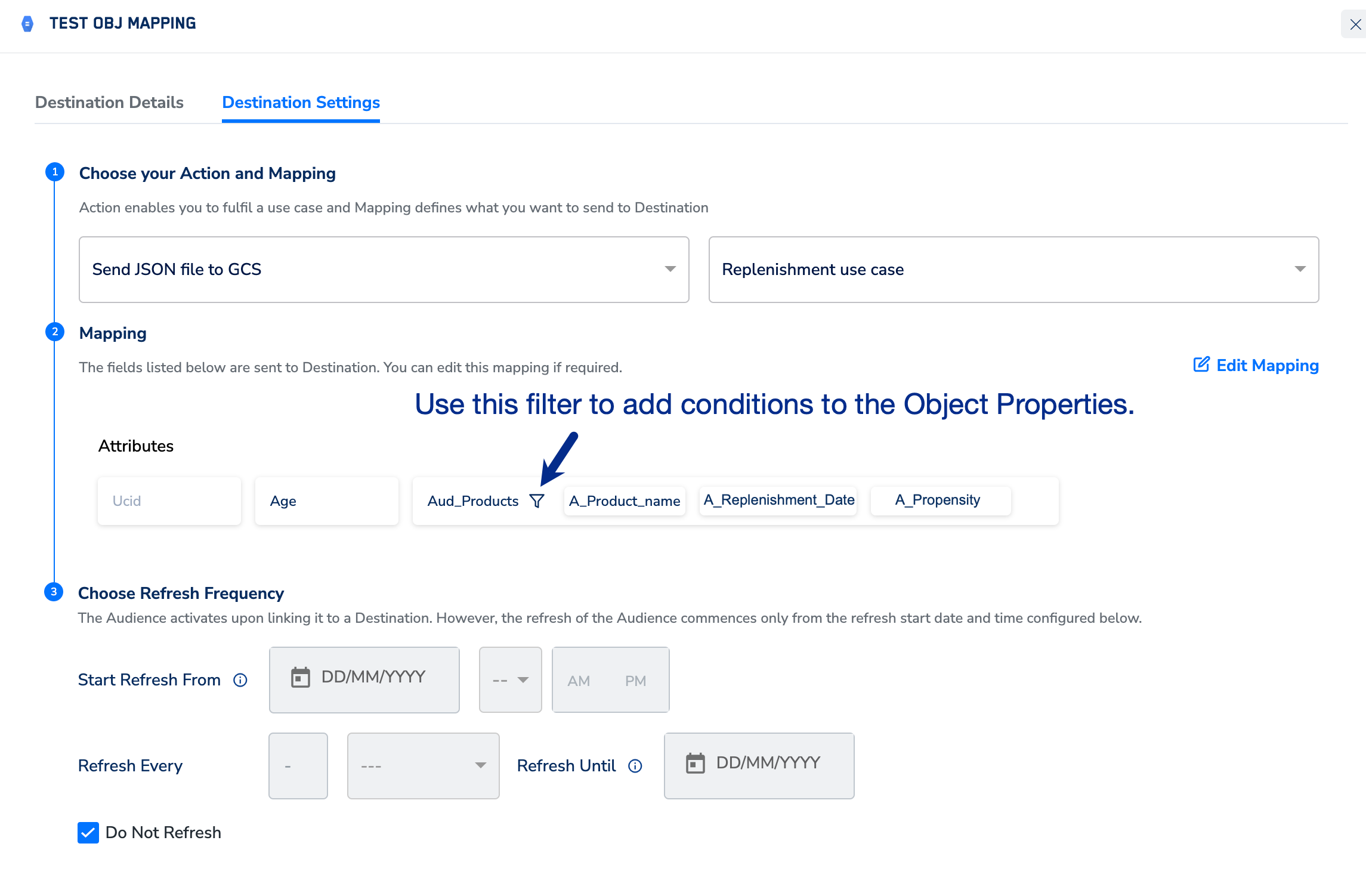
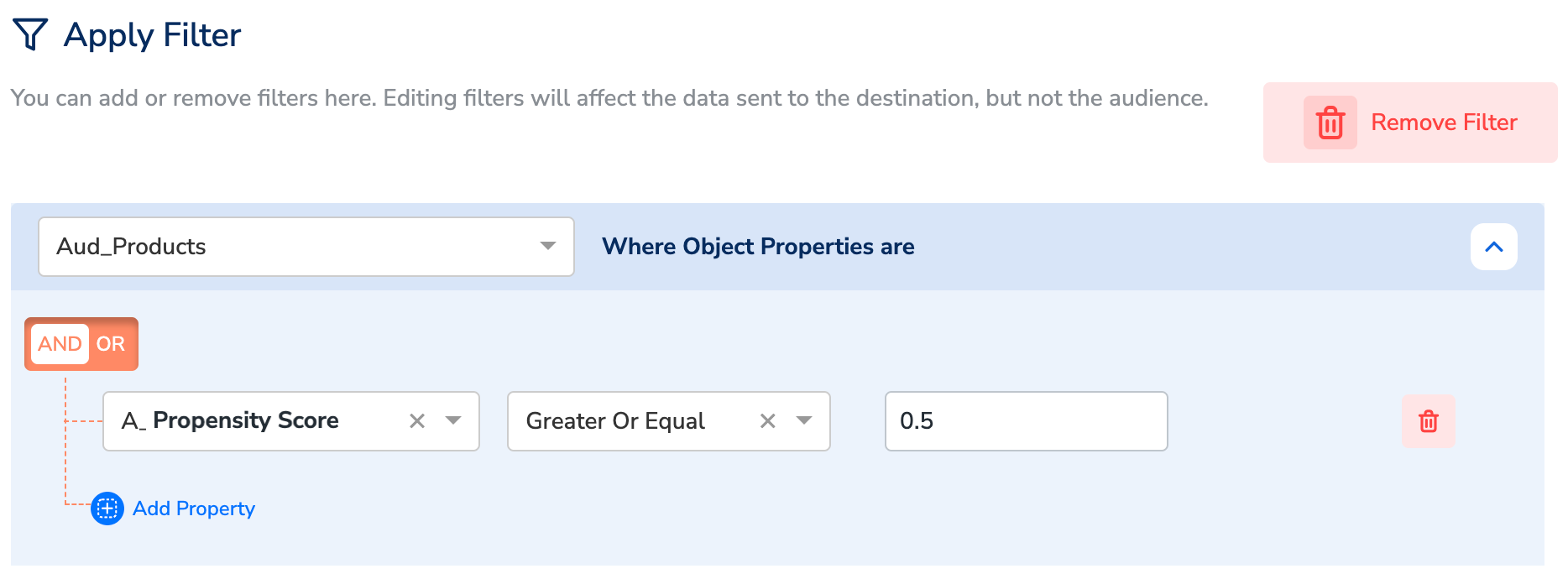
At this point, you can apply a filter on the properties of the objects to include only the required products in the user profiles. You can do this in the Destination Settings, as shown below.
In this example, the filter is added to include only products with a Propensity Score above 0.5.
Conclusion
Here, the following product information of the users UCID 2 and UCID 4 qualify for Destination upload at this stage:
- UCID 2 with the product Nespresso Coffee Pods (Limited Edition).
- UCID 4 with the product Electric Kettle with Temperature Control.
This approach allows you to successfully filter and specifically target only UCID 2 and UCID 4 with promotions or ads for relevant products, that is Nespresso Coffee Pods (Limited Edition) and Electric Kettle with Temperature Control respectively.
How Data is Sent to Destination
Depending on the destination platform, you can choose the data format in which the final data is sent to Destination. For example, Google Cloud Storage accepts only JSON or CSV formats. Below are the data examples in both formats.
In JSON Format
In CSV Format
Last modified on February 26, 2026