

1
Click + Create Destination.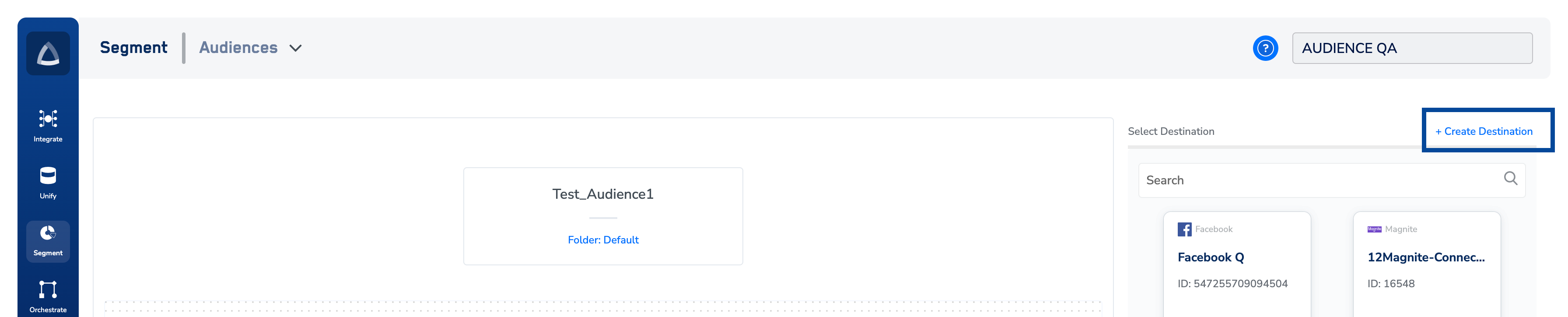
2
Under All Destinations, search for the appropriate platform on which you want to create a Destination.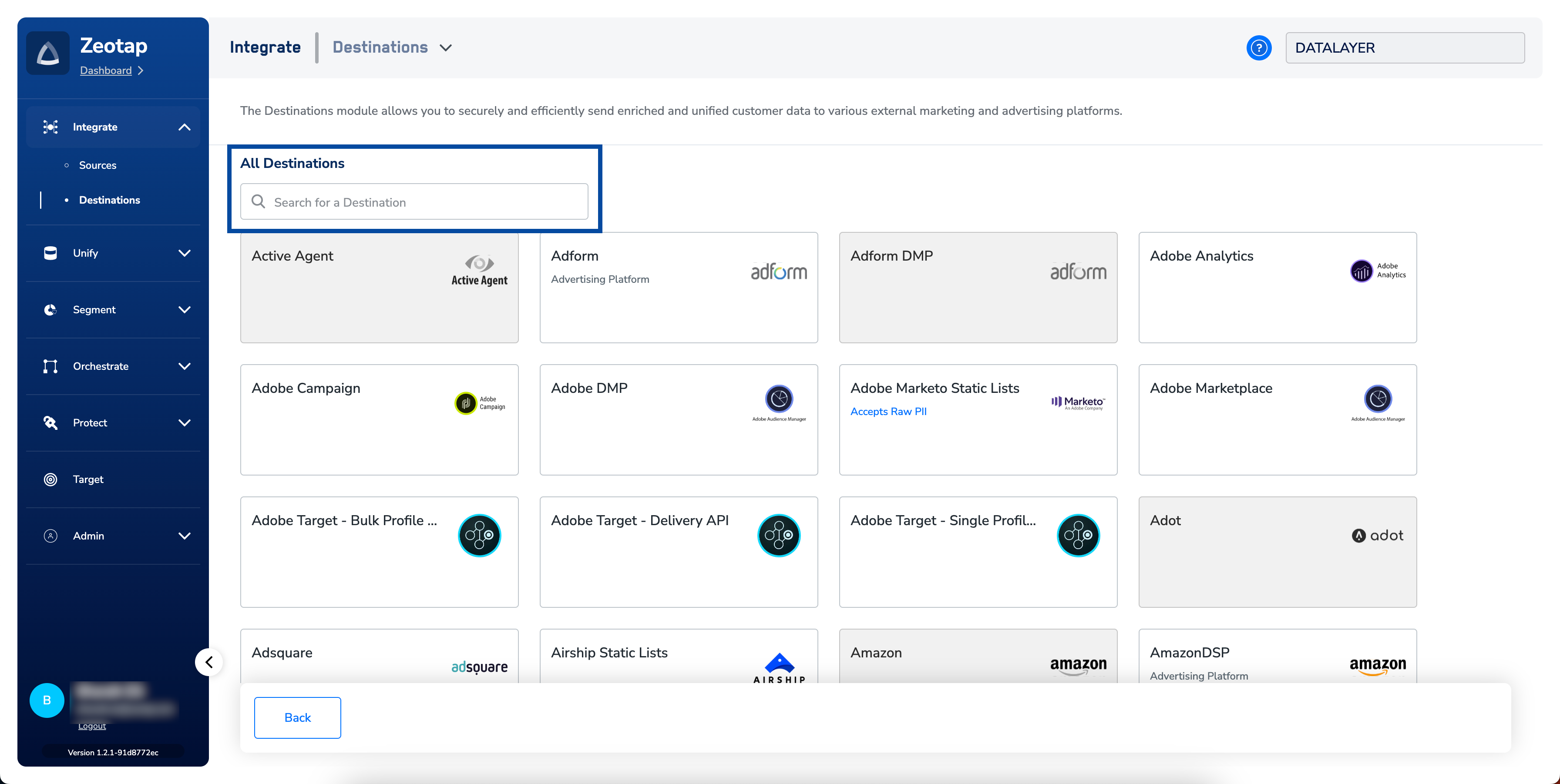
3
Click open the particular Destination and enter the necessary inputs and click Next. In the below image, an example of Adform integration is shown for reference.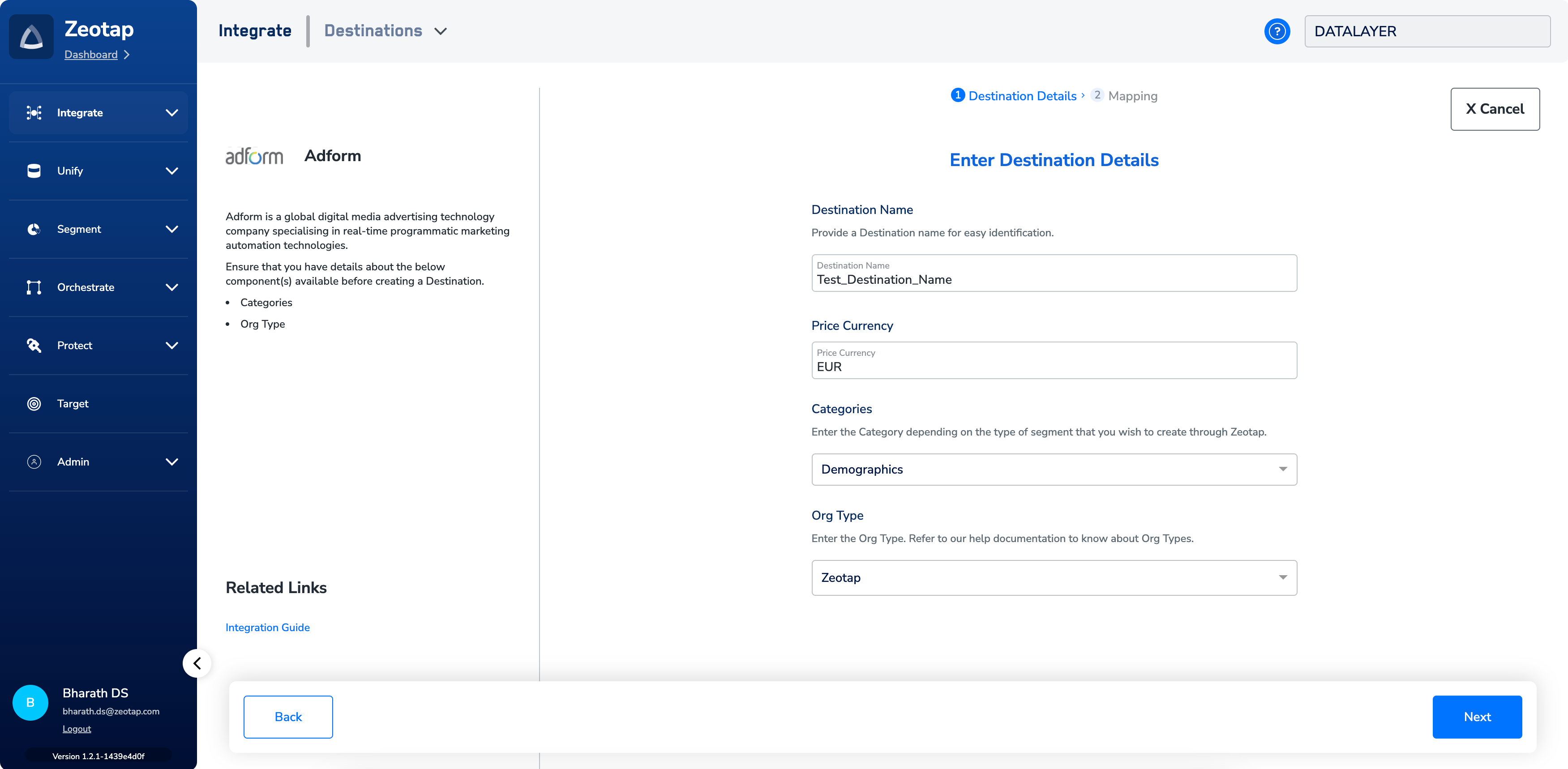
4
In the new screen that appears, choose the appropriate Action and mapping as explained below.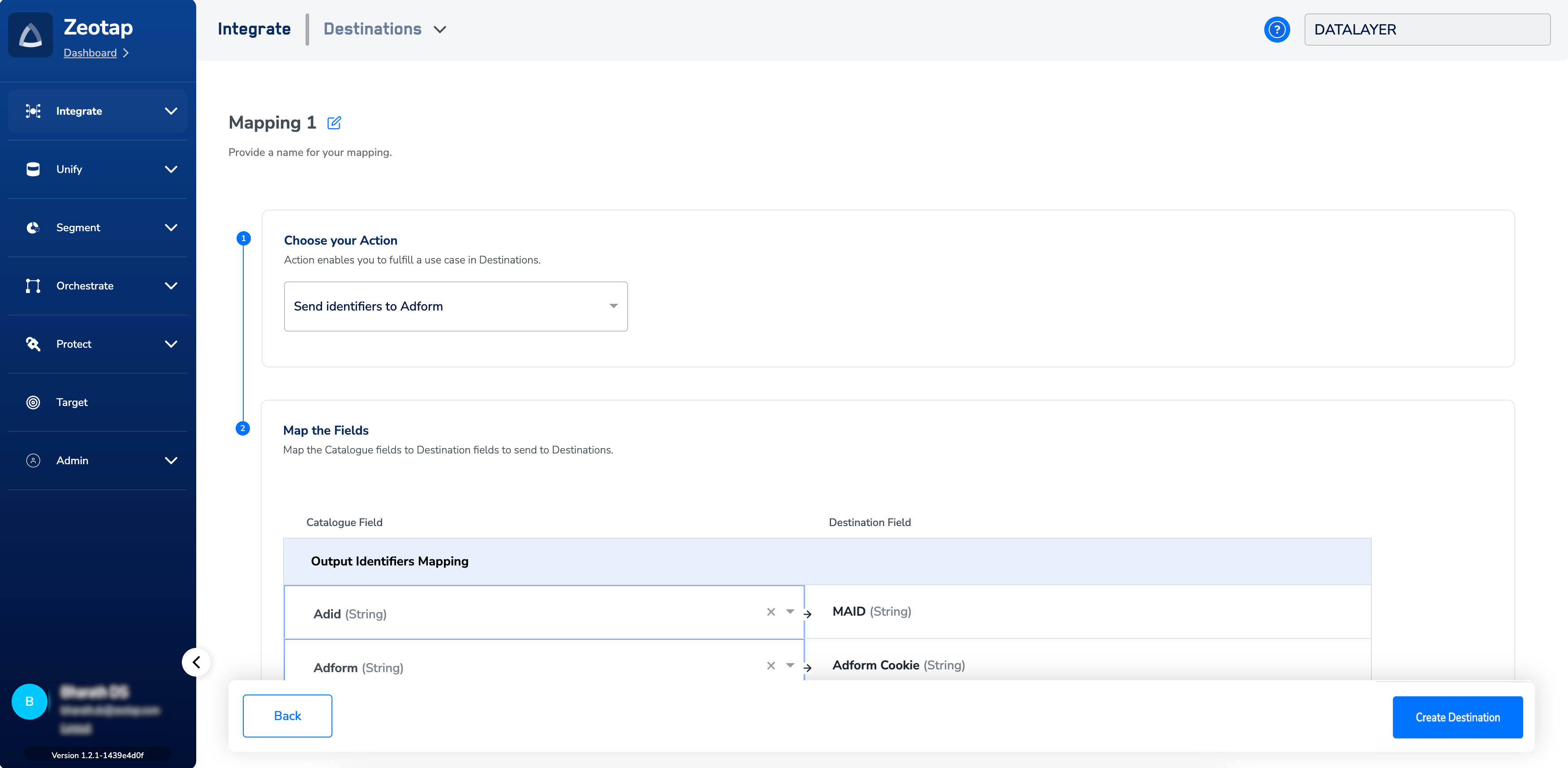
- Choose the desired action under Choose your Action and then choose the corresponding identifiers under Map the Fields. By default, the Output Identifiers that are accepted by the platform such as, MAIDs, Cookies, email Ids and more are displayed. However, you can edit, add or remove an identifier from the list. To do so, refer here.
- Click Create Destination. The created Destination gets featured in the list of available Destinations in Audience. You can then use it to activate your Audience.