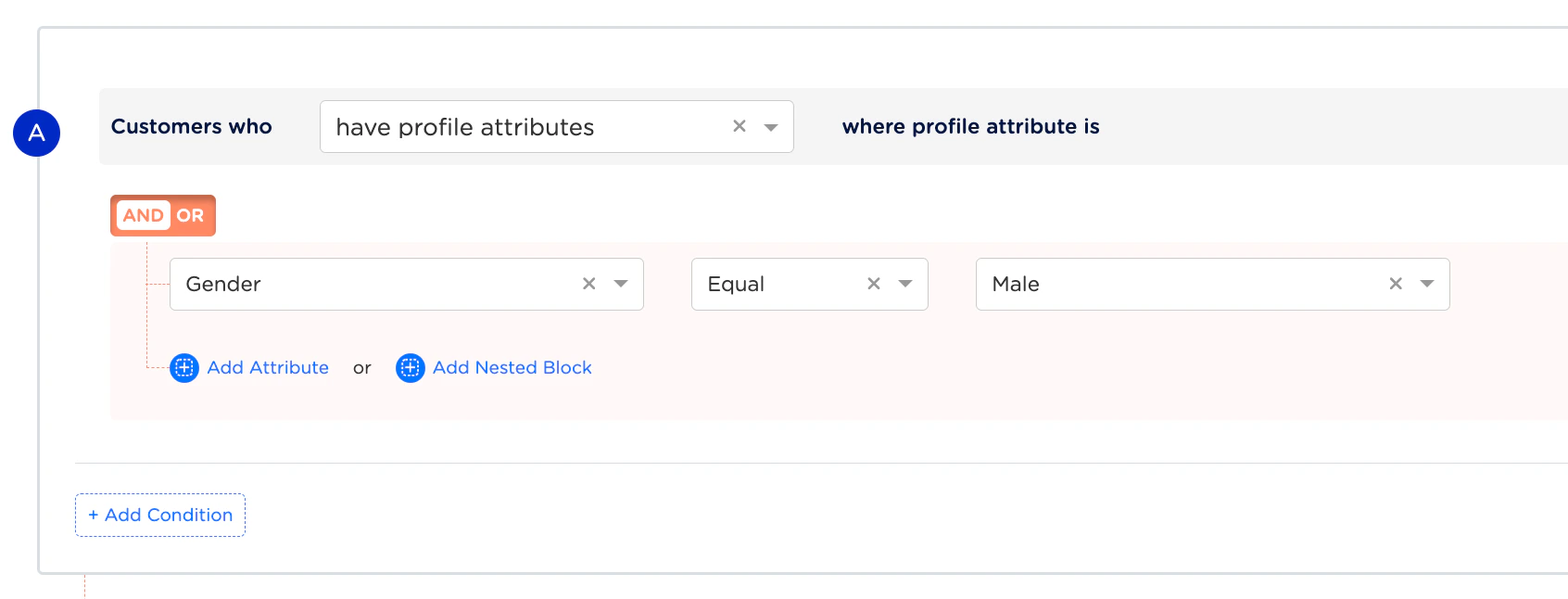
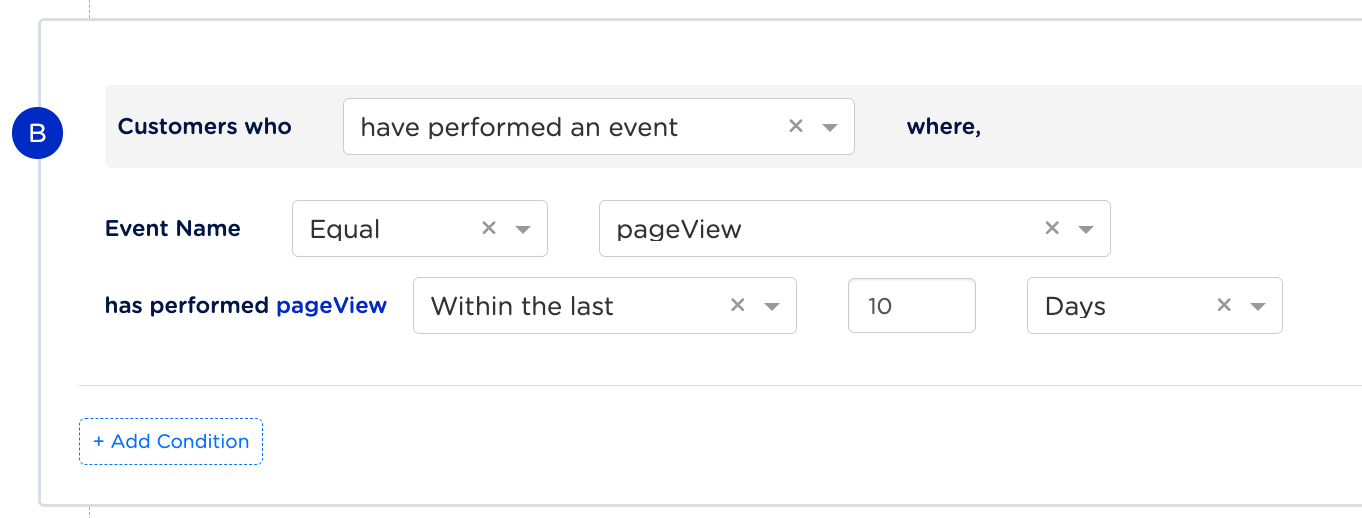
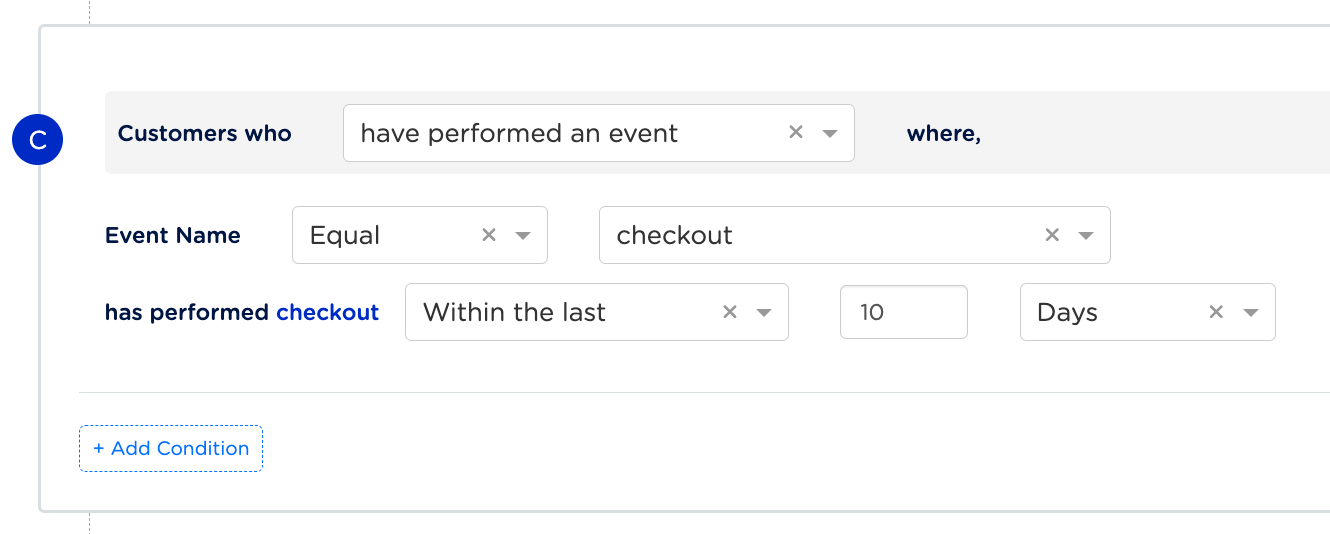
Let’s consider an example to understand how conditional blocks filter users when different logical operators such as AND, OR, and NOT are applied. Suppose, you want to filter male users who have performed both the pageView and checkout events within the last 10 days. We can build this scenario in Audience using three conditional blocks (conditional block A, B and C) as shown in the images below. Note that we are using AND operator between the conditional blocks for this particular use case, ((A AND B) AND C).
Conditional Block A: Filters users by Gender Male
Conditional Block B: Filters users who have performed pageView in the last 10 days
Conditional Block C: Filters users who have performed checkout in the last 10 days
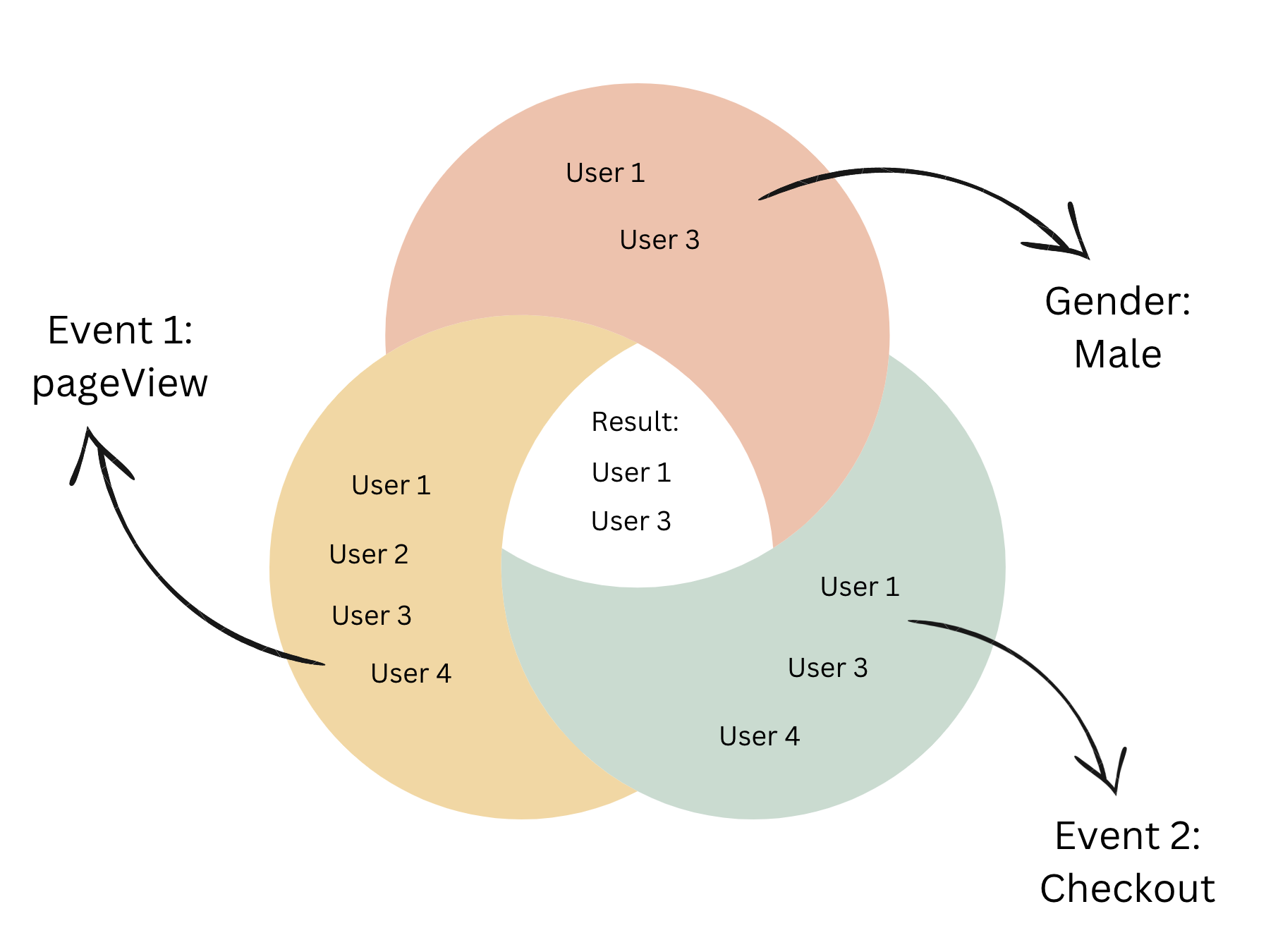
Now that we have built the conditional blocks, let us understand how the users qualify for these conditions. Consider four users who have performed the following events:
- User 1 – A male who has performed both the
pageView and checkout events in the last 10 days.
- User 2 – A female who has performed only the
pageView event in the last 10 days.
- User 3 – A male who has performed both the
pageView and checkout events in the last 10 days.
- User 4 – A female who has performed both the
pageView and checkout events in the last 10 days.
Result
Based on the above conditional blocks, User 1 and User 3 qualify. Applying the AND operator between the conditional blocks, we obtain a subset of users who are male and have performed both the pageView and checkout events in the last 10 days.
Last modified on February 26, 2026