

NoteIt can take 7 to 10 days for deleted profiles to be erased from the database.
Use cases
A couple of popular use cases where this feature can be used are as follows:- Delete customers who have not given advertising consent.
- Delete customers who have opted out of marketing updates on a daily basis.
How and when to use the checkbox?
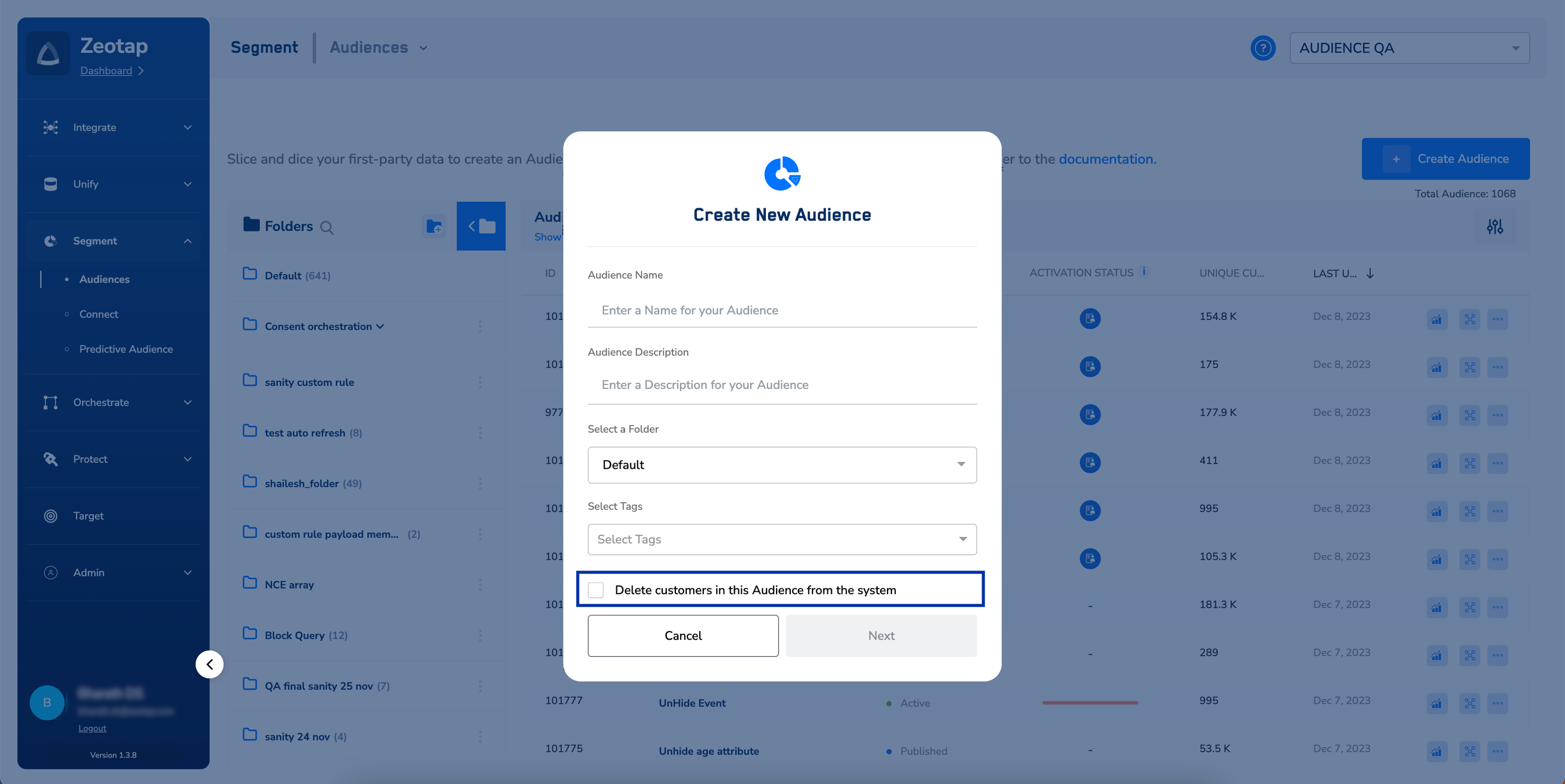
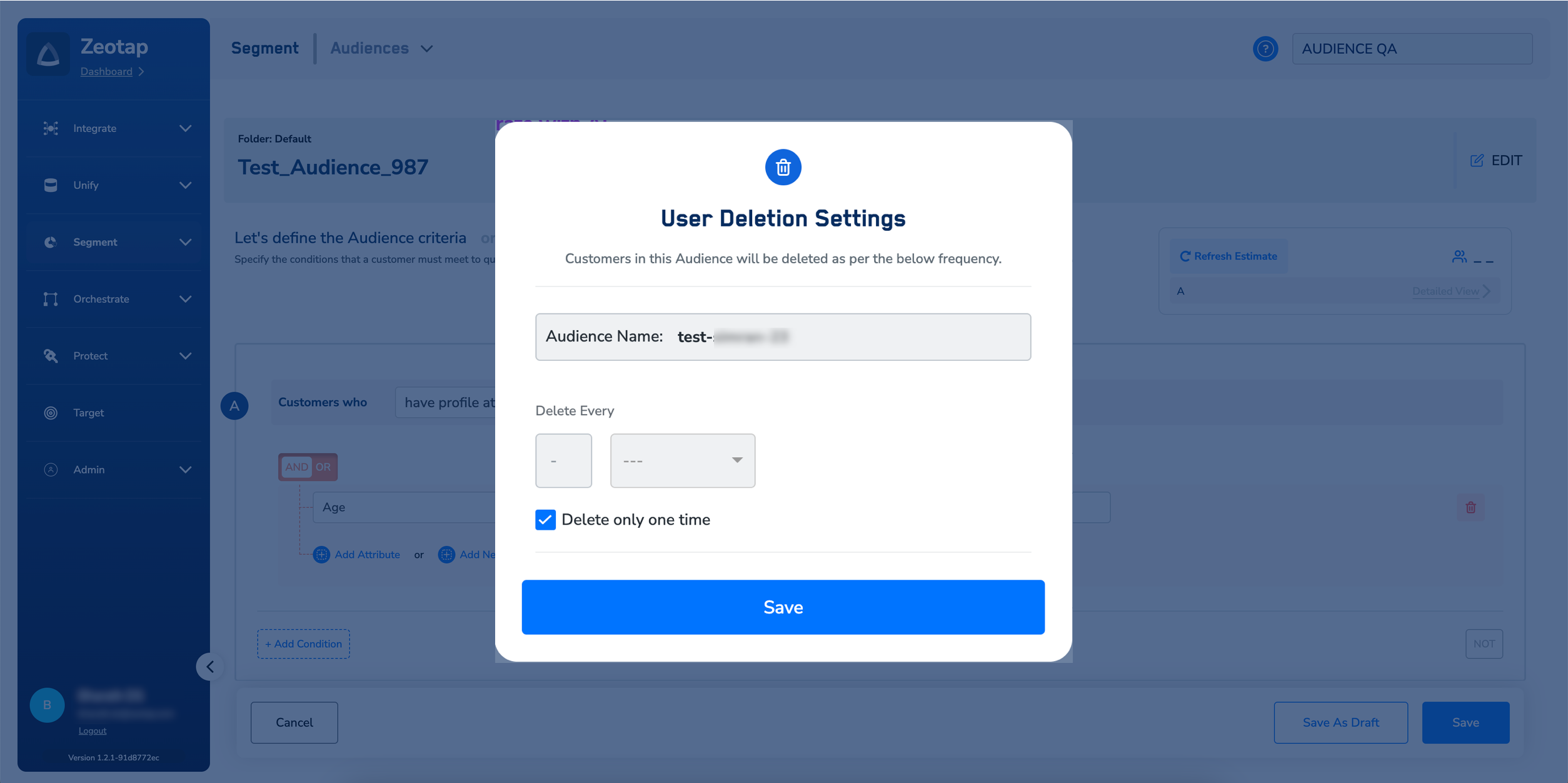
If your use case is one of the above or it involves deleting customers (user profiles) from the Zeotap system in bulk, then while creating an Audience, select the Delete customers in this Audience from the system checkbox. By default, this checkbox is not selected as it is a sensitive feature that deletes customer data in bulk. Upon saving this Audience, a window appears as shown in the image below. Here, you can set the frequency for deleting the customers qualifying for the Audience as per your requirement.Note:Selecting the Delete only one time checkbox deletes customers who qualify for the Audience only once.However, if you want to delete customers at specific intervals, then set a frequency for your Audience underthe Delete Every option.
Note:Ensure that you take care of the following points while using this checkbox:
- If you select the checkbox, then the Audience cannot be activated on any Destination.
- This feature deletes customers from the Zeotap system. However, it does not impact customers activated on the Destinations.
- The Delete customers in this Audience from the system checkbox is enabled only for the Client Admin and Campaign Admin roles.