Supported Identifiers
This integration supports both raw and hashed email addresses and cell phone numbers.Available Actions and Supported Features
The following table lists the available action types for the integration and the supported features for each action type:Components of TTD CRM Data
Ensure that you have details about the below components of TTD available before creating a Destination.Advertiser ID
This is an ID assigned by TTD that identifies the advertiser on the TTD platform for account-level operations. You can obtain this information on the TTD interface by logging into this link.Advertiser Token
This is a unique, secure string generated for authentication and authorization purposes within the Trade Desk platform. It provides secure access to advertiser data and services. You can reach out to TTD POC to obtain this information.Region
This is the geographical region where your account subscription is registered. You can either choose EU or US as per your requirement.Create a Destination for TTD CRM Data
Perform the following steps to create a Destination for TTD CRM Data:1
Log into the Zeotap CDP App and go to the DESTINATIONS application.
2
Click + Create Destination.
3
Under the All Destinations section, search for TTD CRM Data.
4
Click TTD CRM Data. A screen appears displaying details about the particular destination towards the left. On the right-hand side of the screen find a list of fields that are required for the integration to be established. Enter the required details as mentioned in the following steps:a. Enter a name for the Destination.b. Enter the Advertiser ID and Advertiser Token obtained form your TTD account/TTD POC.c. In the Region field, choose the geographical region where your account subscription is registered.d. Review all the values entered above and then click Next to proceed.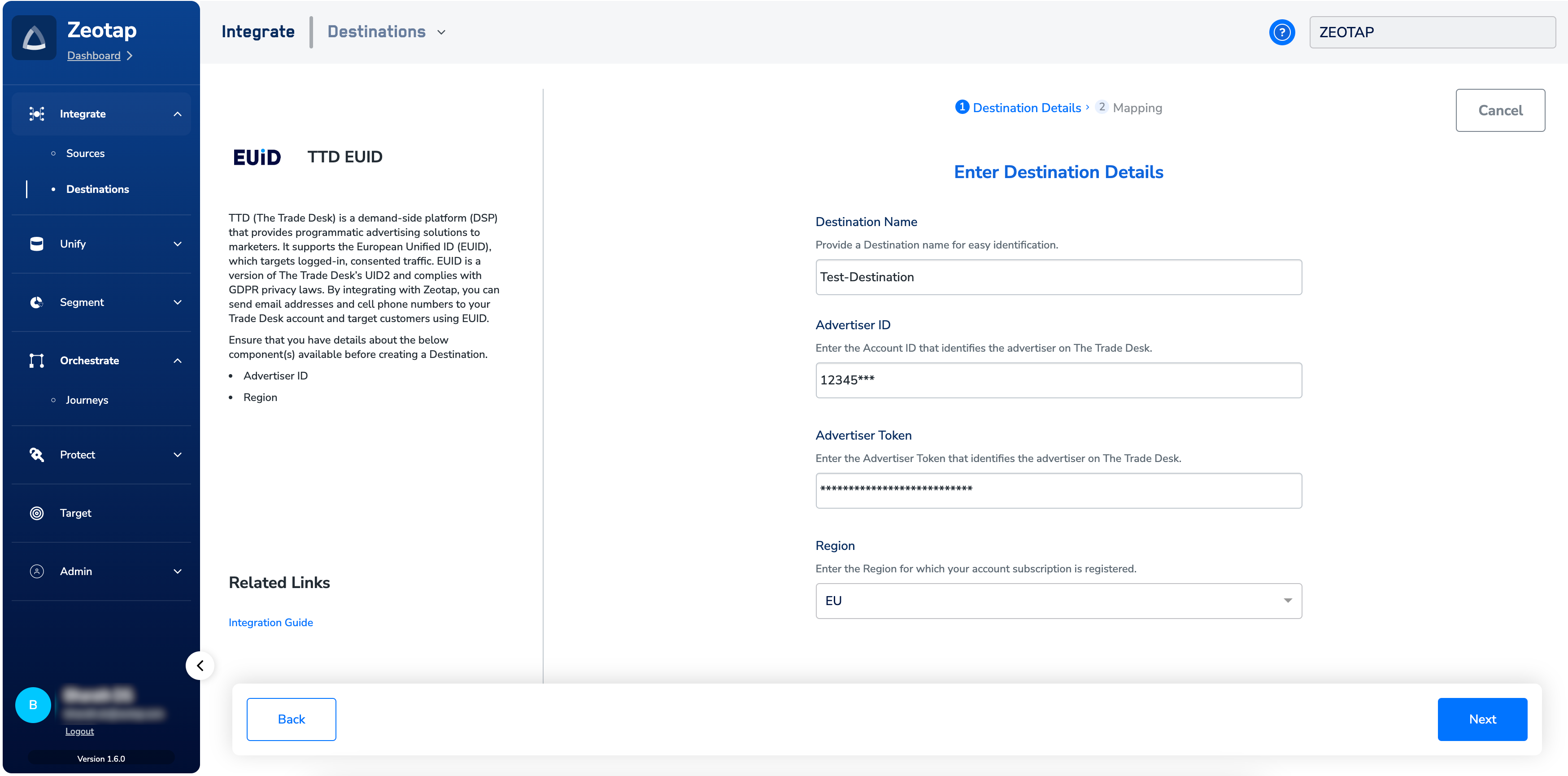
5
In the new screen that appears, under Choose your Action, select Send first-party data through CRM Data Platform API as the action for activating your audience (segment) on the Audiences module. Under Map the Fields, you can map both raw and hashed email addresses and cellphone numbers.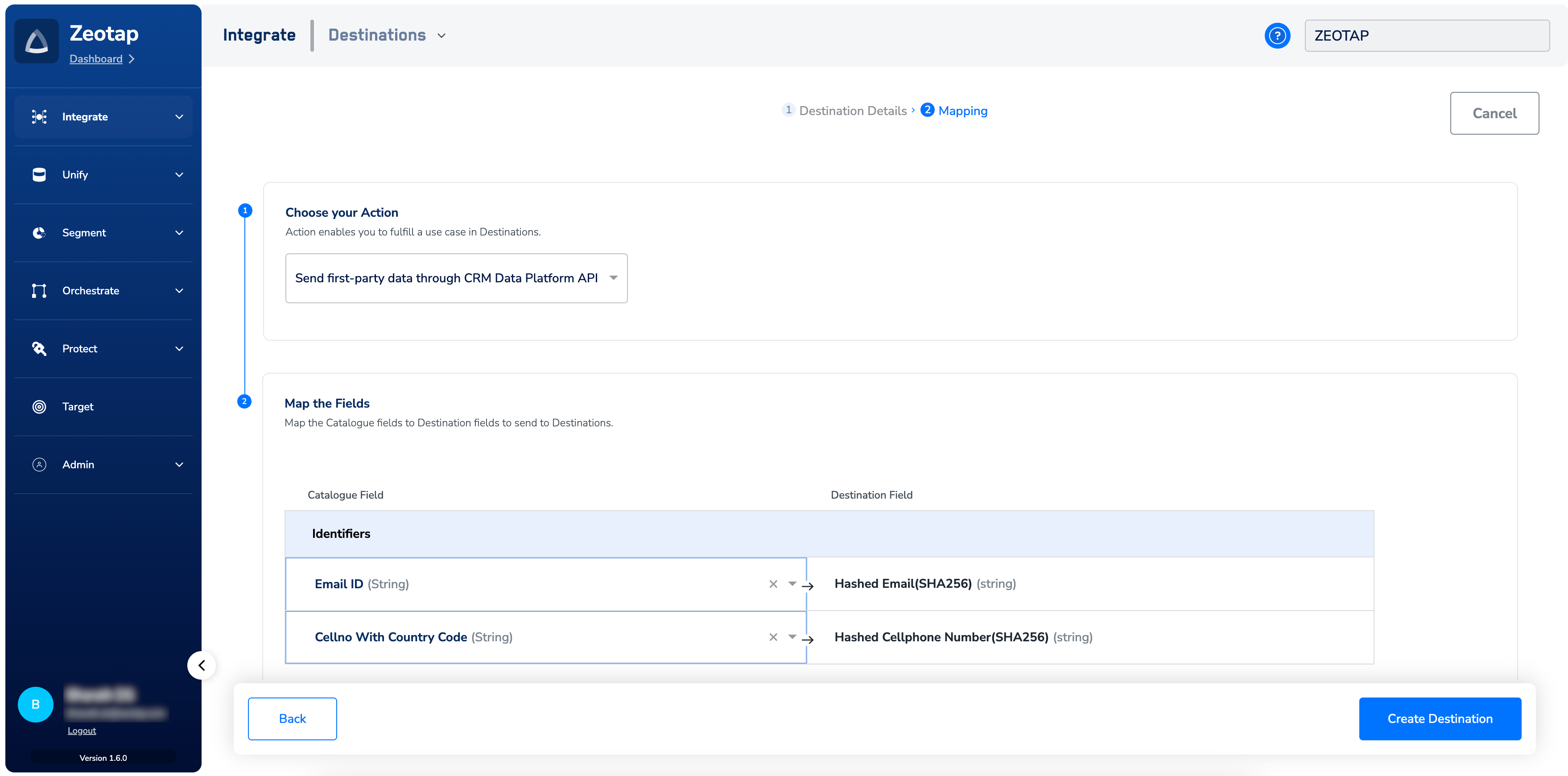
- When you map hashed email addresses or cellphone numbers, Zeotap CDP assumes that valid normalisation and hashing are performed on them as per TTD’s guidelines. Therefore, sends the identifiers as is to TTD.
- When you map raw email addresses or cellphone numbers, Zeotap performs the normalisation and hashing as required by TTD before uploading them.
NOTE:To know more information about TTD’s normalisation guidelines, refer here.
6
Click Create Destination. The created Destination gets listed in the Audiences application, which can be linked to an audience/segment.
Link an Audience to the TTD CRM Data Destination
For information about how to link an audience or segment to the created Destination in Audiences application, refer here.Note:The terms Audiences and Segments are used interchangeably to refer to customer cohorts belonging to a specific category. For example, an Audience or a segment could be a specific group of customers who are over 18 years of age and who have performed an addToCart event within the last 30 days.
Frequently Asked Questions
Will processing all Identifiers in an audience (segment) take 24 hours if only a few Identifiers are updated using the Replace option for merging data?
Will processing all Identifiers in an audience (segment) take 24 hours if only a few Identifiers are updated using the Replace option for merging data?
No, the processing ramp-up time applies only to the new identifiers. Suppose, say you replace a existing audience that has 9000 identifiers by adding 1000 new identifiers to it, then the ramp-up time (about 20-30 minutes) applies only to the 1000 new identifiers before they become active and targetable.The following table summarises the processing time and changes when updating an audience with new identifiers for the
What is the Time-To-Live (TTL) for the identifiers to remain valid and accessible within the system?
What is the Time-To-Live (TTL) for the identifiers to remain valid and accessible within the system?
The TTL for the identifiers to remain valid and accessible within the system is 90 days.
What is the default setting for the Retention Enabled flag in Zeotap CDP?
What is the default setting for the Retention Enabled flag in Zeotap CDP?
By default, Zeotap sets the Retention Enabled flag to True.
How do I find the CrmDataId for the API calls mentioned in the TTD documentation?
How do I find the CrmDataId for the API calls mentioned in the TTD documentation?
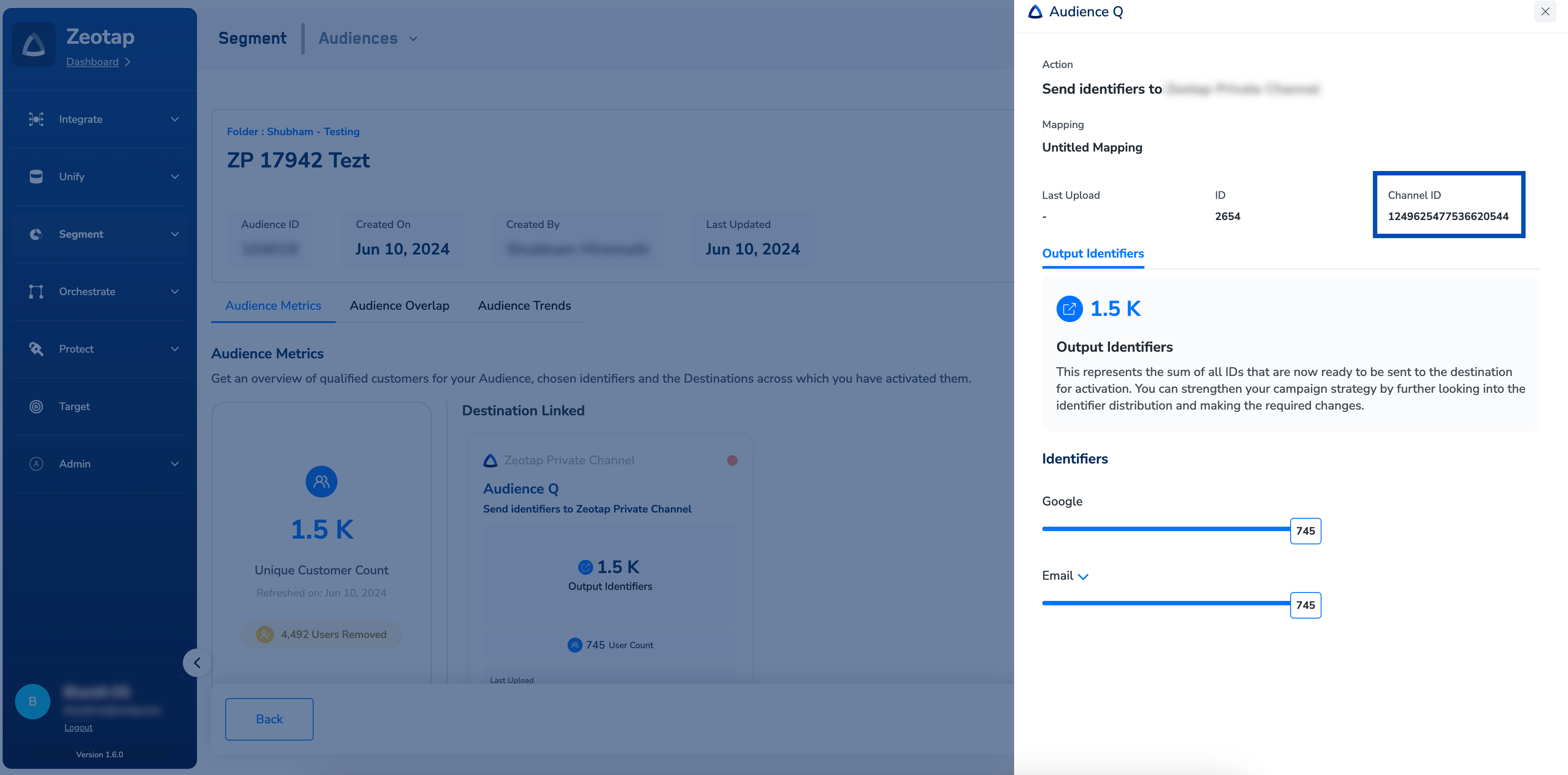
On the Audience Insights screen, click the desired Destination. In the window that appears, you can use the Channel ID mentioned as the CrmDataId for the API calls.