

Overview
Oracle Responsys is a cloud-based marketing automation platform designed to help businesses create personalized, data-driven marketing campaigns across multiple channels, including email, mobile, web, and social. It enables brands to engage with customers at the right time through targeted communications, utilizing customer data to optimize marketing efforts. The platform offers tools for segmentation, campaign management, analytics, and real-time personalization, helping businesses enhance customer experiences, increase engagement, and drive conversions. Responsys is particularly beneficial for enterprise-level companies with complex marketing needs, offering scalable solutions to improve customer relationships and optimize marketing ROI. The Responsys integration with Zeotap allows the customer to push the audiences from Zeotap to the their Responsys instanceResponsys concepts
- Profile lists table a. Profile Lists store recipient audience database records. Members of your audience might be leads, prospects, customers, contacts, consumers, or visitors, depending on your terminology. Marketers use Profile Lists and related objects (such as Profile Extension Tables and Filters) primarily for campaign targeting and personalization.
- Profile Extension table a. Profile Extension Tables (PETs) allow you to store additional information for each unique recipient in your Profile List. Therefore a record in a PET must map to exactly one record in its parent Profile List table. Similar to data in Profile Lists, audience data in PETs can be used for segmentation and targeting in Filters as well as Programs.
Supported Identifiers
This integration supports customerId, phone number, emailAddress, emailMD5Hash, emailSHA256Hash and other custom attributes.Prerequisites
Before you create an Responsys Destination in Zeotap , ensure to have the following details :- Username a. This is the username of your Responsys account
- Password a. This is the password your Responsys account
-
URL dropdown
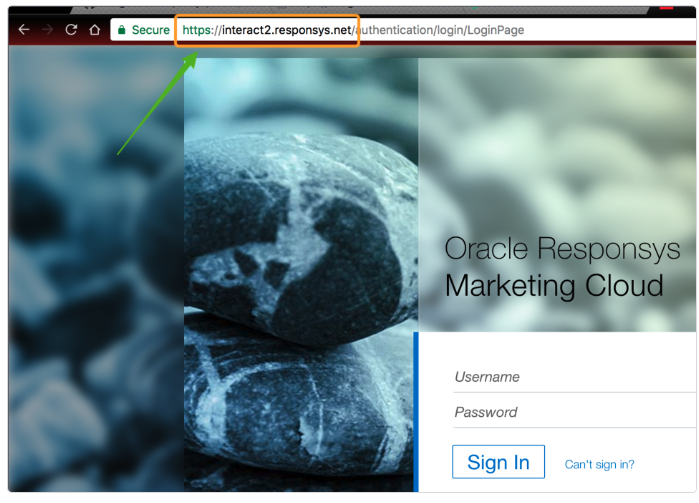
a. You can find your account’s endpoint by simply going to your Oracle Responsys login screen and looking at your url.
i. For example : https://interact2.responsys.net
ii. NOTE: You can find your account’s endpoint by simply going to your Oracle Responsys login screen and looking at your url.
- Profile List name a. This is the name of the profile list where the data sent from Zeotap would be updated.
- Profile Extension table name a. This is the name of the profile extension table where the data sent from Zeotap would be updated.
- Folder name a. This is the name of the folder within Responsys where the data sent from Zeotap would be populated.
Create a destination
Perform the following steps to create a Destination for Acxiom:1
Log into the Zeotap CDP App and go to the DESTINATIONS application.
2
Click + Create Destination.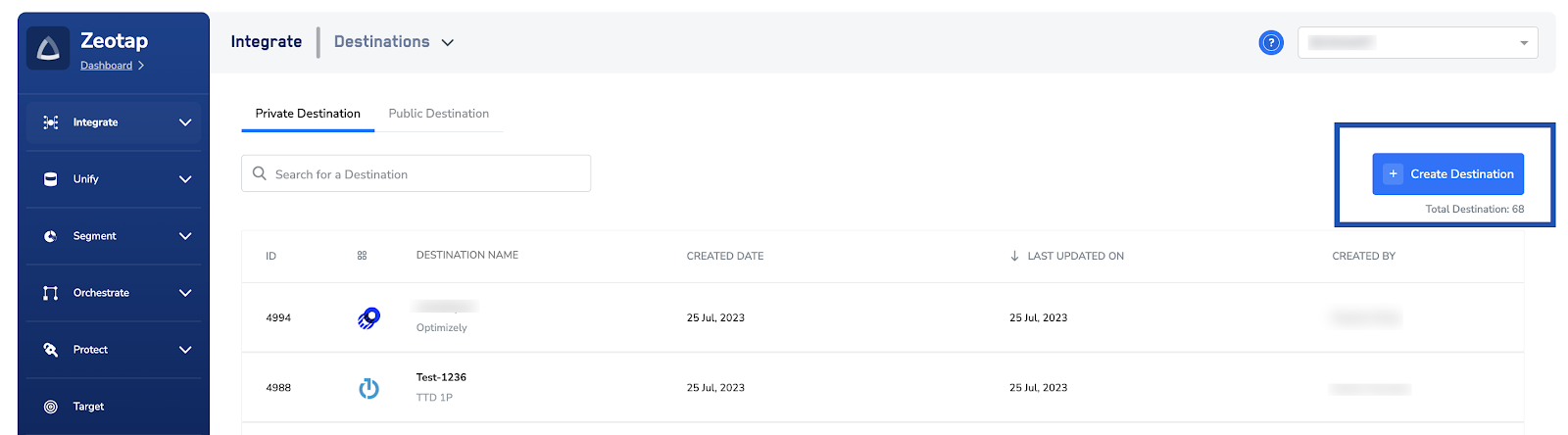
3
Under the All Destinations section, search for Responsys.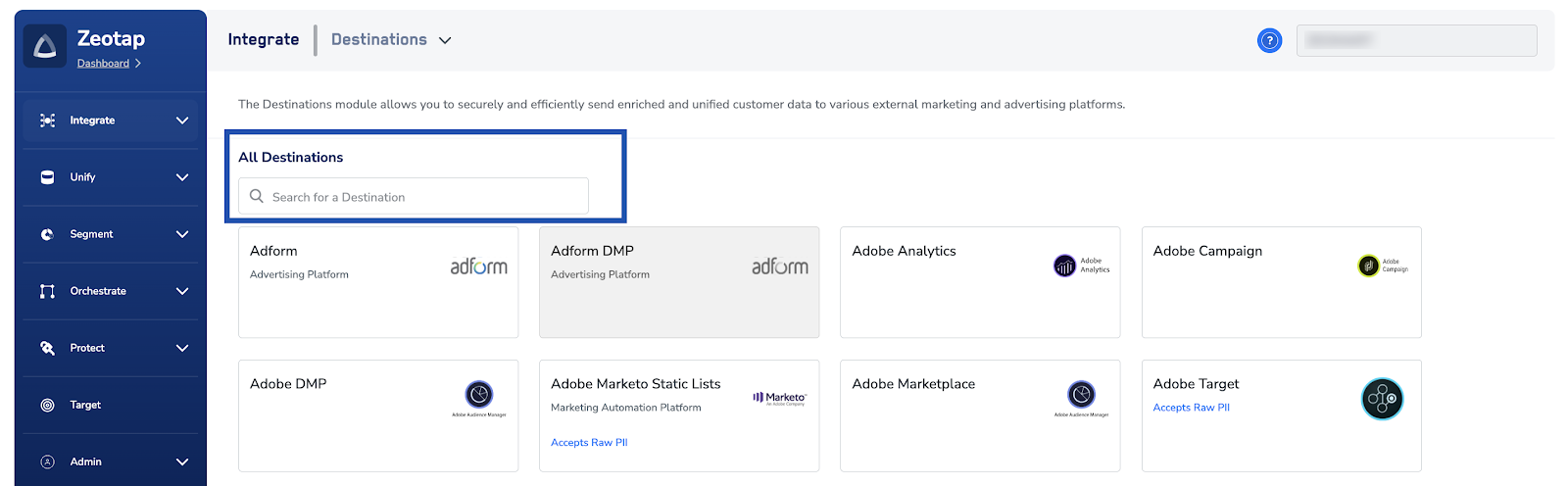
4
Click Responsys. A screen appears displaying details about the particular destination towards the left. On the right-hand side of the screen find a list of fields that are required for the integration to be established. Provide the required details as mentioned in the following steps: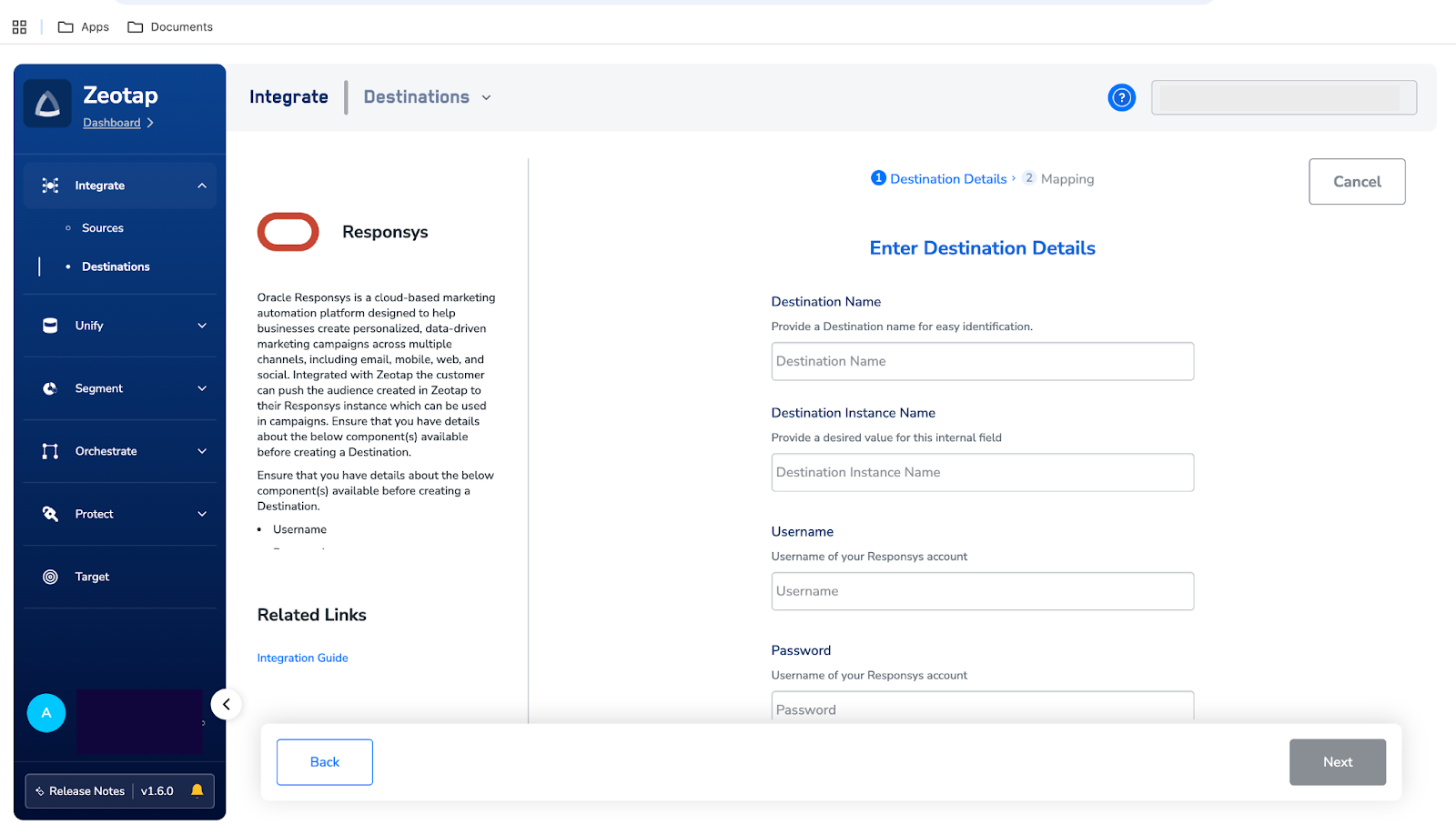
- Enter a name for the Destination.
- In the Username field, provide the username of your Responsys account.
- In the Password field, provide the password of your Responsys account
- In the URL dropdown, select the URL of your Responsys instance.
- In the Profile List name field, enter the name of the profile list in Responsys where the data sent from Zeotap needs to be updated.
- In the Profile Extension table name field, enter the name of the profile extension table in Responsys where the data sent from Zeotap needs to be updated.
- In the Folder field, provide the folder path in your Responsys instance where the data sent from Zeotap CDP can be stored.
- Review all the values entered above and then click Next to proceed.
5
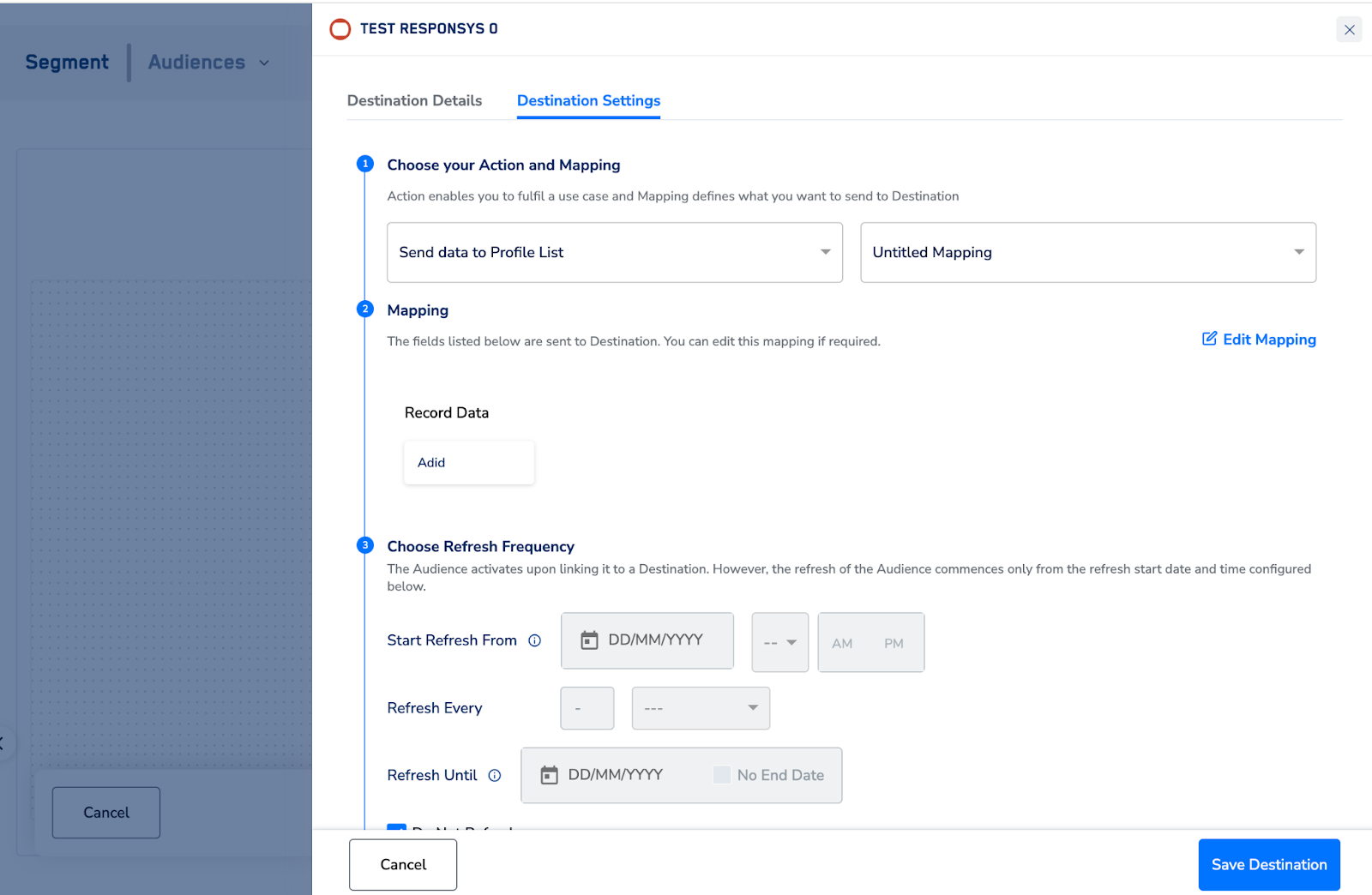
In the Actions and Mapping screen that appears, you can choose one of the following actions as per your requirement:
-
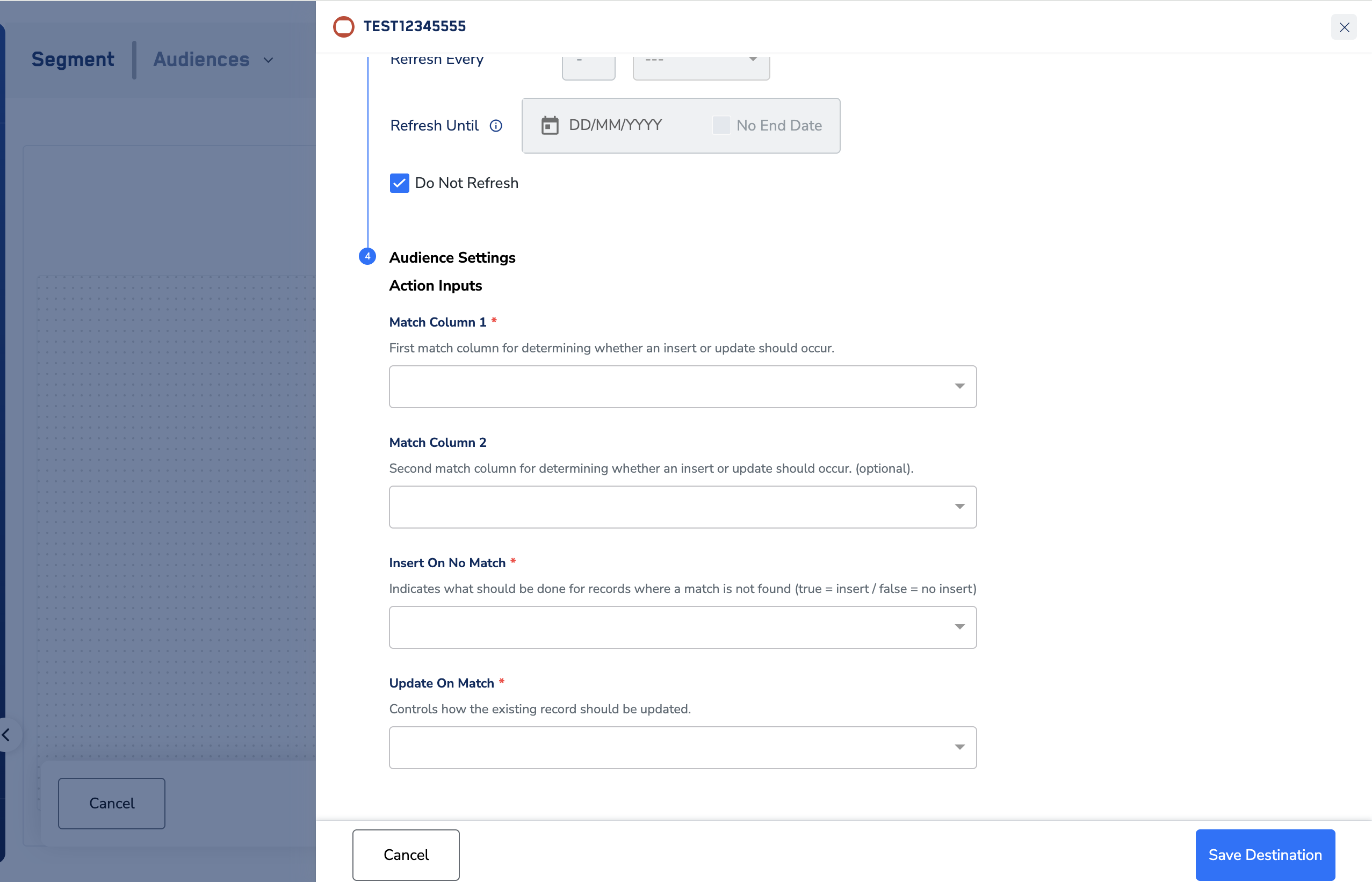
Action name - Send data to Profile List
- Under audience settings, the following fields needs to be filled :
- Match Column 1
- First match column for determining whether an insert or update should occur in Responsys.
- Match Column 2
- Second match column for determining whether an insert or update should occur in Responsys. (optional)
- Insert On No Match
- Indicates what should be done for records where a match is not found in Responsys (true = insert / false = no insert)
- Update On Match
- Controls how the existing record should be updated in Responsys (Values - Replace All, No Update)
- Match Column 1
- Under audience settings, the following fields needs to be filled :
-
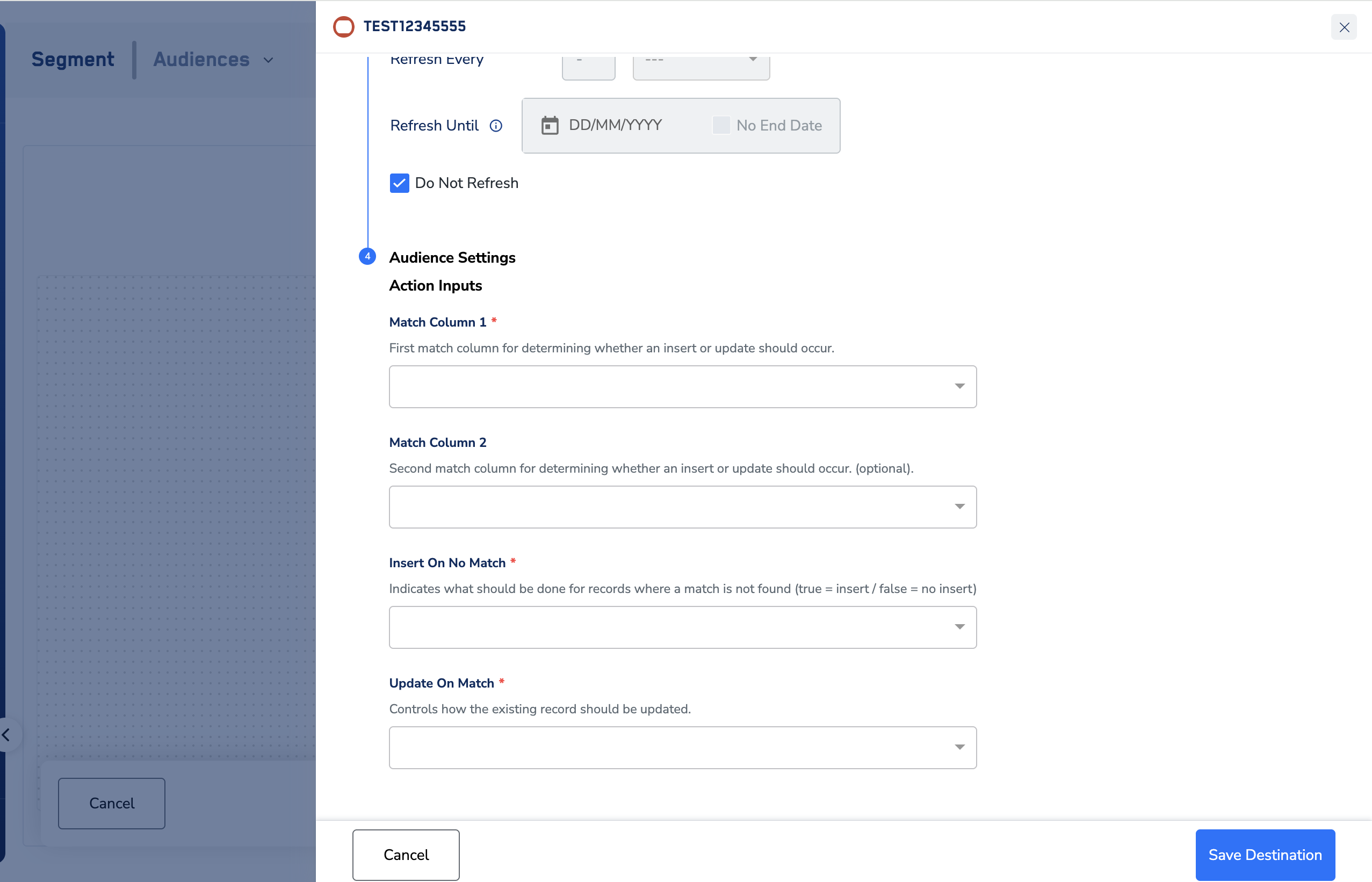
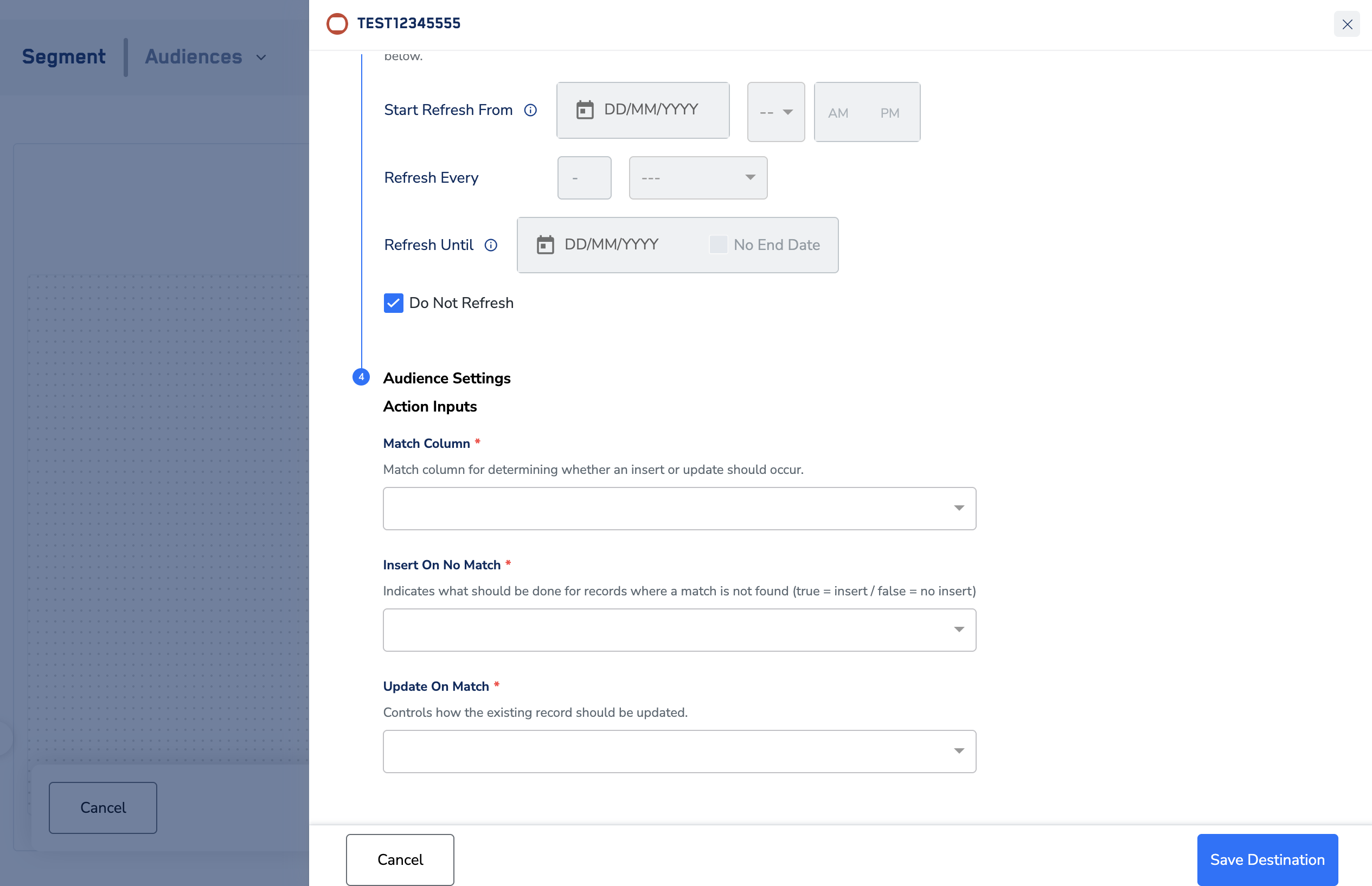
Action name - Send data to Profile Extension table
- Under audience settings, the following fields needs to be filled :
- Match Column
- Match column for determining whether an insert or update should occur in Responsys.
- Insert On No Match
- Indicates what should be done for records where a match is not found in Responsys (true = insert / false = no insert)
- Update On Match
- Controls how the existing record should be updated in Responsys (Values - Replace All, No Update)
- Controls how the existing record should be updated in Responsys (Values - Replace All, No Update)
- Match Column
- Under audience settings, the following fields needs to be filled :
6
Based on the actions you choose, map the catalogue fields to the corresponding destinations fields. Ensure that you map the mandatory fields, otherwise destination will fail.
7
Click Create Destination. The created Destination gets listed in the Audiences application, which can be linked to an audience.
Link an audience to destination
For information about how to link an Audience or segment to the created Destination in Audiences application, refer here.Note:The terms Audiences and Segments are used interchangeably to refer to customer cohorts belonging to a specific category. For example, an Audience or a segment could be a specific group of customers who are over 18 years of age and who have performed an
addToCart event within the last 30 days.