Taxonomy File
Share the taxonomy file as a CSV with the relevant Taboola Account Manager (AM) over email in the following format. The Taboola team maps this information to the relevant client account. Ensure that you share taxonomy file once the audience (segments) are linked to the Destination. Note that the Segment ID that needs to be shared is the Channel ID that is auto-generated by Zeotap CDP.Note:Reach out to the Taboola POC for more information regarding the sharing of the taxonomy file.
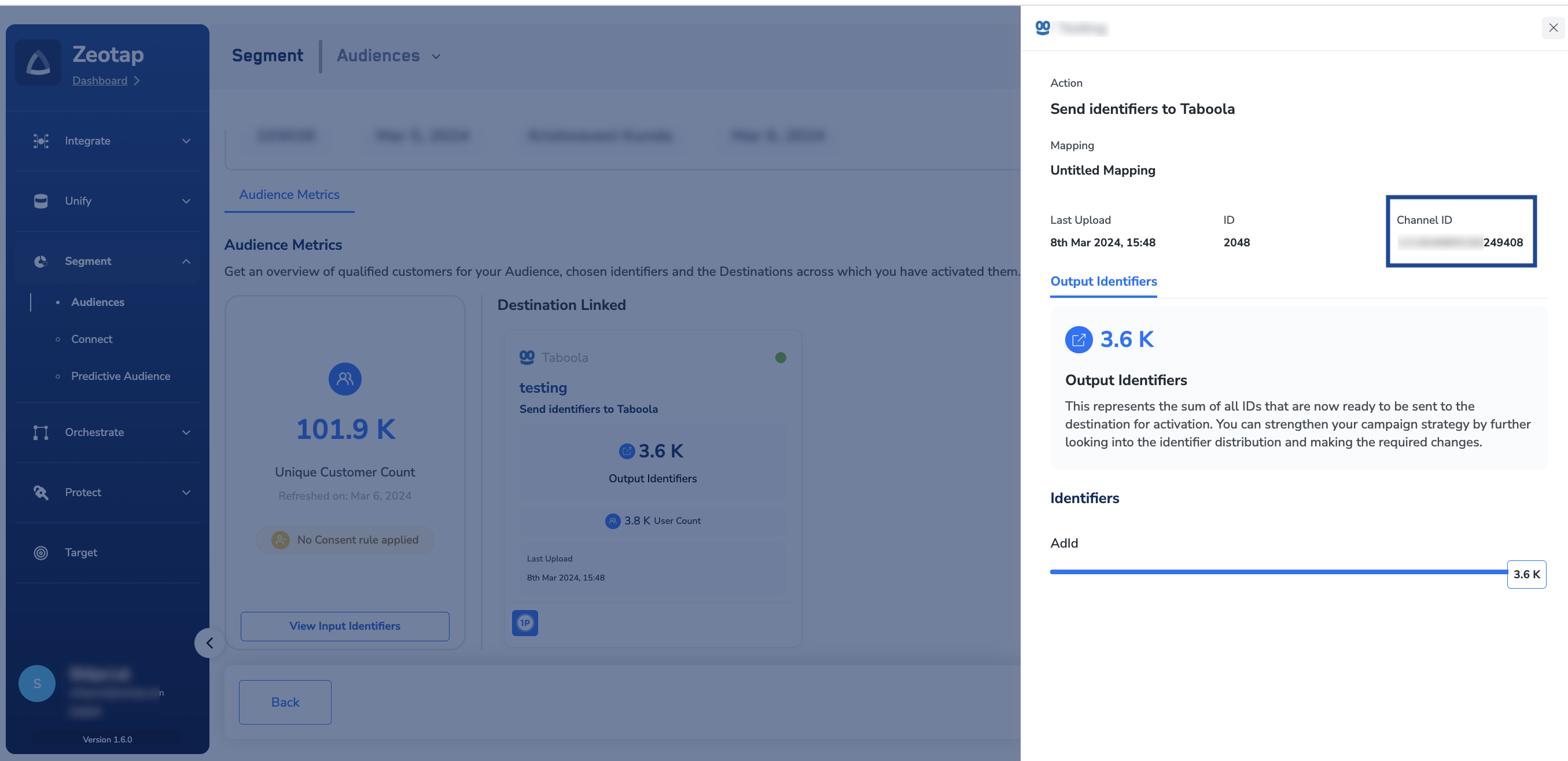
Channel ID
The Channel ID is not obtained from the API response. This is auto-generated by Zeotap CDP and ensure that this information is shared with the Taboola team, along with the Taxonomy file, which is shared through email. Perform the following steps to obtain Channel ID from Zeotap CDP:1
Log into Zeotap CDP and navigate to Segment> Audiences.
2
In the Audience listing page, search the Audience for which the Channel ID is to be obtained.
3
Click Insights icon on the desired Audience as shown in the image below.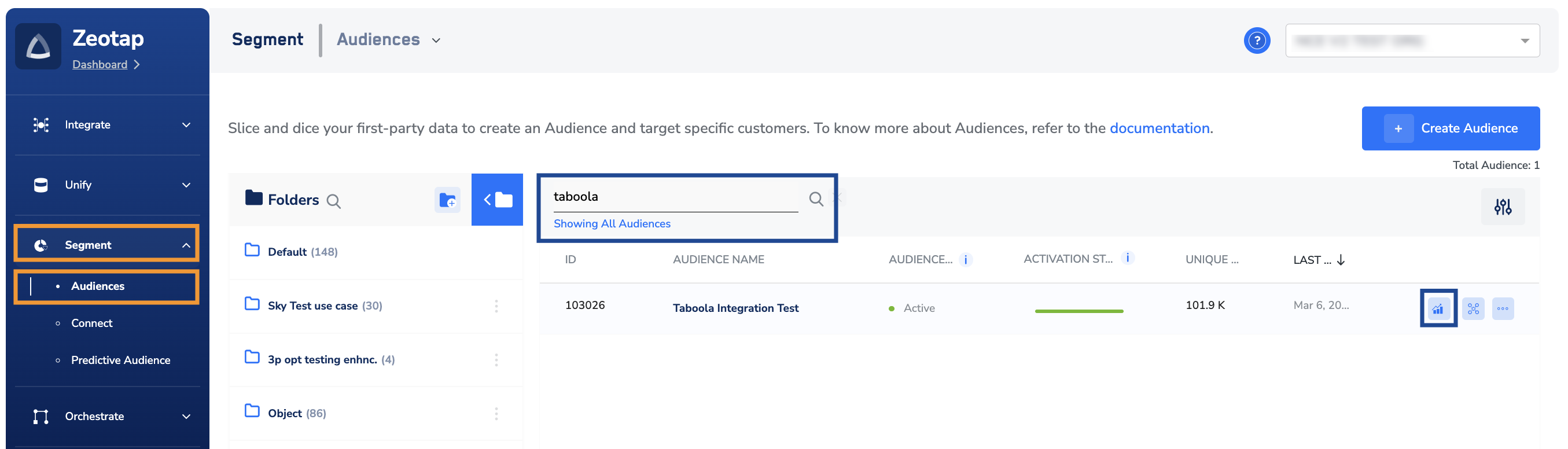
4
In the following Audience insights page that appears, under Destination Linked click the desired Destination to view information related to that Destination.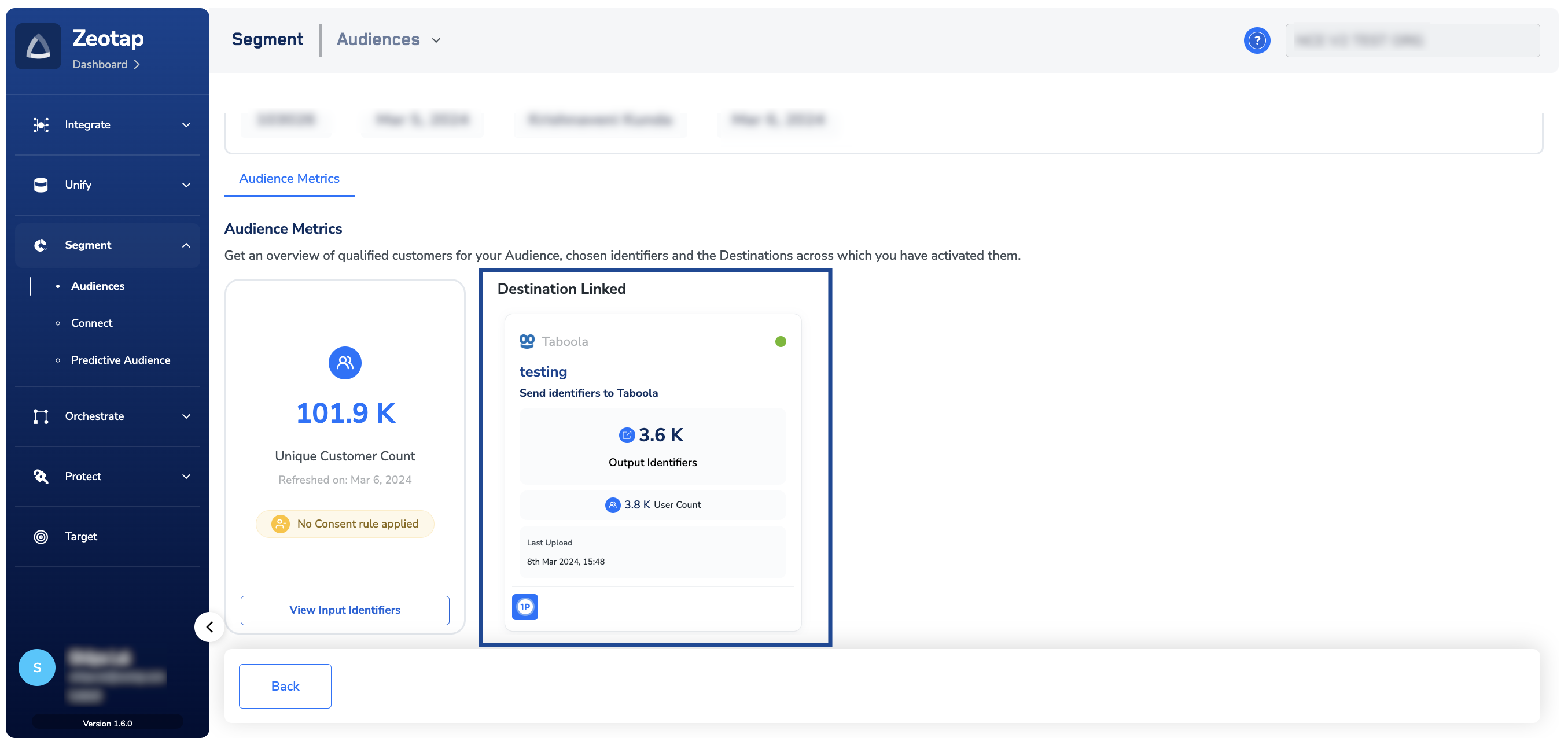
5
From the new screen that appears, copy the Channel ID and share with the Taboola team.