

Note:You can add the Join Key Enricher only for the Non-Customer Entity Data fields. Note that you can select a user attribute from categories such as ID, User traits, Product, Event or Campaign as the Join Key.
1
Map the Primary key of the Non-Customer Entity (NCE) Data source with an NCE catalogue field. To learn how to choose the Primary Key, refer here.
Note:Ensure that the following points are taken care of, while configuring the Join Key Enricher:
- The primary catalogue field of an NCE source must have the same data type as the Join ID in the
customer data. For instance, if the primary key, such asProduct ID, is ofstringtype, it can
only be mapped to aJoin IDof eitherStringtype or aList of strings. - A raw PII field cannot be used as a Join ID.
- A
Join IDcannot be of data typeDoubleorTimestamp.
2
Click ADD ENRICHER to define the Join ID. The Join ID corresponds to the ID in the user profile that is enriched with the NCE data.
3
ADD ENRICHER window, perform the following steps: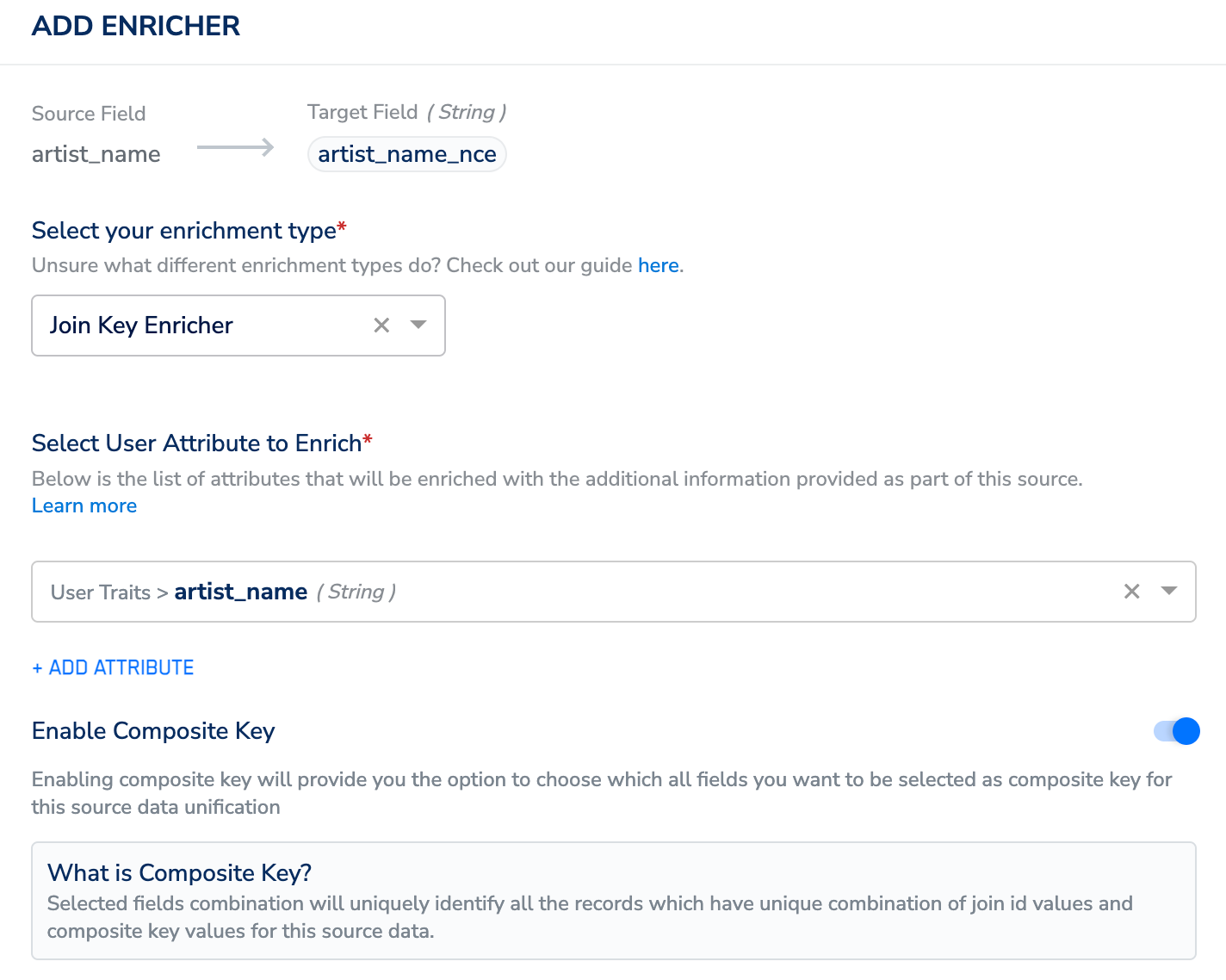
- Choose Join Key Enricher as the enrichment type.
- Under Select User Attributes to Enrich, choose the unique identifier from your customer source.
- Use the Enable Composite Key toggle to select an additional column along with the Primary Key of the NCE source to merge the customer data with the non-customer data. Use this option to create new NCE records when a new primary key and composite key(s) combination is ingested and update the existing records, if the same combination is ingested again. For more information about how the Composite Key works, refer here.