

Note:You can map this enricher while mapping the catalogue and also while mapping the consent preferences. Note that you can skip this enricher while mapping the catalogue. However, it is mandatory to map this enricher while mapping the consent preferences.
1
Map the Source field to the corresponding Zeotap Catalogue field.
2
Click +ADD ENRICHER against the field for which you want to map the input and output values.
3
Select Value Mapper Enricher as the enrichment type.
4
Under the Map values section define the Expected Input Value and map it to the Expected Output Value. Take a note of the following points while mapping the values:
- The Expected Input Value must match the exact value that is shared in the Source file.
- The Expected Output Value must match the data type of the mapped fields.
- You can map as many values as required. However, you cannot add the same input value multiple times.
5
For the unmatched scenario, define the Default Value. Take a note of the following points while defining the default value:
- The default value is optional for fields other than consent and marketing preference.
- If the default value is not defined, then for unmatched scenarios the incoming source value is ingested against the mapped field.
6
Save the changes.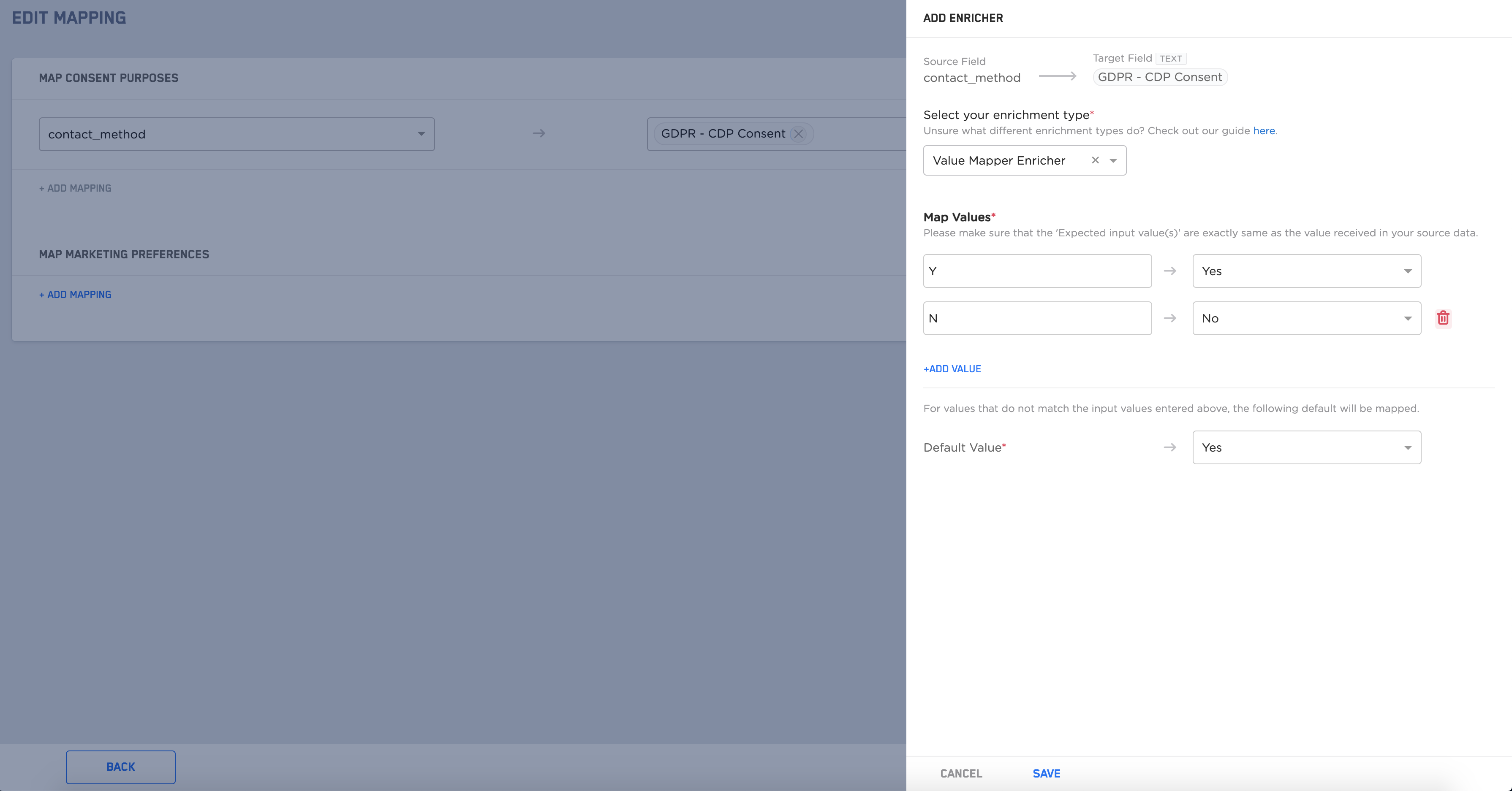
Note:In the case of multiple Zeotap Catalogue Fields selected, the same Enricher gets applied to all the mapped fields.
1 or 0 for GDPR consent values Yes or No. However, the numeric status could be confusing for the marketer. Therefore, at the time of ingesting this consent data, the incoming values of 1 and 0 are converted into more readable values like Yes or No. The marketer can then easily apply and use this data as required at the time of data activation.Note:It is mandatory to add the default value when adding the Value Mapper Enricher for Consent Preference.Yes and No are the only values that appear as the Expected Output Values for Consent Preferences.