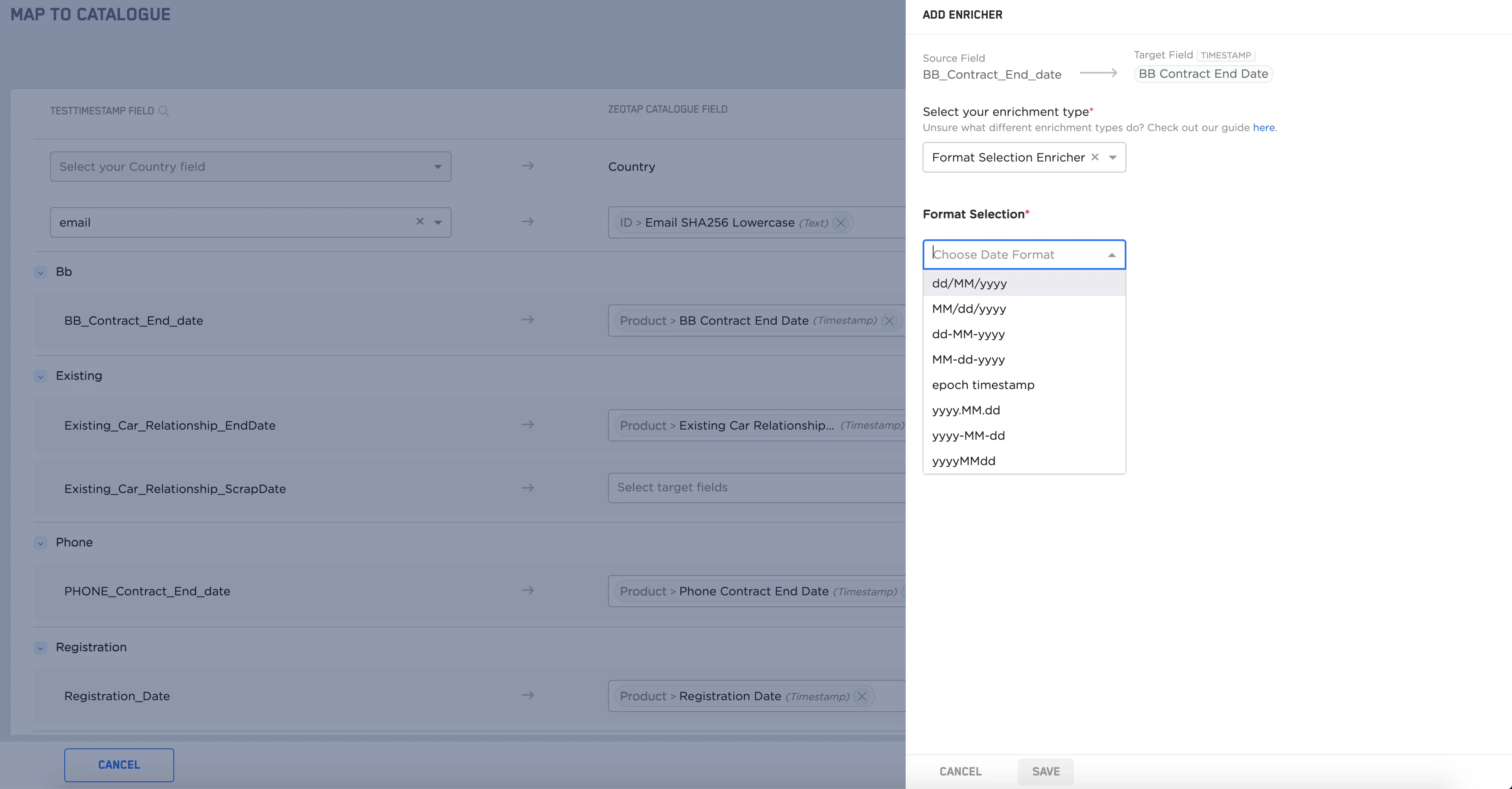
Before adding a Timestamp Enricher, you must map the Country and ID fields. After mapping these two fields, the Catalogue Mapping page displays the list of Timestamp Enrichers. It is mandatory that you add the Timestamp Enricher to the displayed list. To know more about this enricher, refer to Timestamp Enricher.
Perform the following steps to configure the enricher:
From the list of Timestamp Enrichers that are mandatory, start by mapping the Source field to the corresponding Zeotap Catalogue field.
Click +ADD ENRICHER against that field.
Select Format Selection Enricher as the enrichment type.
Select the appropriate format from the drop-down menu.
Last modified on February 26, 2026