

Note:You cannot save the catalogue with custom fields, without applying an enricher. Once you have added this enricher, you cannot edit it.
1
Map the source field to the corresponding Zeotap Catalogue field.
2
Click +ADD A CUSTOM FIELD for which you want to add the Hardcode enricher. You can add multiple custom fields as per your requirement.
3
Click +ADD ENRICHER to configure the Hardcode enricher.
4
Select Hardcode Enricher as the enrichment type.
5
Under the Hardcode Values section make the appropriate selection to ensure that the value matches the data type of the mapped field.
6
Save the changes.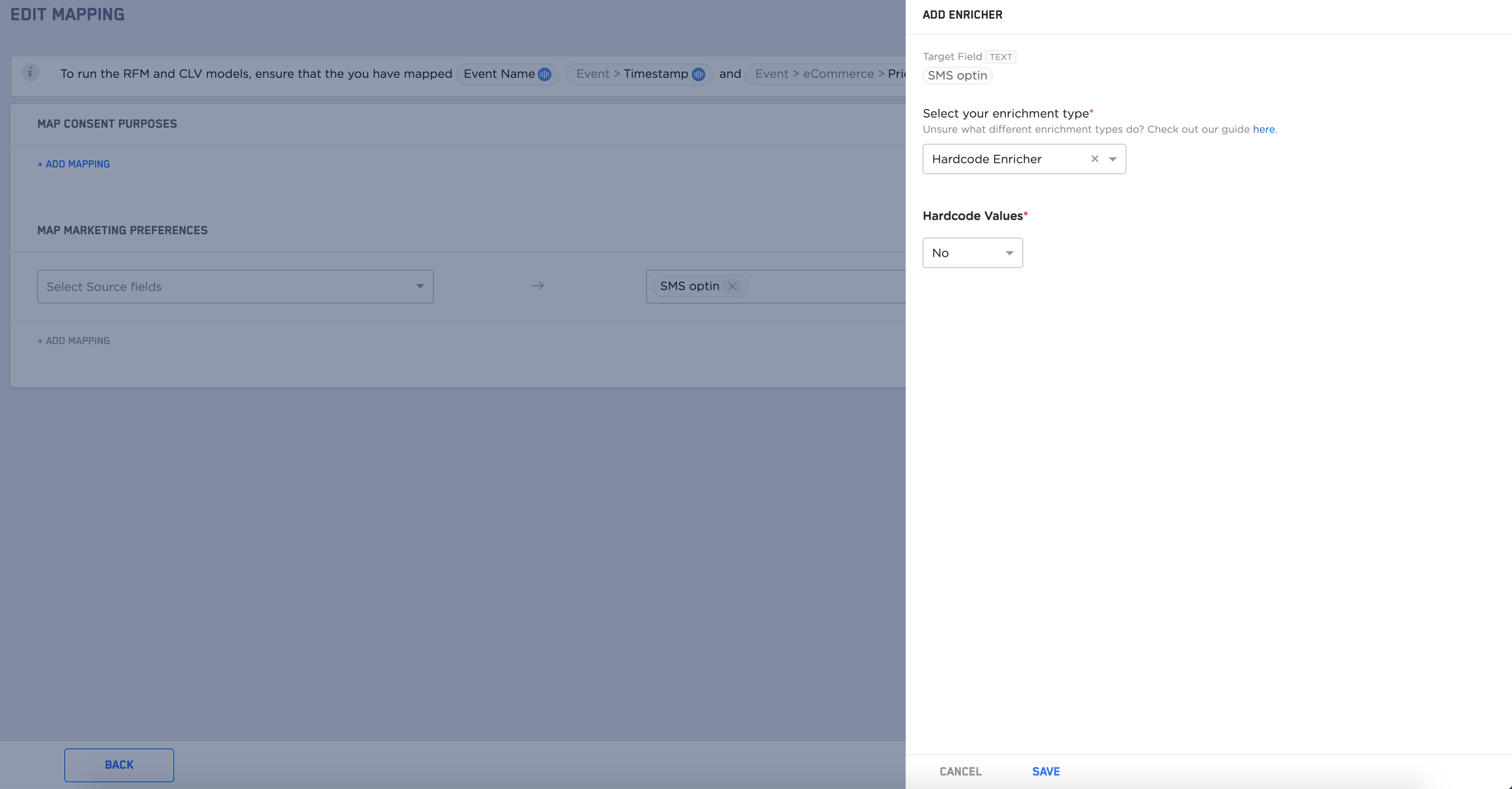
No. In this example, you can define a custom field and map it to the SMS optin target field in the mapping catalogue section for the marketing preference section and add a hardcode enricher with the value set as No.