

1
Click the three dots next to the source in the Integrated state and choose Map to Catalogue from the drop-down menu, or select the source, go to the PREVIEW DATA tab or the CATALOGUE MAPPING tab, and then click MAP TO CATALOGUE.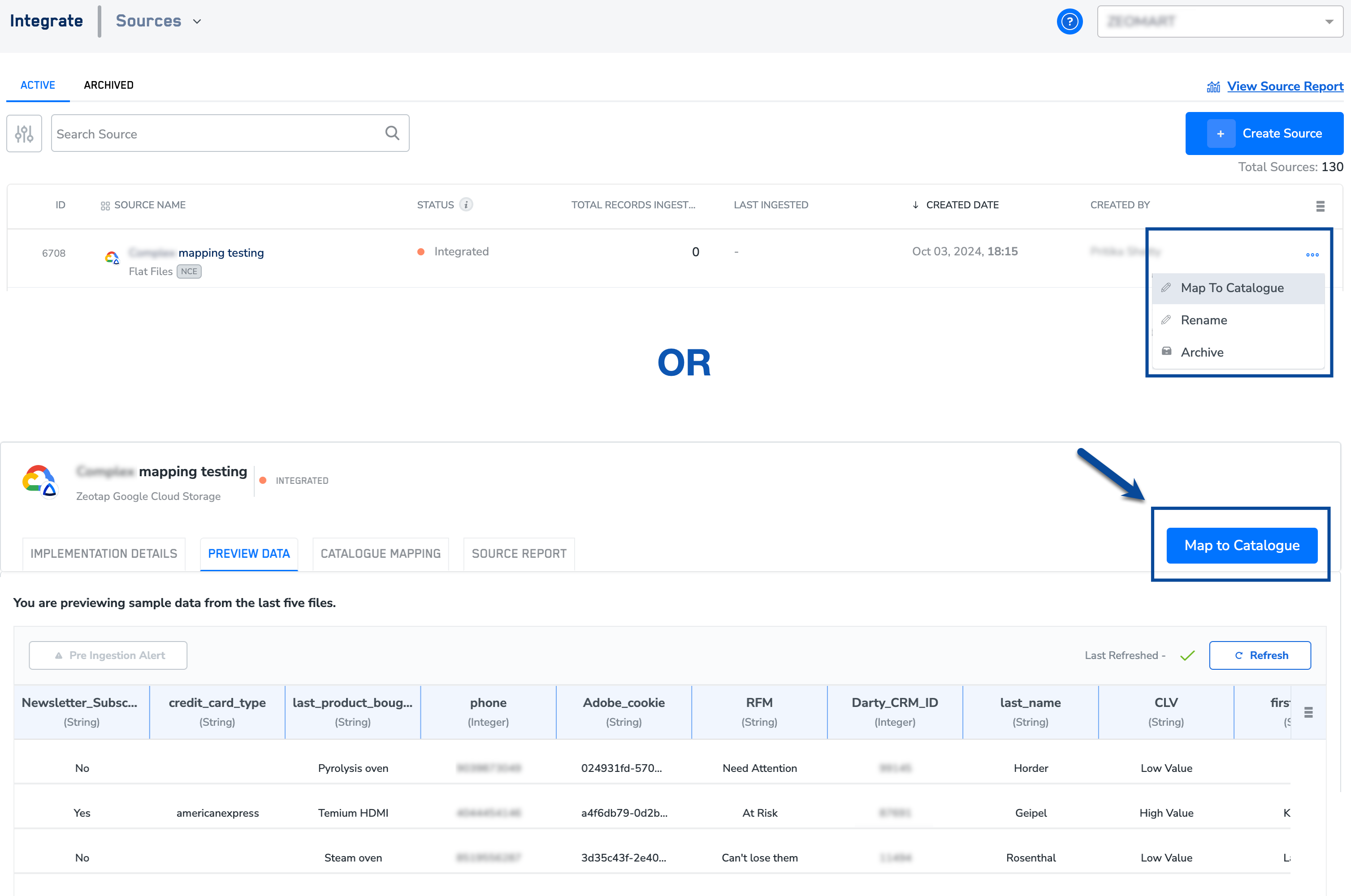
2
Map the Primary key of the Non-Customer Entity data source with an NCE catalogue field. This is a mandatory step. Note that the primary key of the NCE source must have the same data type as the Join ID in the customer data. For example, if the primary key, such as Product ID, is of string type, it can only be mapped to a Join ID of either string type or list of strings.
3
Use the Enable Auto Mapping toggle to turn auto-mapping of source and catalogue fields on or off. Auto mapping uses the catalog name and previous mappings to automatically map source fields to catalog fields. Note that auto-mapping is available at both the source level and the individual category level. To learn more about how auto-mapping works, refer here.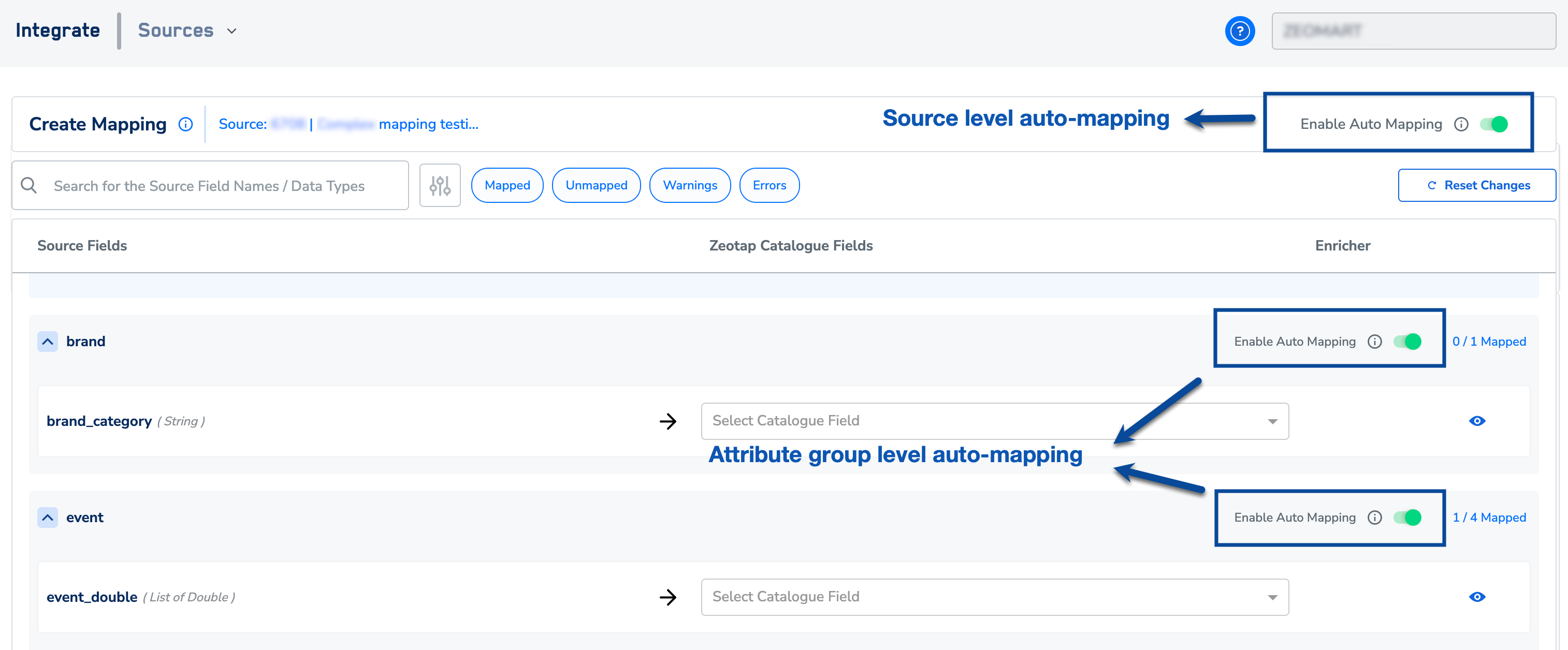
4
You can also search for a field using the search box or filter fields by status. To filter, select the desired status next to the search box. The available statuses are Mapped, Unmapped, Warnings, and Errors.
5
In the mapping screen, you can either select from the existing list of NCE attributes or create a new one by clicking + Add Catalogue Field. For more information about how to create an NCE attribute, refer here. 
6
Ensure that you map an unique column in your NCE dataset under Join ID.
7
Use the ADD ENRICHERbutton to add a Join ID and define the Join Key. This process enables user profile enrichment with this NCE source data.
8
In the ADD ENRICHERwindow that appears, perform the following steps: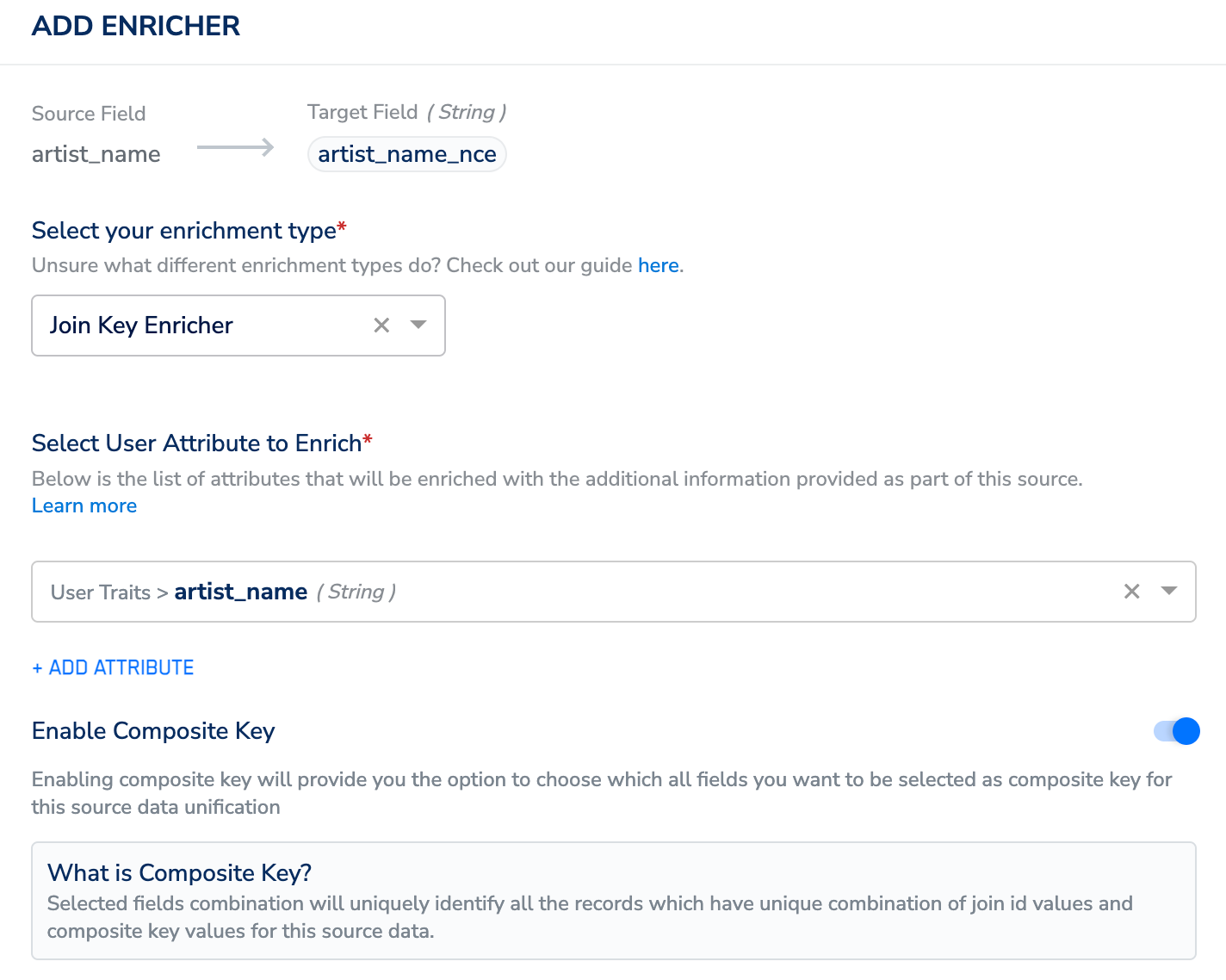
- Choose Join Key Enricher as the enrichment type.
- Under Select User Attributes to Enrich, select the Join ID from your customer dataset. To learn how to choose the Join ID from your customer dataset, refer here.
- Use the Enable Composite Key toggle to select an additional column from the NCE dataset along with the Primary Key(of your NCE dataset) to enrich the customer profile with the non-customer data. Use this option to create new NCE records when unique combinations of primary key and composite key(s) are ingested and update the existing records, if the same combination is ingested again. For more information about how the Composite Key works, refer here.
9
Once the Join Key Enricher is defined, map the remaining NCE fields and click Review.
In the new screen that appears, you can find warnings along with error logs that provide a description of the issue for incorrectly mapped fields. Once you have corrected these fields, the system automatically refreshes, allowing the warning to disappear.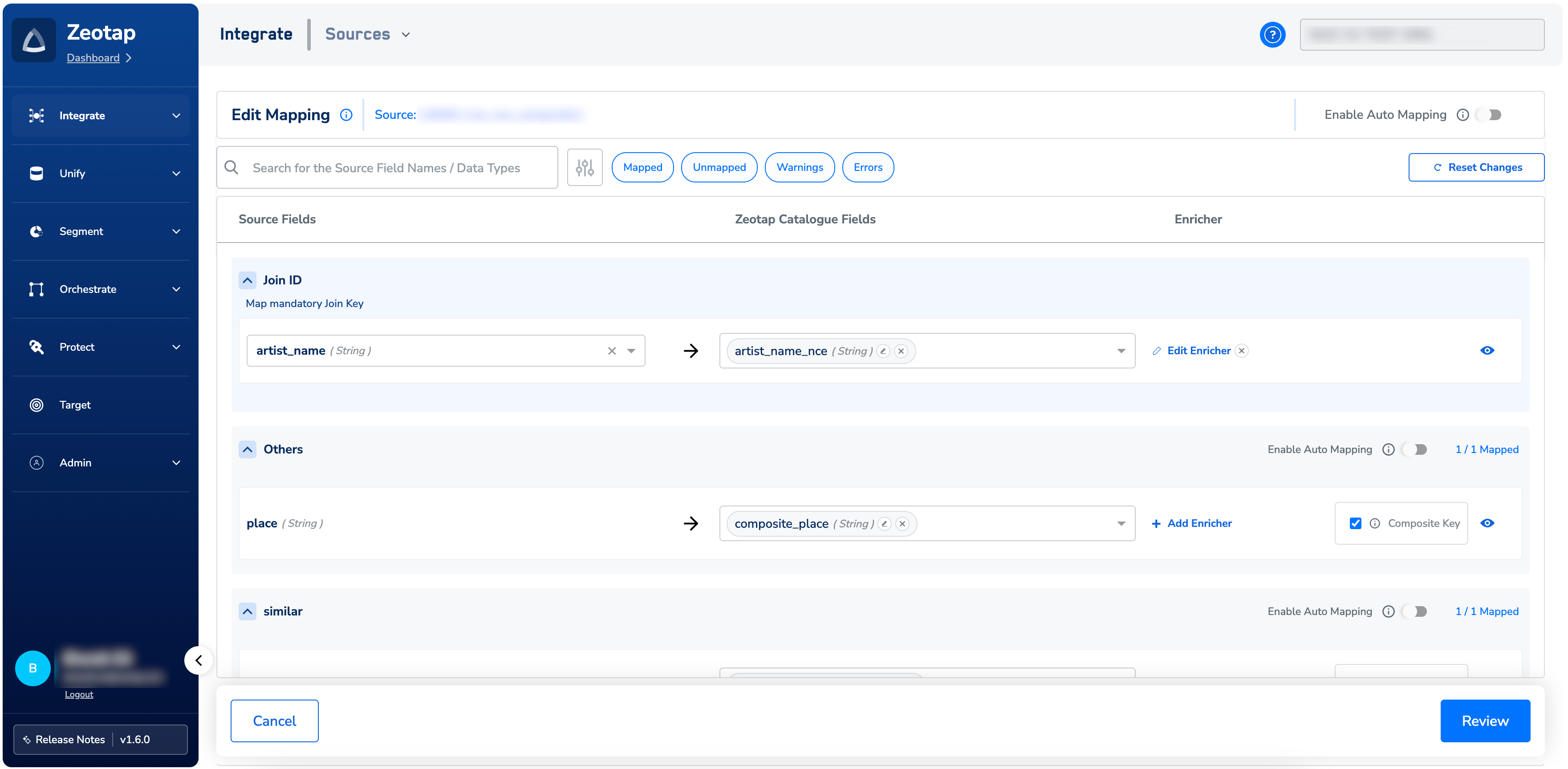
10
If there is a data type mismatch between the incoming source field and the catalogue field, then the system displays a warning to fix the data type to prevent ingestion failure. In such cases, you can perform one of the following actions:
- Choose the data type that matches the source data
- Add an enricher while mapping the source to align incoming data with catalogue fields
- Override the source data type to your desired data type.
11
After the review is complete, click
Confirm and Save toconclude the mapping process. The MAPPED tag gets added beside the source name, as shown in the image below. Note that you can edit this mapping at a later stage by using Edit Mapping under the PREVIEW tab or the CATALOGUE MAPPING tab.
12
After mapping, this data can be consumed by the segmentation and activation systems.
Note:Ensure that the following points are taken care of while mapping the Non-Customer Entity Data:
-
The primary catalogue field of an NCE source must have the same data type as the Join ID in the customer data. For instance, if the primary key, such as
Product ID, is ofstringtype, it can only be mapped to aJoin IDof eitherstringtype or aList of strings. -
A raw PII field cannot be used as a
Join ID. -
A Join ID cannot be of data type
DoubleorTimestamp. - If there is more than one attribute of a customer that needs to be enriched with this NCE data source, then you can include them by editing the enricher of the relevant NCE data source.