

What this is
The Preview Data tab shows a sample of the records the Zeotap CDP has ingested from a source, so you can confirm the shape of what arrived before you map the fields in the Catalogue. The sample is drawn from the last five ingested files, and internal fields added by the platform are rendered in grey so you can distinguish them from the external fields you supplied. Once data begins flowing into a source, the source status changes to Integrated and the Preview Data tab is populated.Prerequisites
Before Preview Data returns a sample:
- The source must be created and its implementation completed for the source type (for example, credentials configured, files uploaded, or the streaming endpoint wired up).
- The source must have received at least one file or event. If the source status on the Source Listing page is still Created, no data has arrived yet.
Read the Preview Data table
The Preview Data screen displays a tabular sample of ingested records. Each column corresponds to a field in the ingested file; internal fields added by the platform are shown in grey to separate them from your external fields.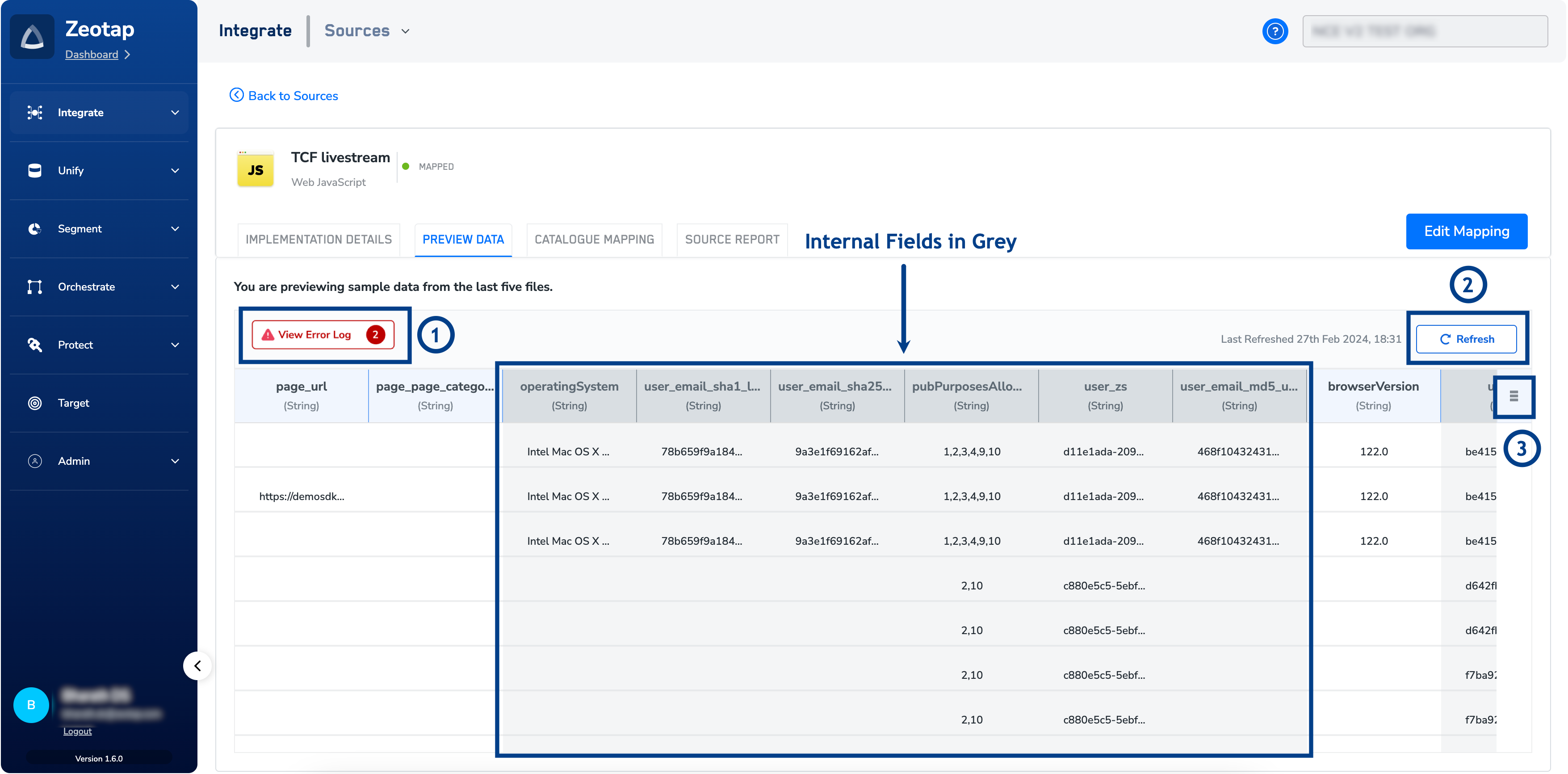
Use the Preview Data controls
The Preview Data screen exposes three controls. The table below describes each option and its function.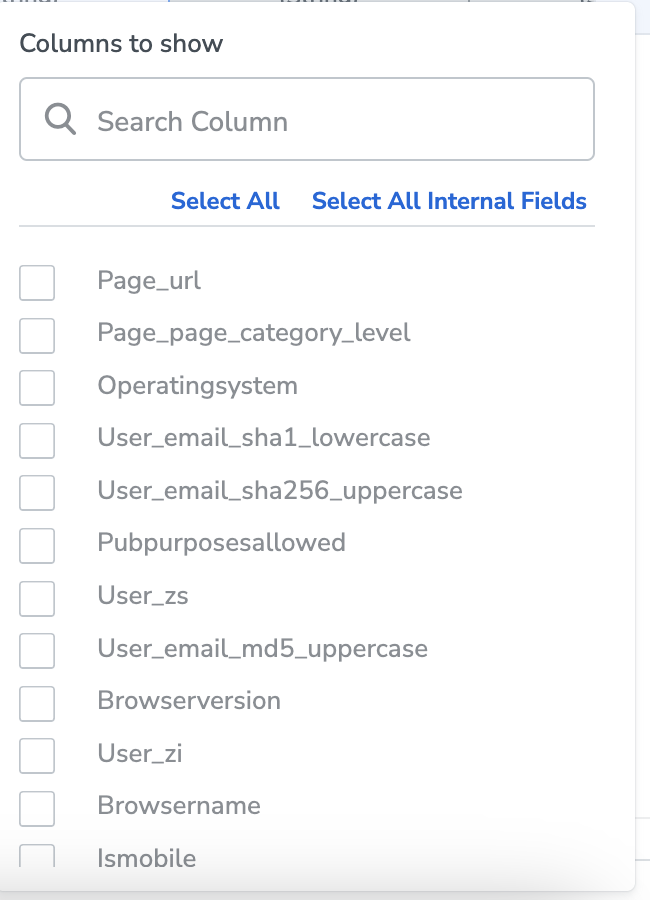
Verify the preview is working
Preview Data is functioning correctly when all of the following are true:- The source status on the Source Listing page is Integrated (not Created).
- The Preview Data tab shows a tabular sample of records with visible column headers.
- Both external columns and internal (grey) columns are present in the sample.
- The last-refreshed timestamp updates after you use Refresh.
Why this happens
If the Preview Data tab shows no records, or displays an error message in place of a sample, one of the following causes is at work. The error text below is what the tab surfaces to you; Where to look points to the place in the app that confirms it.
To resolve an empty or errored preview:
- Verify that the source implementation is complete for your source type. If the source status remains Created on the Source Listing page, the platform has not received data yet — finish the implementation for that source type and wait for the next ingestion.
- Use the View Error Log option on the Preview Data tab to read the specific errors reported for the ingested file.
- Correct the source file in your own system — for example, fix missing or duplicate header cells and confirm the file format matches what the source type supports — and re-ingest.
- Use Refresh on the Preview Data tab to redraw the sample from the latest ingested files.
FAQ
Why are some columns in the preview shown in grey?
Why are some columns in the preview shown in grey?
Grey columns are internal fields added by the platform (for example, ingestion metadata). Columns in the standard colour are the external fields from your ingested file. The grey styling exists so you can distinguish the two at a glance.
Why does the preview change every time I refresh it?
Why does the preview change every time I refresh it?
The Preview Data tab shows a sample drawn from the last five ingested files. Each Refresh redraws that sample, so the specific rows you see change even though they are all recent records from your source.
Where can I see the full list of preview errors?
Where can I see the full list of preview errors?
The Preview Data tab surfaces the most common errors inline via View Error Log. For the complete catalogue of error scenarios and their meanings, download the Preview Errors reference linked from the controls table above.
Next steps
| Sl No. | Option | Description |
|---|---|---|
| 1 | View Error Log | This option enables you to review a list of errors in the data of the dropped file before mapping in the Catalogue. Examples include missing column names, issues with file format and more. For a comprehensive list of error scenarios that you may encounter while working with the Preview Data tab, see the Preview Error Scenarios table below. |
| 2 | Refresh | This option enables you to refresh the sample data displayed under the Preview Tab. Upon refreshing, it presents a different set of the latest sample data from the last five ingested files. It also provides the last refreshed date and time for your reference. |
| 3 | Column Filters | This option allows you to conveniently filter and view specific columns in the given preview. Use appropriate options to select All fields, select all the internal fields, clear the selections and more as per your requirement. |