Understand NCE With An Example
The following sample datasets of customer data and non-customer data illustrate the concept of joining for better understanding:Customer Dataset (CE)
Non-Customer Entity Dataset (NCE)
Connect the Datasets Using the Join Key
1
In the above scenario, ensure that you map the CRM ID (common attribute) from both the Customer Dataset (CE) and Non-Customer Entity Dataset (NCE) to the respective Zeotap Catalogue fields.
2
In the mapping screen of the NCE source, under the Join ID section, perform the following steps:
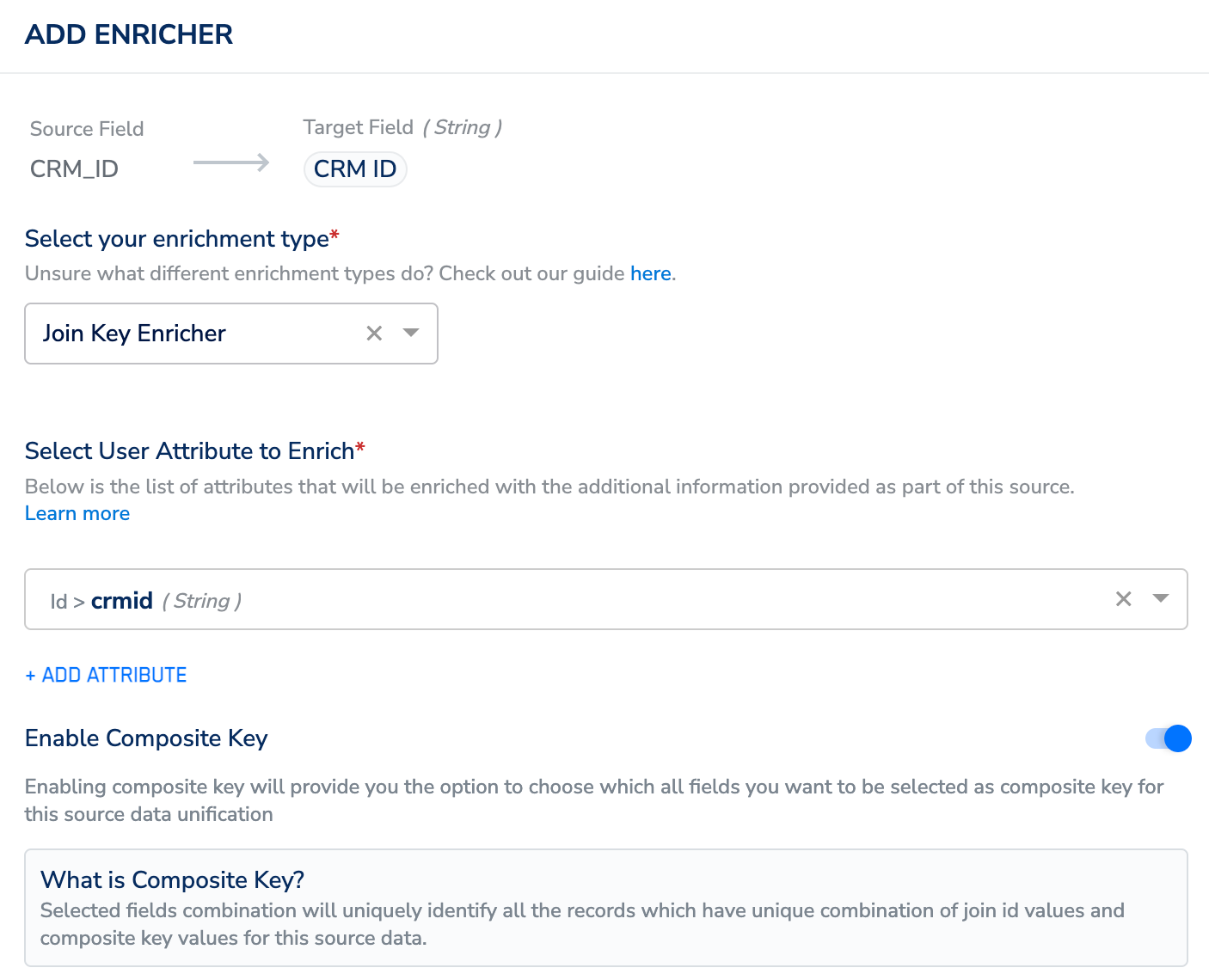
- Select Add Enricher and choose Join Key Enricher as the enrichment type.
- Under Select User Attributes to Enrich, choose the crmid from your Catalogue, which is your Join ID from the customer data. To learn how to select the Join ID from the customer data, refer here.
- Use the Enable Composite Key toggle to select an additional column from the NCE dataset along with the Primary Key (of your NCE dataset) to enrich the customer profile with the non-customer data. Use this option to append data to a user profile instead of upserting it with a new value. For more information about how the Composite Key works, refer here.
3
In this example, assuming that the Composite Key is disabled, clicking Save establishes a connection between the Customer Dataset and the Non-Customer Dataset, resulting in the following dataset:
Result of Mapping
After mapping:- Jane Doe’s profile (from the CE dataset) links to her order details (ORD001, 2024-01-01, $250) in the NCE dataset.
- John Smith’s profile (from the CE dataset) links to his order details (ORD002, 2024-01-15, $400) in the NCE dataset.
Confirm the User Profile Enrichment on Customer 360
1
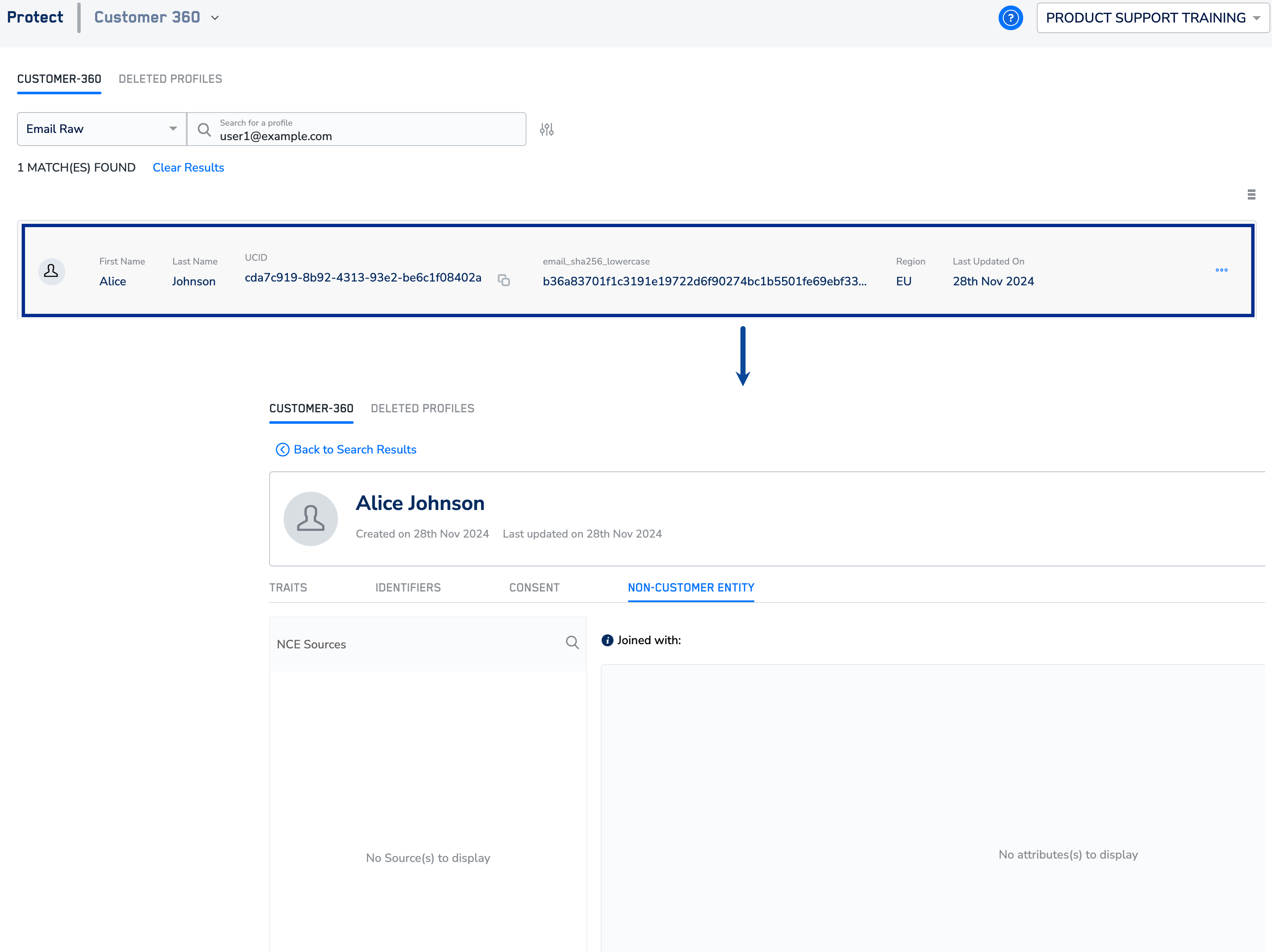
Navigate to the Protect module and go to Customer 360.
2
Search for a user using a unique identifier such as email.
3
In the screen that appears, you can find the identifiers, attributes, consent and marketing preferences associated with that user profile. In the Non Customer Entity tab, you can find details of the joined NCE source and attributes enriched in the user profile under the Non-Customer Entity tab.