1. Product UI Enhancements
The below UI improvements are now available in the Zeotap CDP App.1.1 Introduced Release Notes Notification
(04-08-2024) You can now find the release notification at the bottom of the left panel. This section features a bell icon with colour fill, indicating that new product updates are available. Clicking here will take you directly to the Release Notes in our Help Center. After you’ve viewed the updates, the bell icon changes to an outline, showing that you’re aware of the latest release. This design aligns with our platform’s focus on ease of use, ensuring a smooth and intuitive experience for our customers. Keep an eye on this section for all product updates.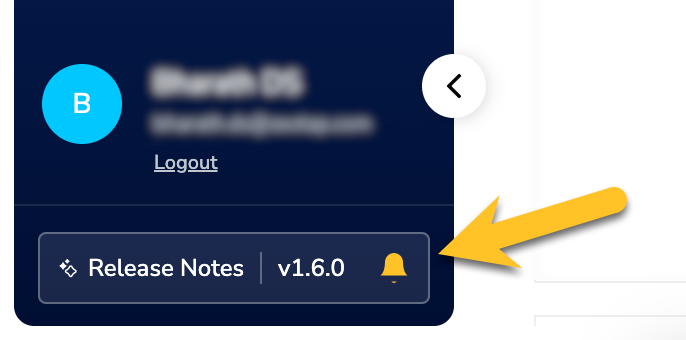
2. Integrate
The below features are now available in the Zeotap CDP App.2.1 Introduced Microsoft Dynamics CRM Source
(18-09-2024) We are excited to announce that Microsoft Dynamics CRM (now Dynamics 365 CRM) has been added to our growing list of CRM connections. This integration with Zeotap CDP enables seamless data synchronisation from key standard objects such as Contacts and Accounts. In addition, you can also fetch data from custom objects. By leveraging Dynamics CRM data within Zeotap CDP, you can create targeted campaigns and enhance customer engagement across multiple channels, optimizing sales, marketing, and customer service efforts. To know more about using the Microsoft Dynamics CRM source and how to create one, refer here.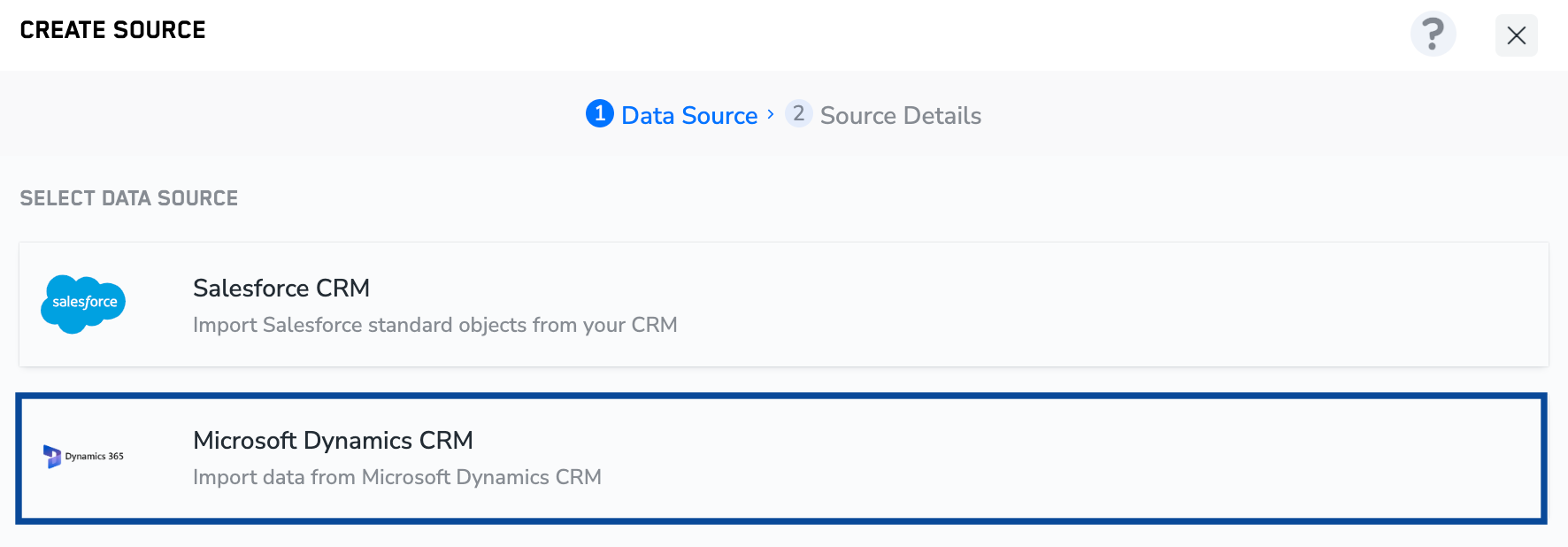
2.2 Enhanced Source Reports
(14-8-2024) We have enhanced the source report to show file-level records ingestion status at a more granular level. This update informs users when an in-progress file is ready for real-time activation, which is an intermediate state before the file moves for batch activation. To learn more about this update, refer here.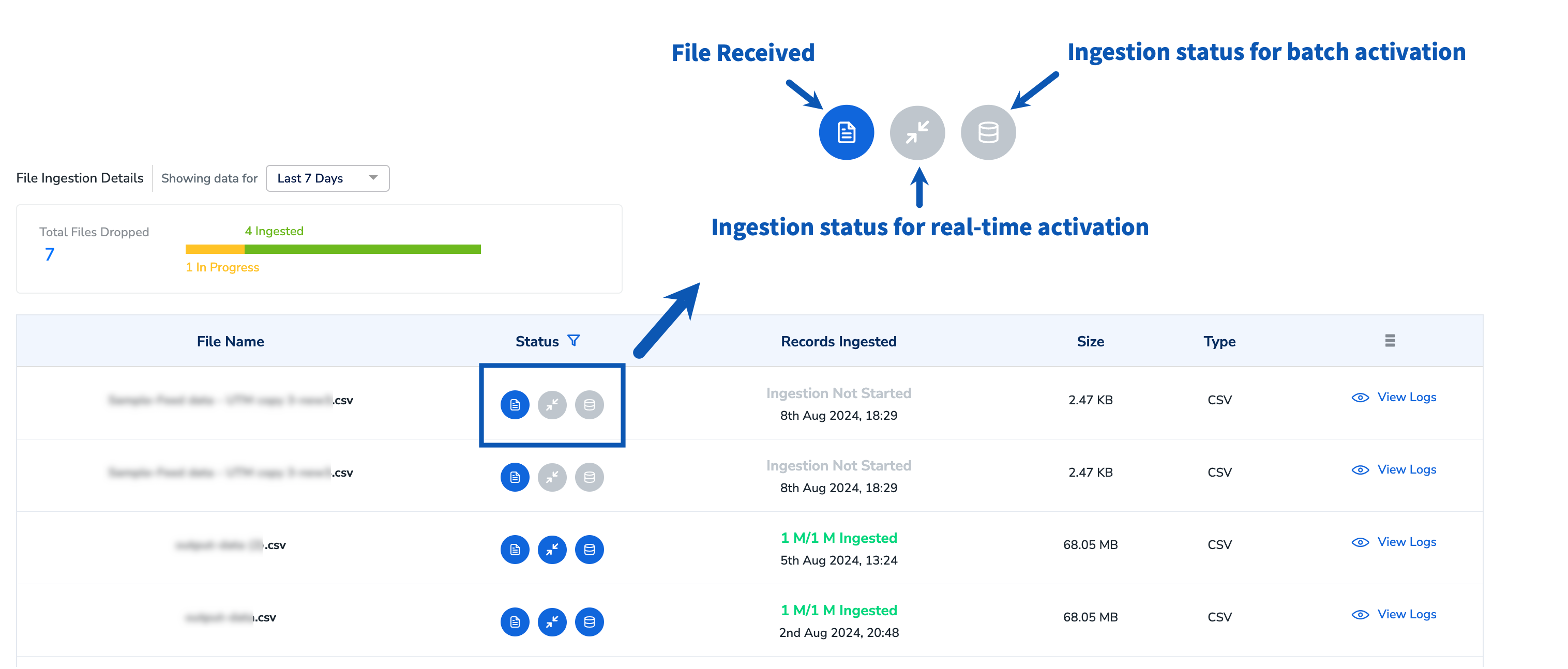
2.3 Introduced Pause Ingestion and Collection
(14-08-2024) Today, you can pause, rename, archive, or edit the mapping for a source based on its status. With the current enhancement, you can also pause data collection, pause data ingestion, resume data collection, or resume data ingestion, depending on the source type and status, as detailed in the table below.| Action | Impact | Source Type | Source Status | Time to Effect |
|---|---|---|---|---|
| Pause Data Collection | Temporarily pauses the collection of data from the source | All streaming sources where Zeotap fetches or collects data | Integrated or Mapped | Up to 1 hour |
| Pause Data Ingestion | Temporarily pauses the ingestion of source data into the system | All sources | Mapped | Up to 15 minutes Note:
|
| Resume Data Collection | Resumes the collection of data from the source | All streaming sources where Zeotap fetches or collects data | Paused or Paused (Collection) | Up to 1 hour |
| Resume Data Ingestion | Resumes the ingestion of source data into the system | All sources | Paused or Paused (Collection) | Up to 15 minutes |
2.4 Introduced Source Alerts
(01-07-2024) You will now receive timely email notifications to help you monitor and manage your sources more effectively. The email includes a detailed report on failed sources and the reasons for their failure. The following scenarios will be covered in the report:- Absence of data in the ingested file
- Failure to receive a file according to the configured sync frequency
- More than 20% of records in a file or streaming source fail within 24 hours
- Files remaining in progress for over 48 hours
- Successful ingestion of files for batch sources
2.5 Salesforce CRM Source Enhancements
(22-07-2024) You can now select only the relevant fields to ingest when creating a Salesforce CRM source. As a result, you get a clutter-free mapping screen that offers a better understanding of your ingested data. When creating a Salesforce CRM source, the system shows fields based on the selected object (Account, Lead, Contact, Case and Opportunity). Select fields using checkboxes or the Select All option, and search for specific fields if needed. Only the selected fields are ingested into Zeotap for mapping. To know more, read the docs here.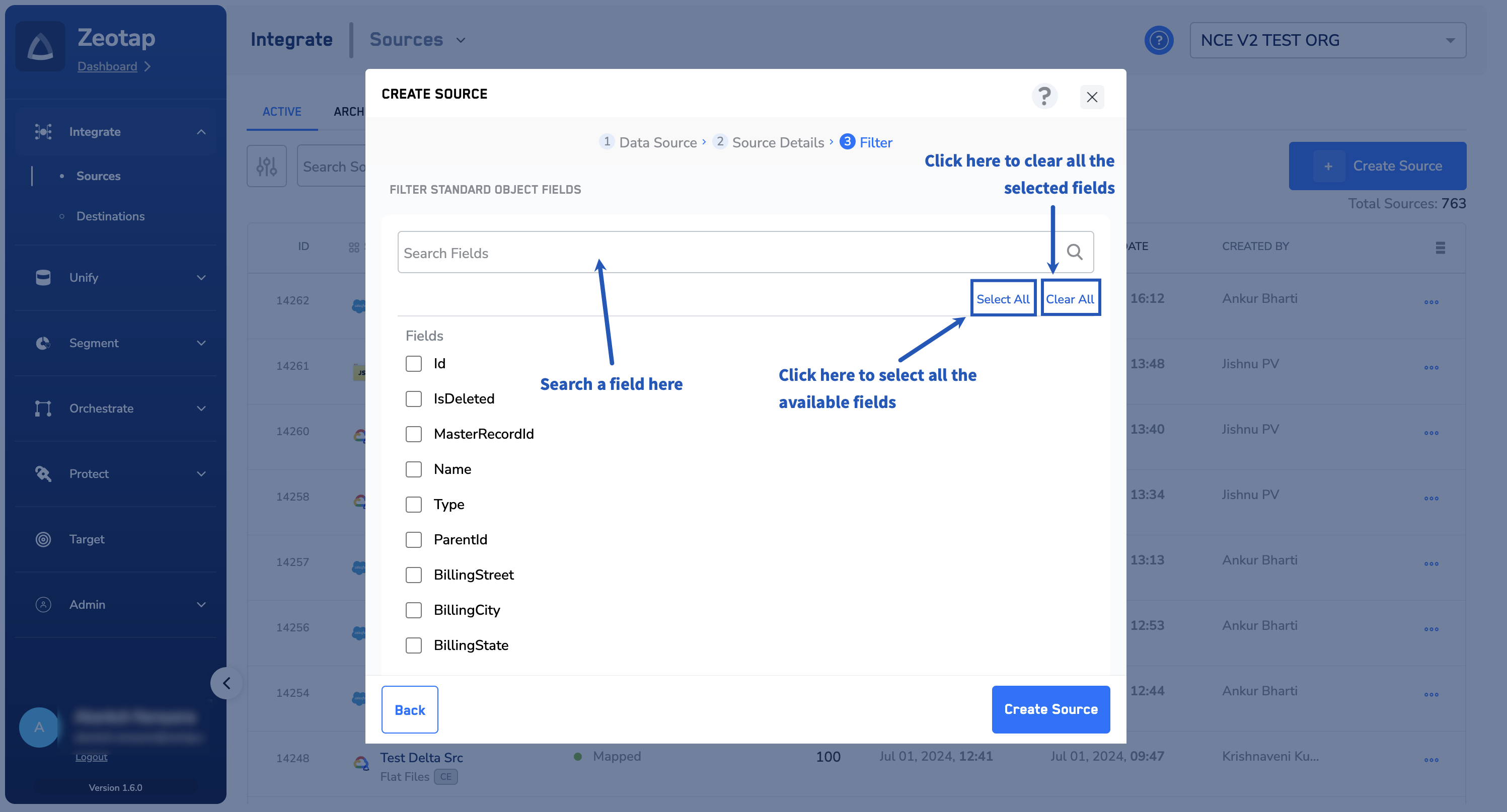
3. Newly Added Destinations
The below Destinations are now available in the Zeotap CDP App.3.1 Salesforce Marketing Cloud (SFMC) Personalization
(25-09-2024) Salesforce Marketing Cloud (SFMC) Personalization, formerly Interaction Studio, allows you to visualise, track and manage customer experiences through real-time interaction management. Using this, you can drive engagement at the right moment, tailored to your audience’s preferences, using customer experiences. Zeotap CDP now enables you to integrate your SFMC Personalization instance with Audiences (batch integration), Journeys (real-time integration), or both, allowing you to send User Profile objects to your SFMC Personalization instance based on your specific requirements.3.2 Google BigQuery Destination
(18-09-2024) Google BigQuery is an industry-leading, fully-managed cloud data warehouse that lets you efficiently store and analyse huge amounts of data. By integrating with Zeotap CDP, you can easily send your segmented data to BigQuery, which can then be used for delivering more personalised targeting across various touch points. To know more about how to create a Google BigQuery Destination, refer here.3.3 Salesforce Marketing Cloud (SFMC) Journey Builder
(12-09-2024) Salesforce Marketing Cloud (SFMC) Journey Builder offers visibility into consumer interactions across various marketing channels, including email, mobile, social ads and more. By connecting these actions or conversations, you gain a deeper understanding of your customers, improve message building, design and automate campaigns, deliver a seamless customer experience, and secure customer loyalty. Integrating with Zeotap enhances these capabilities by enabling marketers to base campaigns on real-time data sent from Zeotap. This integration allows you to send any identifiers of your choice and custom attributes. To know more about how to create a Salesforce Marketing Cloud (SFMC) Journey Builder Destination, refer here.3.4 RTB House Conversions API (CAPI)
(12-09-2024) RTB House Conversions API (CAPI) is a marketing technology company that provides campaigns, products and services to improve advertiser experiences. By integrating with Zeotap CDP, you can send real-time events from Zeotap’s Journeys module to the RTB House Conversions API, enhancing your targeting capabilities. To know more about how to create a RTB House Conversions API (CAPI) Destination, refer here.4. Audience Enhancements
The below enhancements are now available in the Zeotap CDP App.4.1 Enhanced Destination User Experience in Journeys
(08-07-2024) To maintain consistency in the user experience, we have extended the Destination user elements within Audiences to Journeys. Just as we have in Destination, this enhancement offers full control over your data, deciding what gets sent and what doesn’t. This enhancement ensures consistent mapping across multiple nodes in Journeys and encourages a more business-driven approach covering broader dimensions of marketing needs, beyond mere audience management and activation, allowing for a wider range of use cases.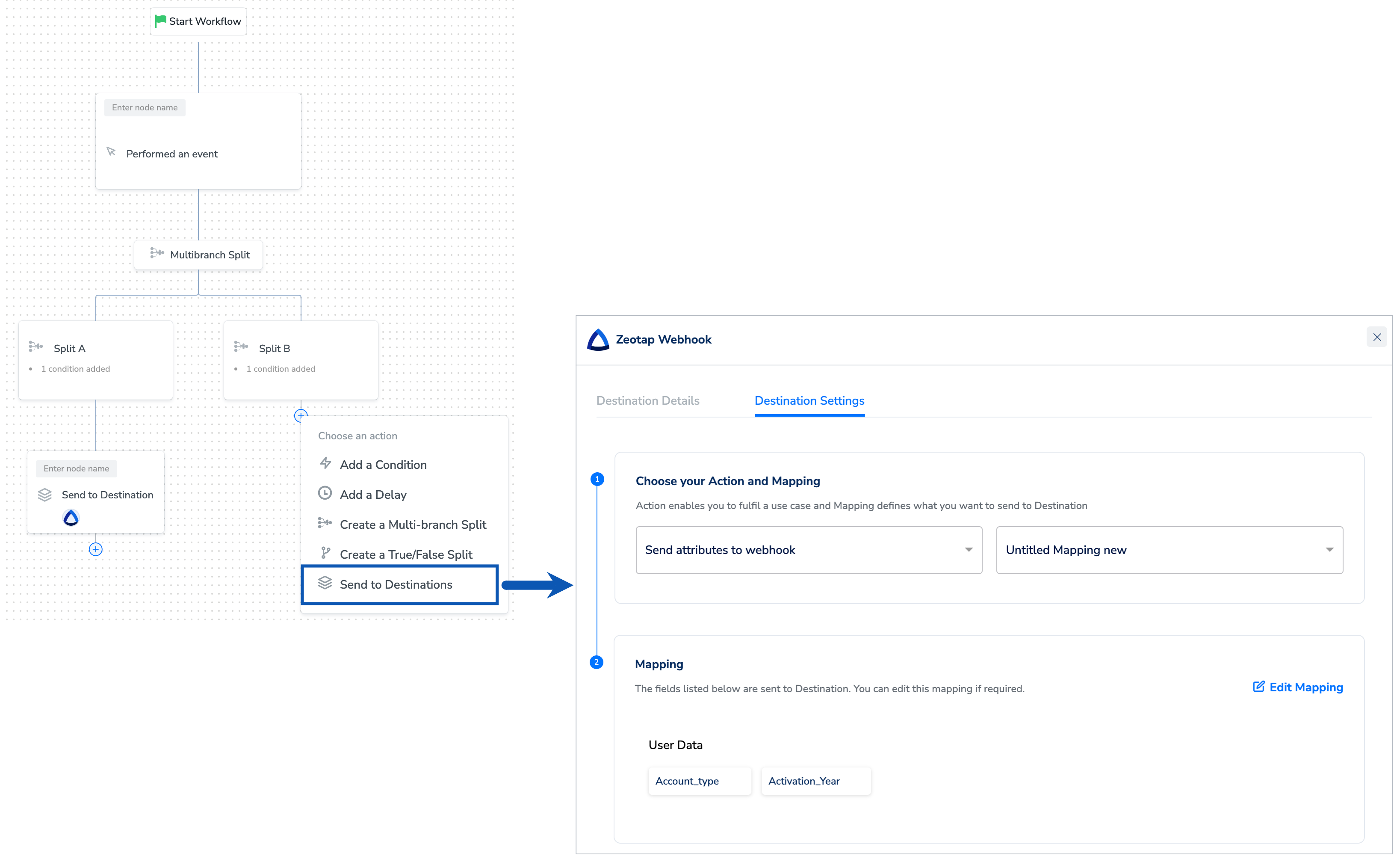
4.2 Support for Complex and NCE Data in Journeys
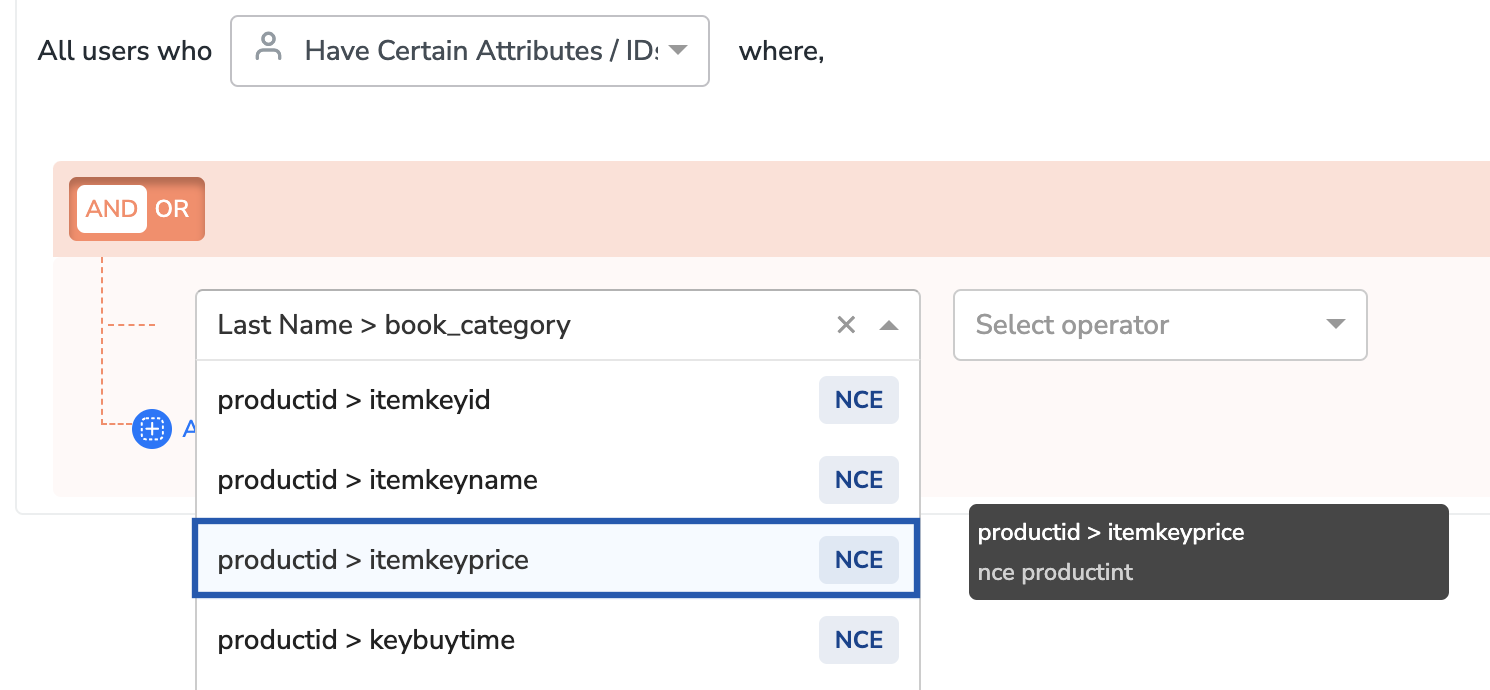
(22-07-2024) You can now filter users in Journeys using Objects, List/Array of Objects and Non-Customer Entity (NCE) attributes. This enhancement provides you with additional data sources for more effective user filtering, thus simplifying complex journeys. Objects group related data, like a product object with information on product name, colour, brand and so on. To learn more about Objects and Lists of Objects, along with use cases, click here.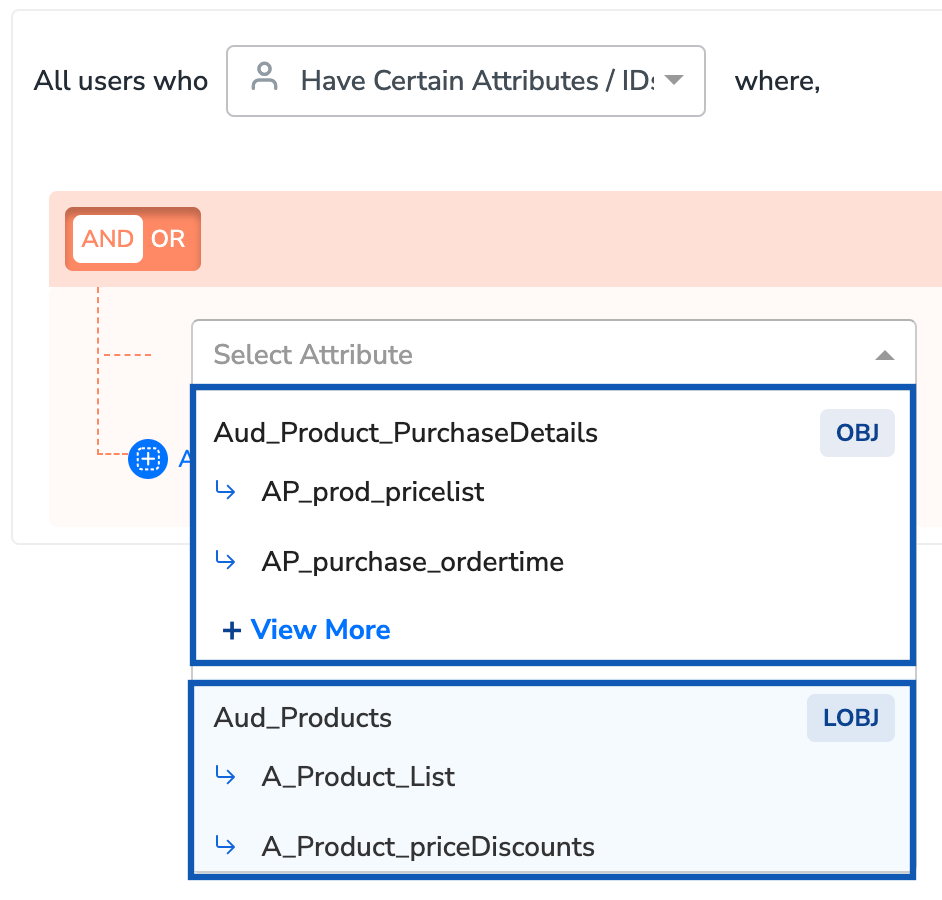
5. Audience Lifecycle (Beta)
The below enhancements are now available in the Zeotap CDP App.5.1 Introduced Audience Lifecycle (Beta)
(08-07-2024) We have introduced the Audience Lifecycle feature in Audiences. This update allows you to view all events related to your audience, including timestamps and the individuals responsible for each event. You can also see the current activation state of your audience. This feature is currently in beta and activated only on request. To enable it for your account, contact your Zeotap POC.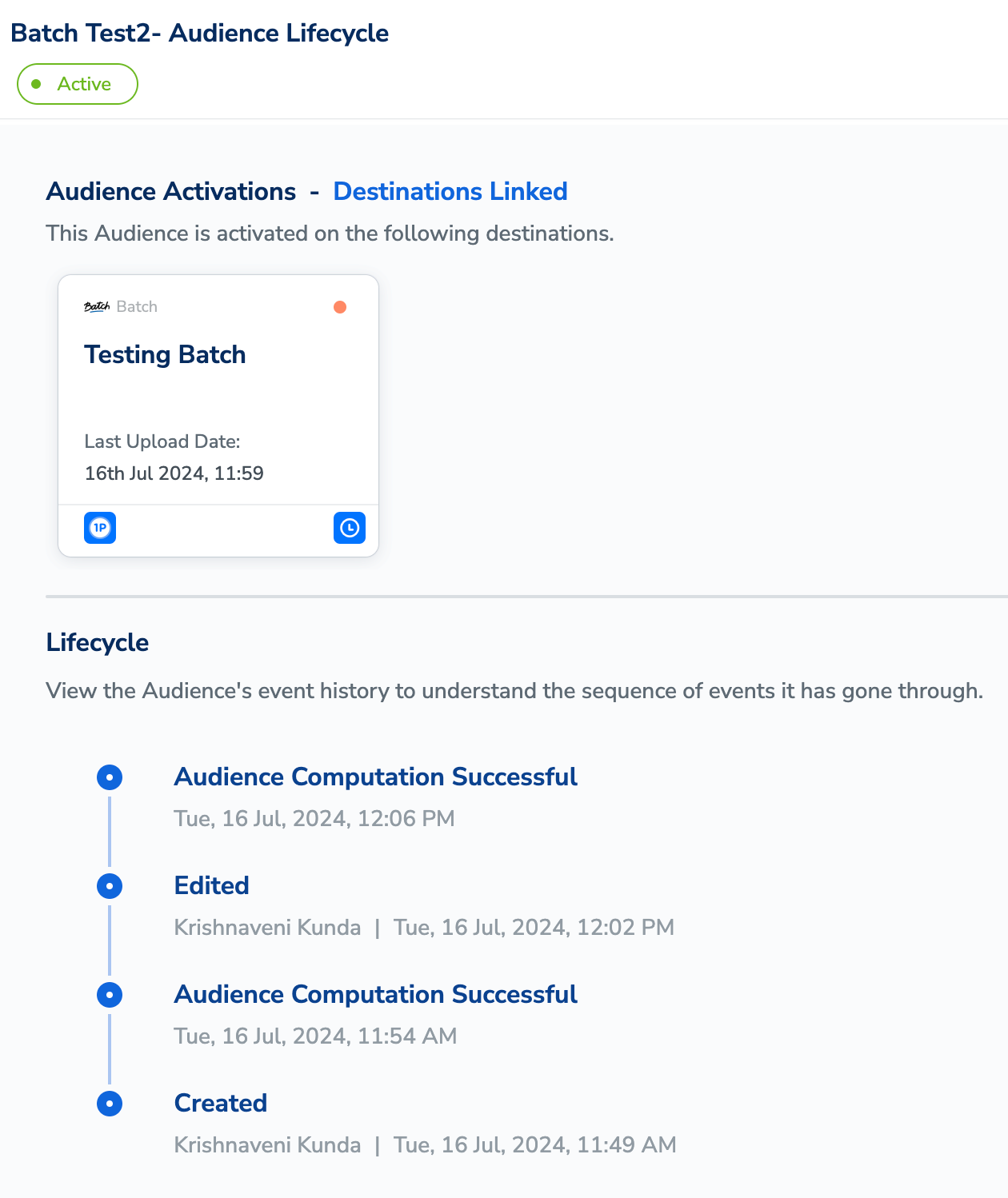
5.2 Introduced Delta Upload and Delete Functionalities (Beta)
(28-07-2024) We have enhanced your data refresh and management process for improved performance and accuracy. Going forward, the initial refresh will perform a full data upload to the activated destinations, while subsequent updates will be delta uploads, reducing costs and processing time at end platforms for activation. These delta uploads include not only newly qualified users but also changes in existing users’ information between two audience refreshes. The new delete functionality ensures that previously qualified users who have now been disqualified are correctly notified to the activation platform, ensuring relevant user targeting and privacy compliance. To know more about data refresh and delete, read the docs here. This feature is currently in Beta and activated only on request. To enable it for your account, contact support or your Zeotap POC.Both Delta Upload and Delete functionalities will be released in phases. If you are interested in checking its availability for specific destinations, then reach out to your Zeotap POC.
6. Usage Dashboard
The below enhancements are now available in the Zeotap CDP App.6.1 Last Refreshed Time Display
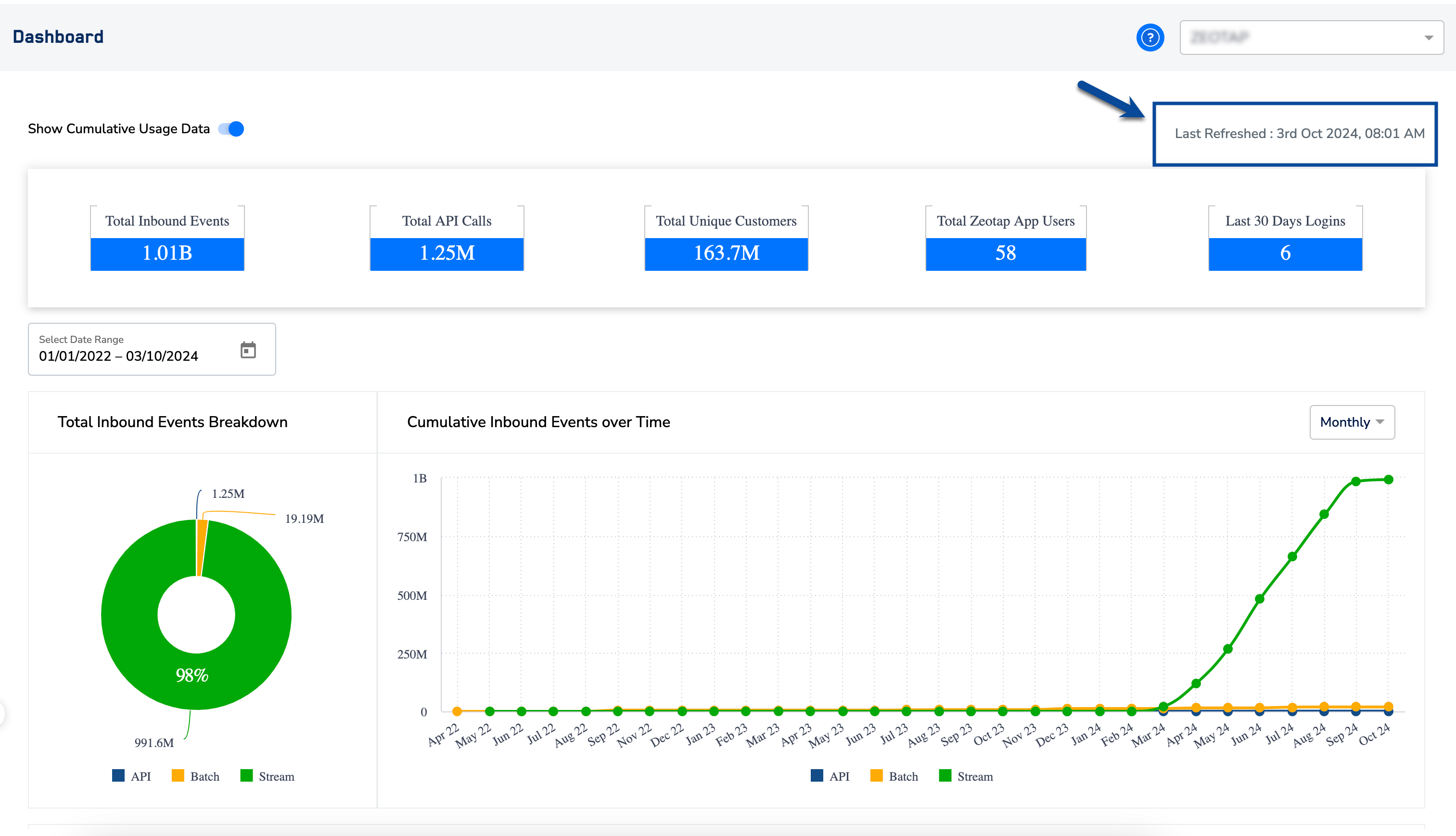
(16-08-2024) You can now see the last refreshed time on your Usage Dashboard, giving you clear visibility into when the data was last updated. The last refreshed time is displayed in your local time zone and refreshes daily, ensuring you always know when the dashboard reflects the most recent data.