

Note:This document provides all the information that you as a client need to implement the SFTP (Pull) source. If you need further assistance or have any queries, reach out to your Zeotap POC.
How to Pull Data from Your SFTP Server?
Perform the following steps to pull data to Zeotap CDP from your SFTP server: Step 1 - Download the Public Key from the Implementation Details tab Step 2 - Upload the Public Key to the SFTP ServerStep 1 - Download the Public Key from the Implementation Details tab
After creating the source, navigate to the IMPLEMENTATION DETAILS tab. Here, you can find all the necessary details regarding the created source. To proceed with the implementation of the source, start by downloading the Public Key from the section highlighted in the below image. Note that you must whitelist the SFTP folder using the generated Public Key.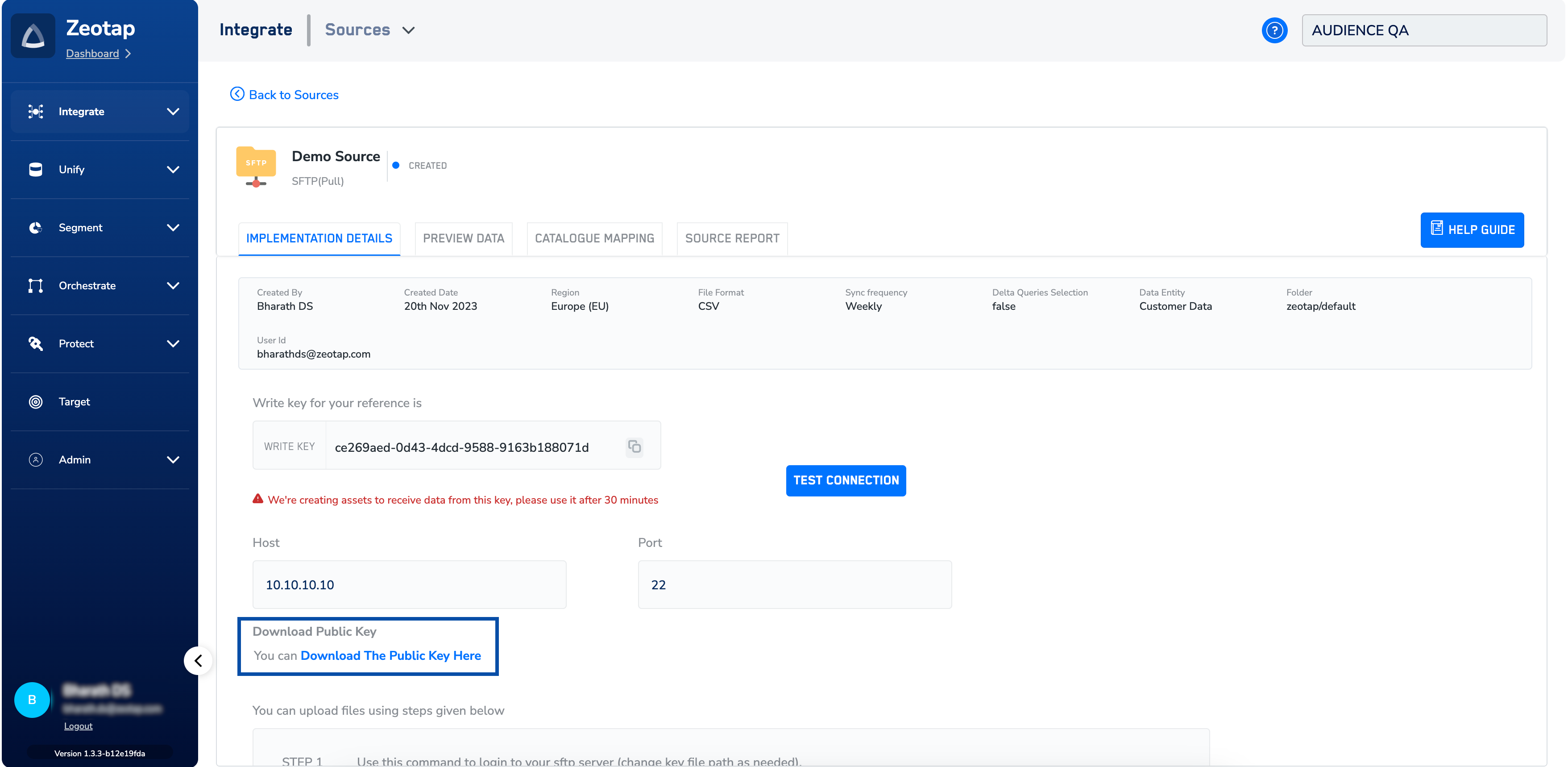
Step 2 - Upload the Public Key to the SFTP Server
Copy the downloaded public key to the SFTP server using the command provided below.Code
- Replace
public-key-locationwith the location of the downloaded public key. - Replace
userwith your SFTP username. - Replace
sftp-serverwith the hostname or IP address of your SFTP server.
Note:If there are any IP restrictions on your end, ensure that you whitelist Zeotap’s IP addresses. You would need to whitelist the following IP Address :
35.190.217.51