

Note:Refer to Tag Manager Source to know more about this source.
1
Navigate to the Sources application under Integrate, in the Zeotap CDP App.
2
Click CREATE SOURCE.
3
Choose Tag Managers as the Category.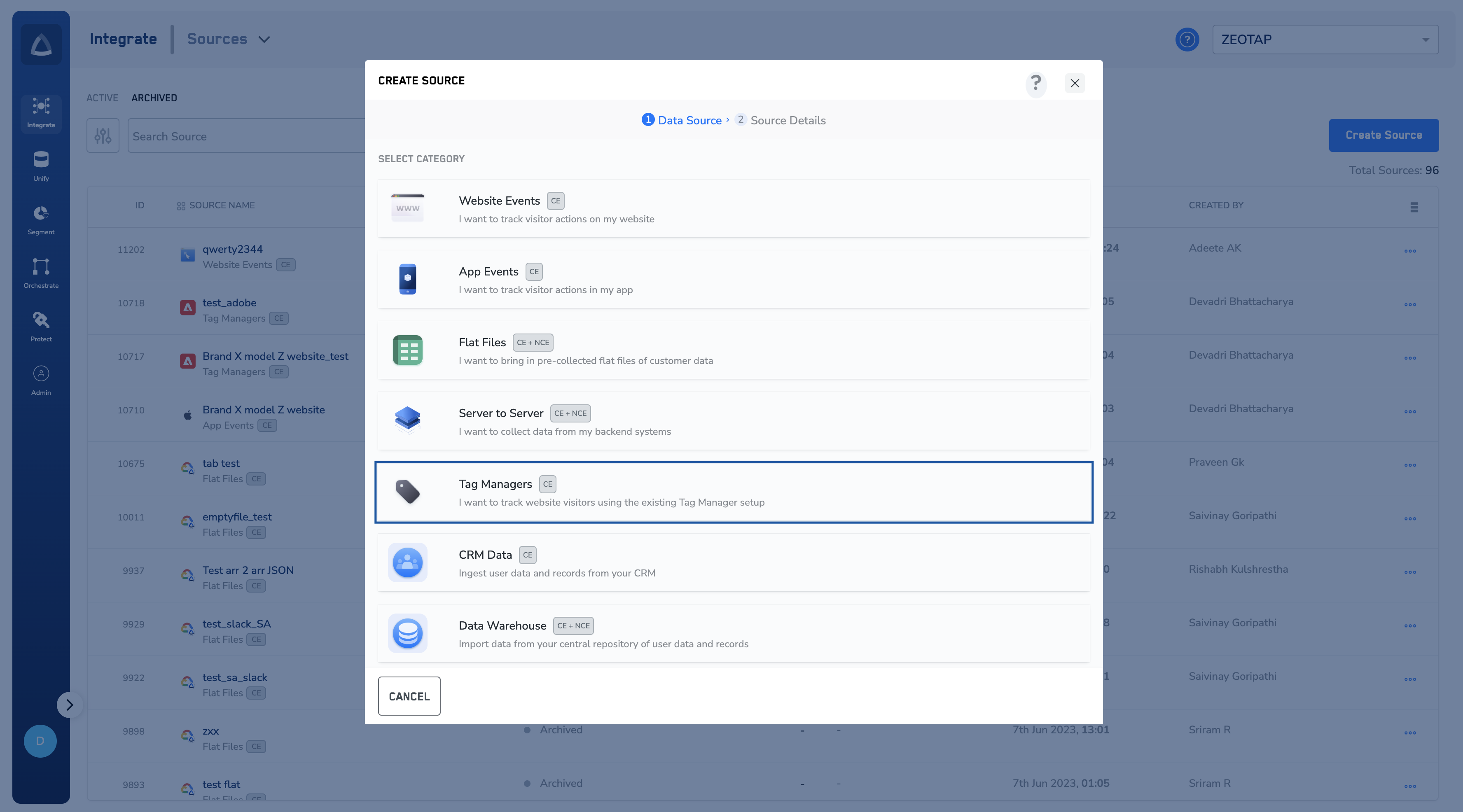
4
Click Google Tag Manager as the Data Source.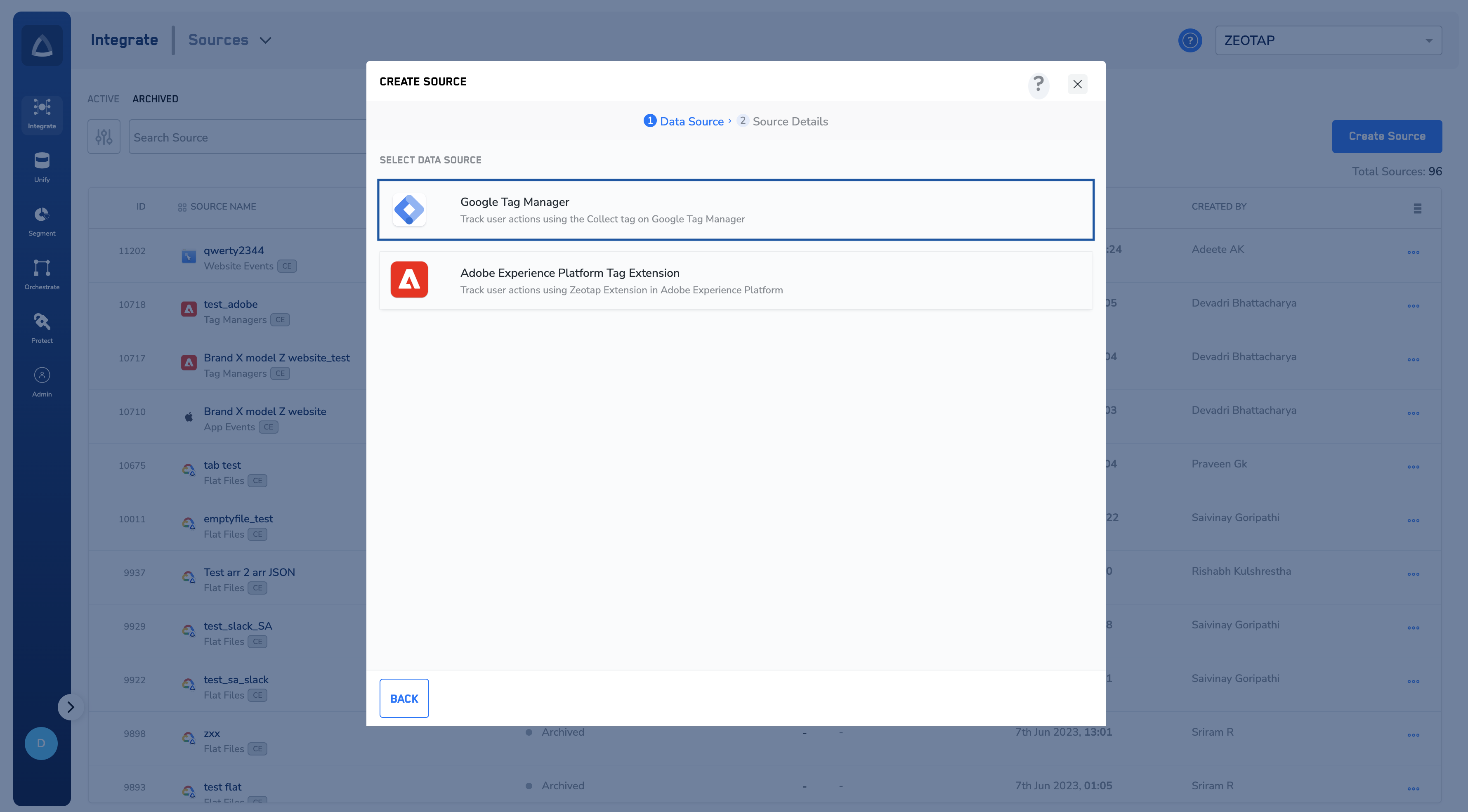
5
Enter a short and descriptive name for the source.
6
Choose the region of upload and Data Entity as Customer Data. To know more about Customer Data, refer here.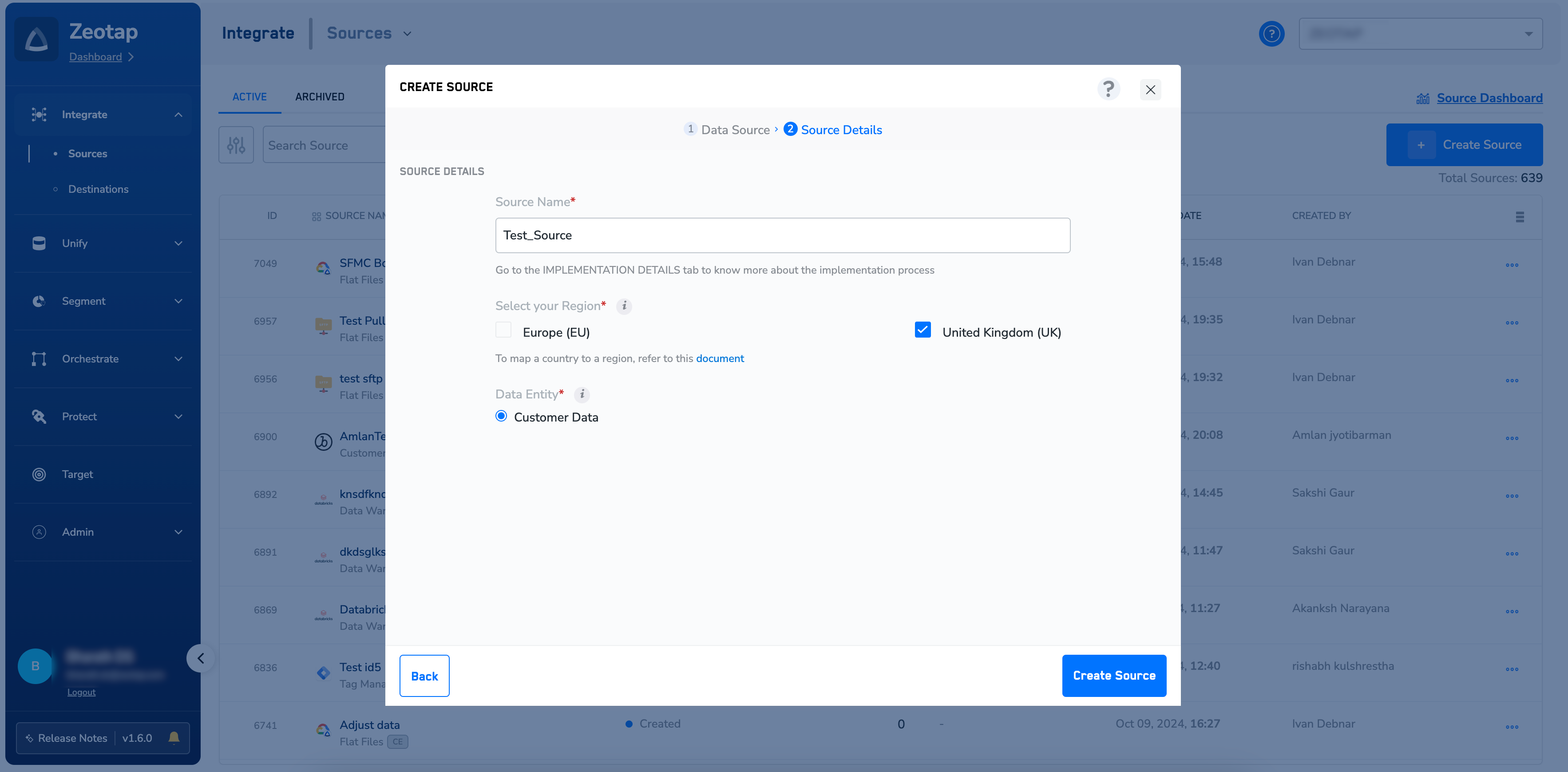
7
Click CREATE SOURCE. The created Source appears on the SOURCES listing page. Once the Source has been taken live based on the implementation steps available, you can use the PREVIEW tab to see incoming data.
Note:To know more about how to implement a Tag Manager Source, refer to Tag Manager Implementation.
Related Topics
- For information about how to map the Catalogue for Customer Data (CE), refer here.
- For information about how to map the Catalogue for Non-Customer Entity (NCE) data, refer here.
- For information about how to add a Non-Customer Entity (NCE) attribute in the Catalogue, refer here.
- For information about Join Key Enricher and how to configure it, refer here.