To extract a particular property from the incoming List (Array) of Objects as a separate field in your Catalogue, you can utilise this transformation. In the below example, under the properties column, you can observe that objects with properties such as create date, email, first name and more are ingested. To extract and identify a particular property like first name as an individual field in the catalogue, you can utilise this custom transformation. Here, you need to use the directive, JSON-Path for your requirement.
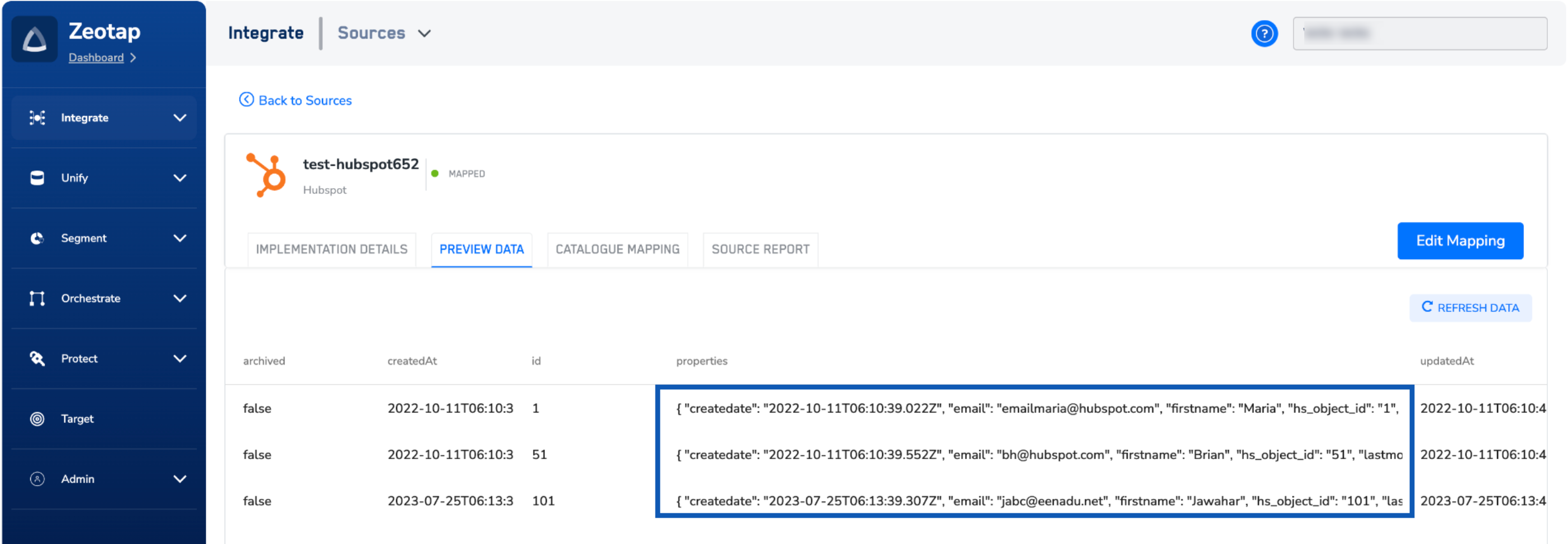
Syntax json-path <source-column> <destination-column> <expression>
  • <source-column> specifies the column in the record that should be considered as the “root member object” or ”$”
  • <destination-column> is the name of the output column in the record where the results of the expression will be stored
  • <expression> is a JSON path expression; see Usage Notes below for details
An expression always refers to a JSON structure in the same way that an XPath expression is used in combination with an XML document. The “root member object” is always referred to as $ regardless if it is an object or an array.

Use Case: Extracting First Name from Ingested Object Data in Zeotap CDP

Assume that you have ingested an “Object” type data into Zeotap CDP that has a property, First name, which needs to be extracted as a new field in your Catalogue. Here, you can use the directive JSON Path to extract the required field as mentioned below.

Directives for Data Transformation

Code
set-column dataFields json:Parse(dataFields)
json-path dataFields firstName '$[?(@.key == "firstName")].value'
flatten :firstName
Note:For more information on this directive, JSON Path. refer here.
Below are details of how each directive functions:
DirectiveDescription
set-column dataFields json:Parse(dataFields)Parses the dataFields column into a JSON format, facilitating easier manipulation and extraction of data.
json-path dataFields firstName '$[?(@.key == "firstName")].value'Uses JSON Path to locate the firstName key within the dataFields JSON object and extracts its corresponding value.
flatten :firstNameEnsures that the firstName field is flattened into a simple, single-level structure, ready for further processing or analysis.
Last modified on February 26, 2026