

1
Enter a Catalogue Field. As you type, suggestions based on the existing Catalogue Fields appear. You can choose a suggested Catalogue Field or click +Add Catalogue Field to add a new field.
2
Map the Catalogue Field to its corresponding Source Field. Same as the above behaviour, you can choose a suggested Source Field or click +Add a new Source Field to add a new field.
3
Enter a description for easy identification.
4
Choose one of the following as the Data Type:
- String
- Integer
- Double
- Timestamp
- List of String/Integer/Double
- Object
- List of Object
5
Choose Campaign as the Category.
6
Under advanced settings, a Group Name appears by default. You can choose a value from the drop-down menu or click +Add a new group to add a new group name. You can also restrict the field to specific channels using the Restrict on Channels option to ensure the field is only sent to selected destinations during activation.
7
Save the changes.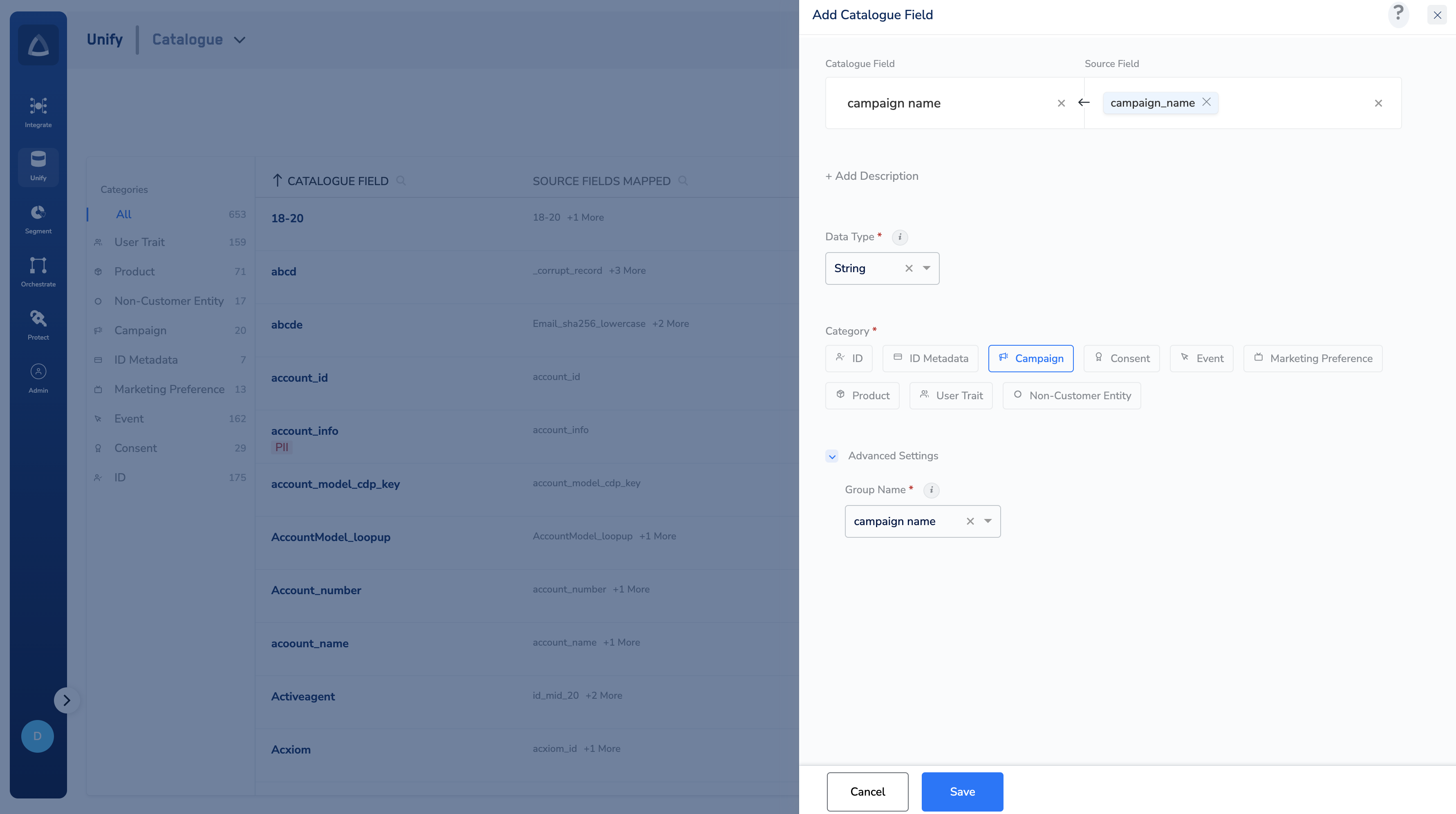
Note:Use the Campaign category for fields that track a user’s interaction with or membership in a marketing campaign — such as
last_campaign_name, campaign_source, or email_campaign_clicked. Do not use this category for general profile attributes.In Step 6 if the field contains sensitive data but is not marked as PII, you can enable the Mask the Data option under Advanced Settings to mask the field value across the Zeotap UI.Choose the Data Type that matches the values your source field sends. For example, use String for campaign names or IDs, Timestamp for campaign dates, Integer for click counts, and List of String for multi-value fields like a list of campaigns a user has been part of.