

Note:Refer to Airship Real-Time Data Streaming Source to know more about this source.
Prerequisites
Match the Airship Channel ID to Zeotap attribute - In addition to the Named Users, you can also match the Airship channel ID with the Zeotap attribute to enhance customer profiles in the Zeotap system. The following get method can be used to retrieve the Airship channel ID through our SDK from the Airship SDK:Code
Note:For more information about how to fetch the custom identities through Zeotap’s SDKs, refer here.
Step-by-Step Process
Perform the following steps to create a Airship Real-Time Data Streaming source:1
Log into the Zeotap CDP App and navigate to the Sources application under Integrate.
2
Click CREATE SOURCE.
3
Choose Customer Engagement Channels as the Category.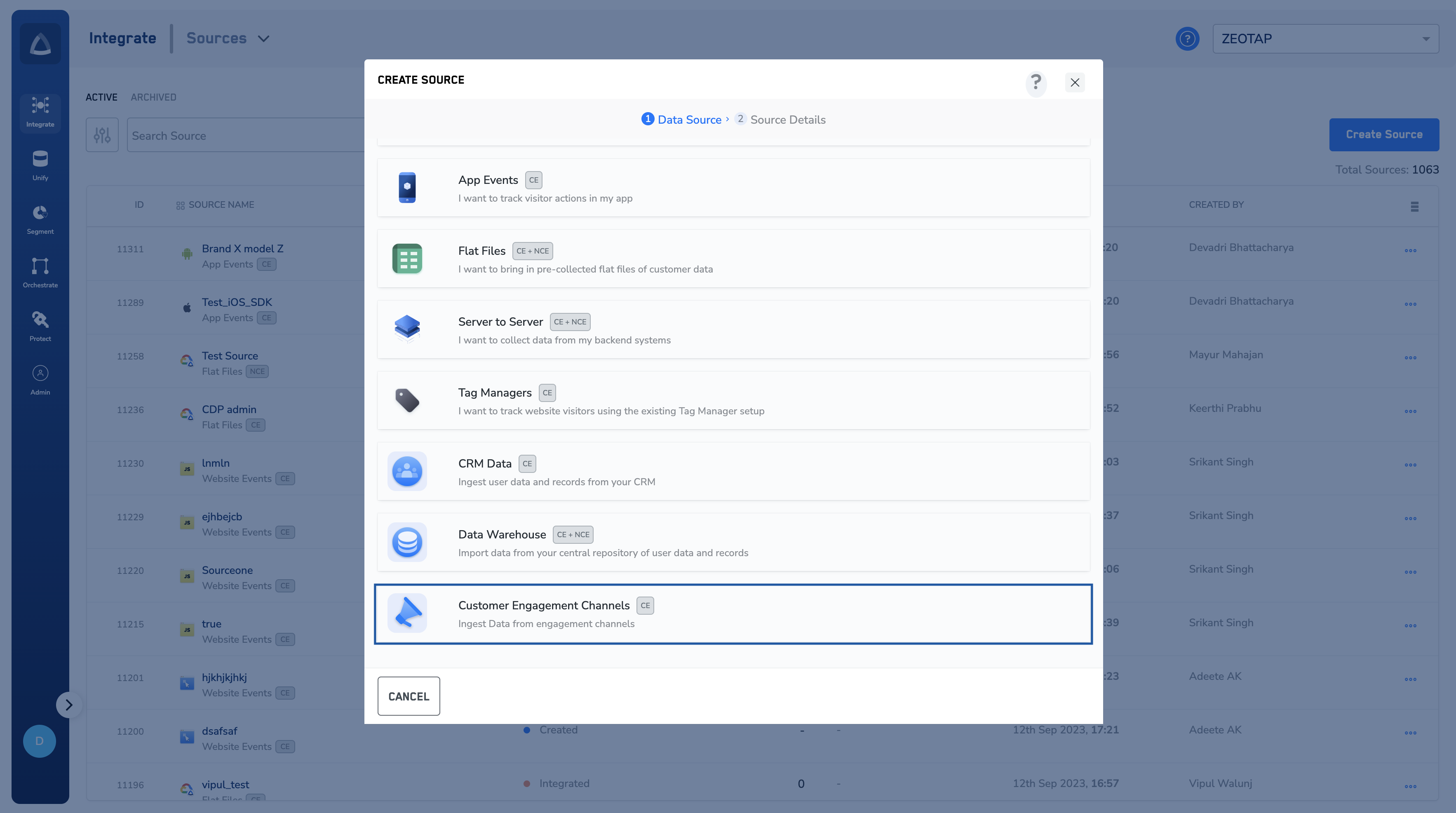
4
Click Airship Real-Time Data Streaming as the Data Source.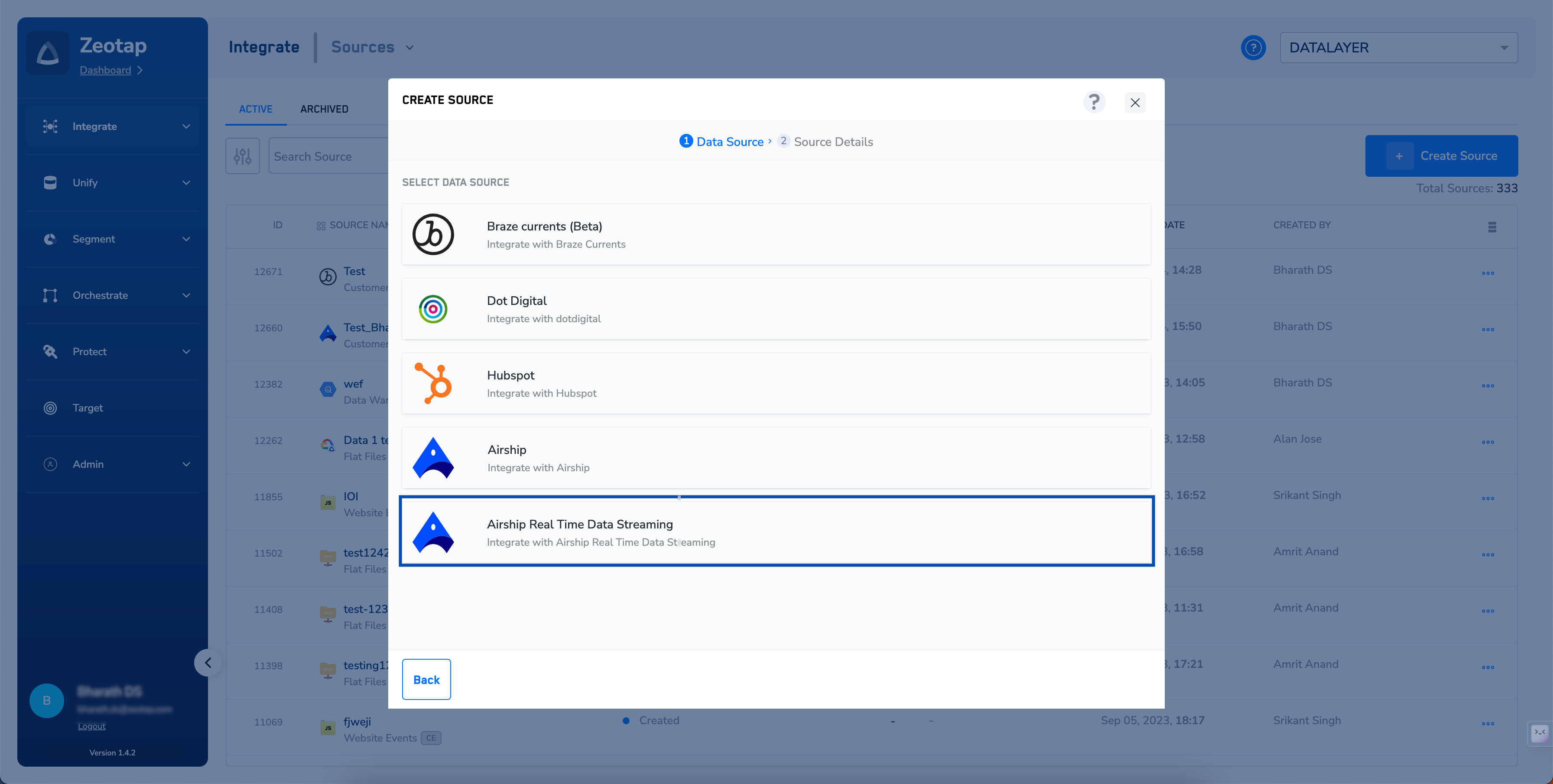
5
Enter a short and descriptive name for the source.
6
Select a Region using the option button provided.
7
Under Data Entity, depending on the type of data that you want to ingest, choose either Customer Data or Non Customer Data and proceed with the source creation. To know more about Customer Data and Non Customer Data, refer here.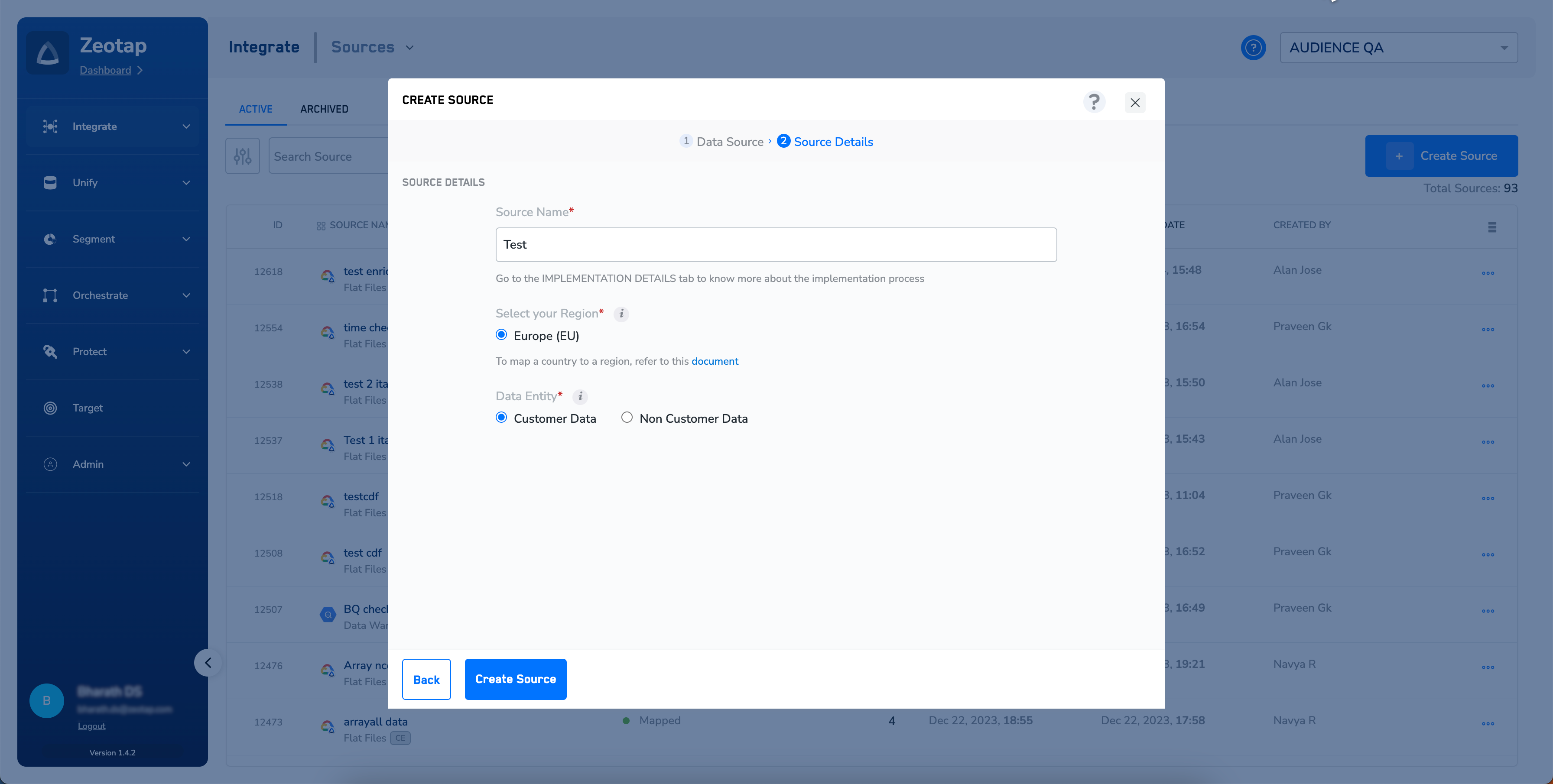
8
Click CREATE SOURCE. Upon successful creation, an API URL and a write_key is generated and is available under the IMPLEMENTATION DETAILS tab as shown in the image below. The API Key and Write Key are essential for the implementation of this integration.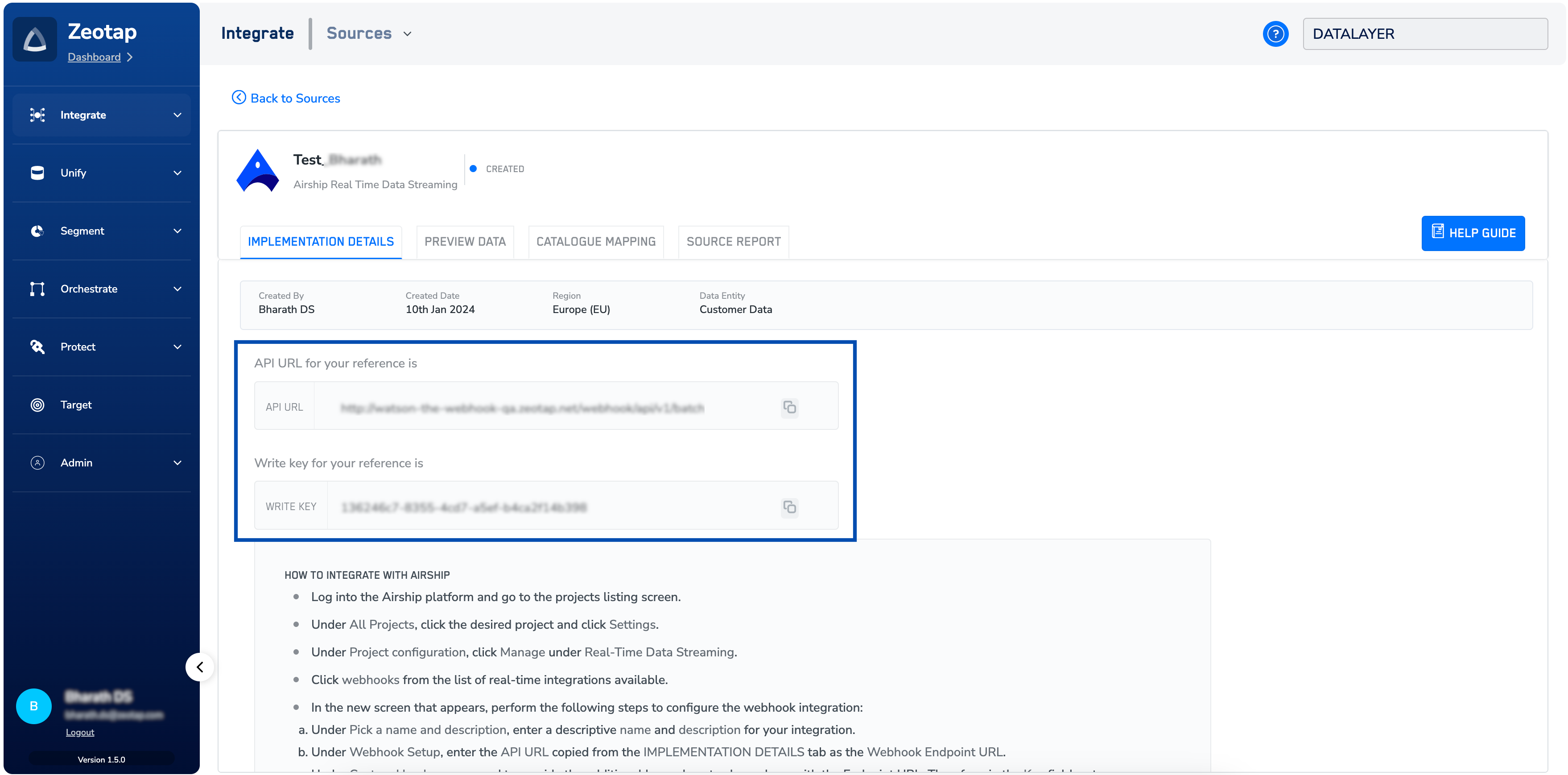
Note:To know more about Airship Real-Time Data Streaming Implementation, refer to Implement a Airship Real-Time Data Streaming source.