

Implementing the iOS SDK?
This page covers creating the Source in the Zeotap CDP. For SDK installation, init options, and tracking methods, head to the iOS SDK docs.
Note:Refer to Source - iOS SDK to know more about this source.
1
Navigate to the Sources application under Integrate, in the Zeotap CDP App.
2
Click on Create Source and Choose App Events as the Category.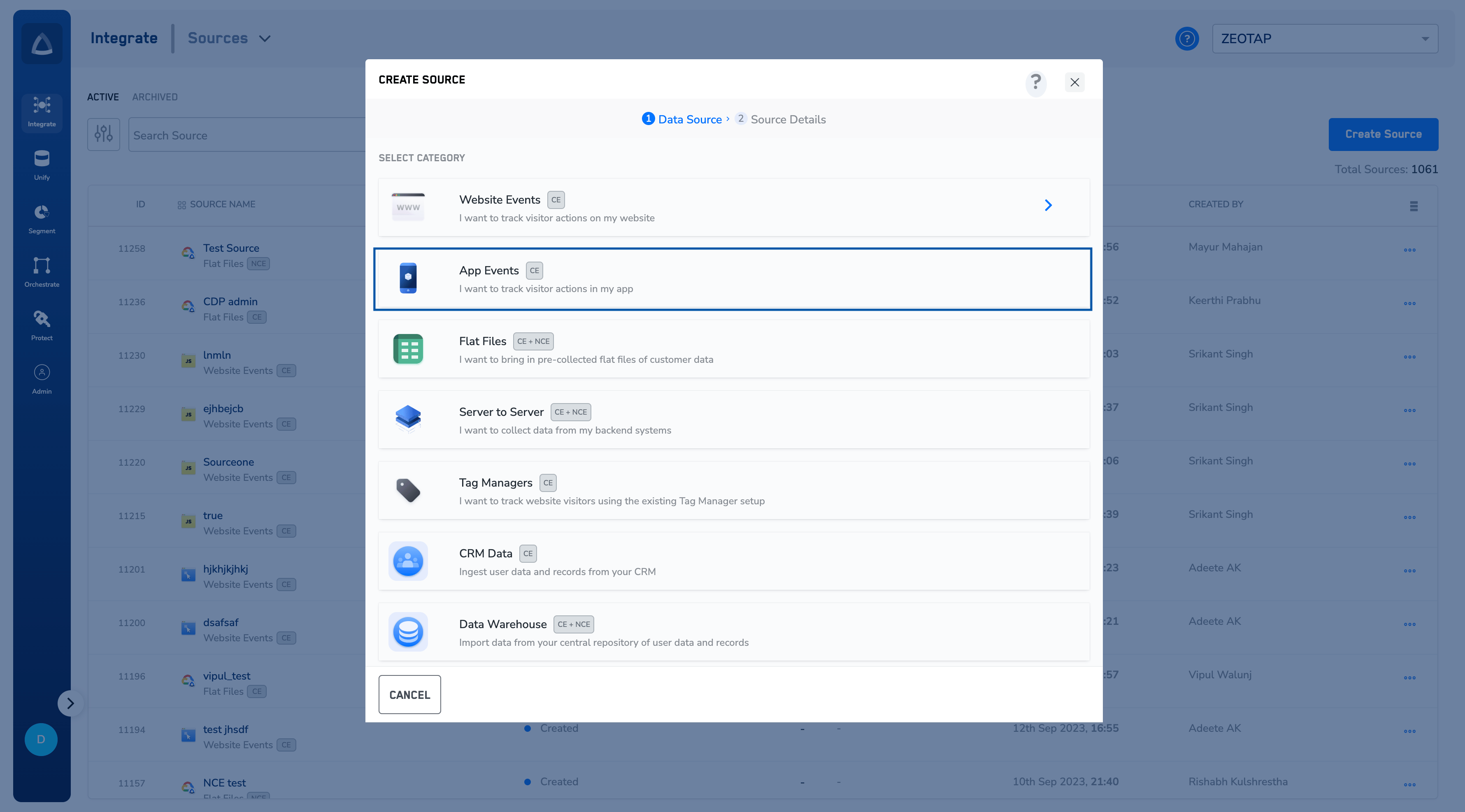
3
Choose iOS Native SDK as the Data Source.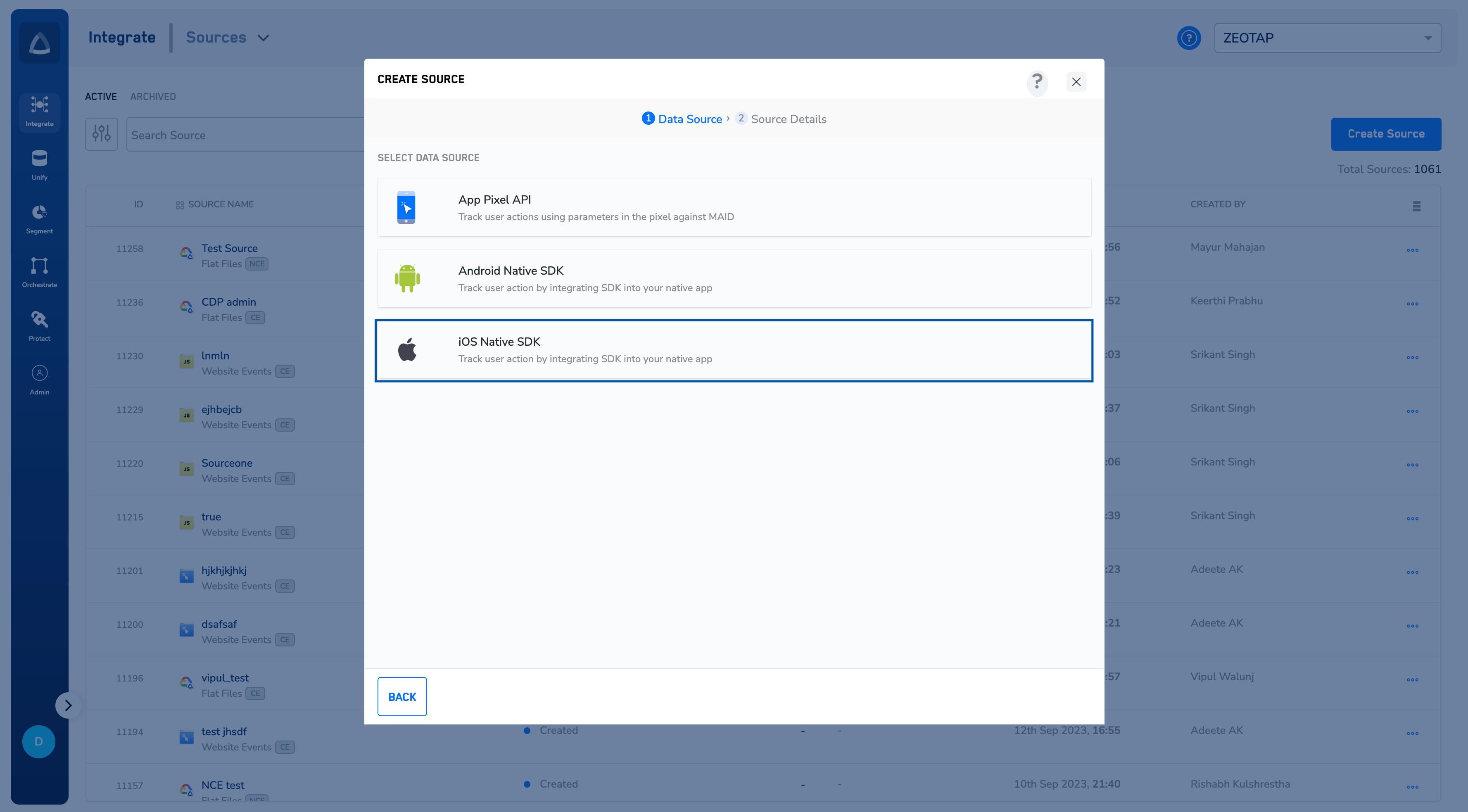
4
Enter a short and descriptive name for the Source.
5
Select the Region of upload and proceed with the Source creation.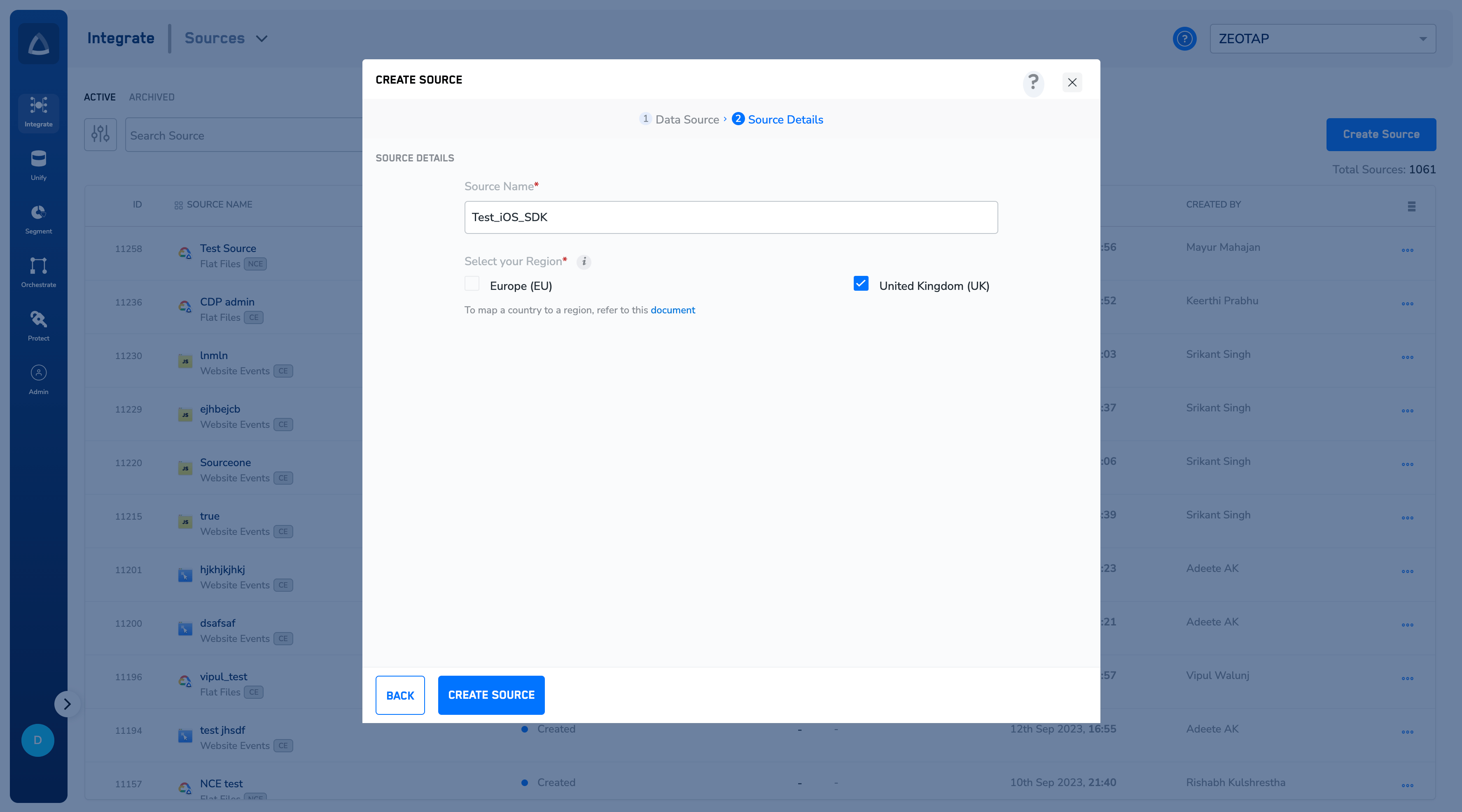
6
Click CREATE SOURCE.
7
Once the source is created, the IMPLEMENTATION DETAILS tab displays the 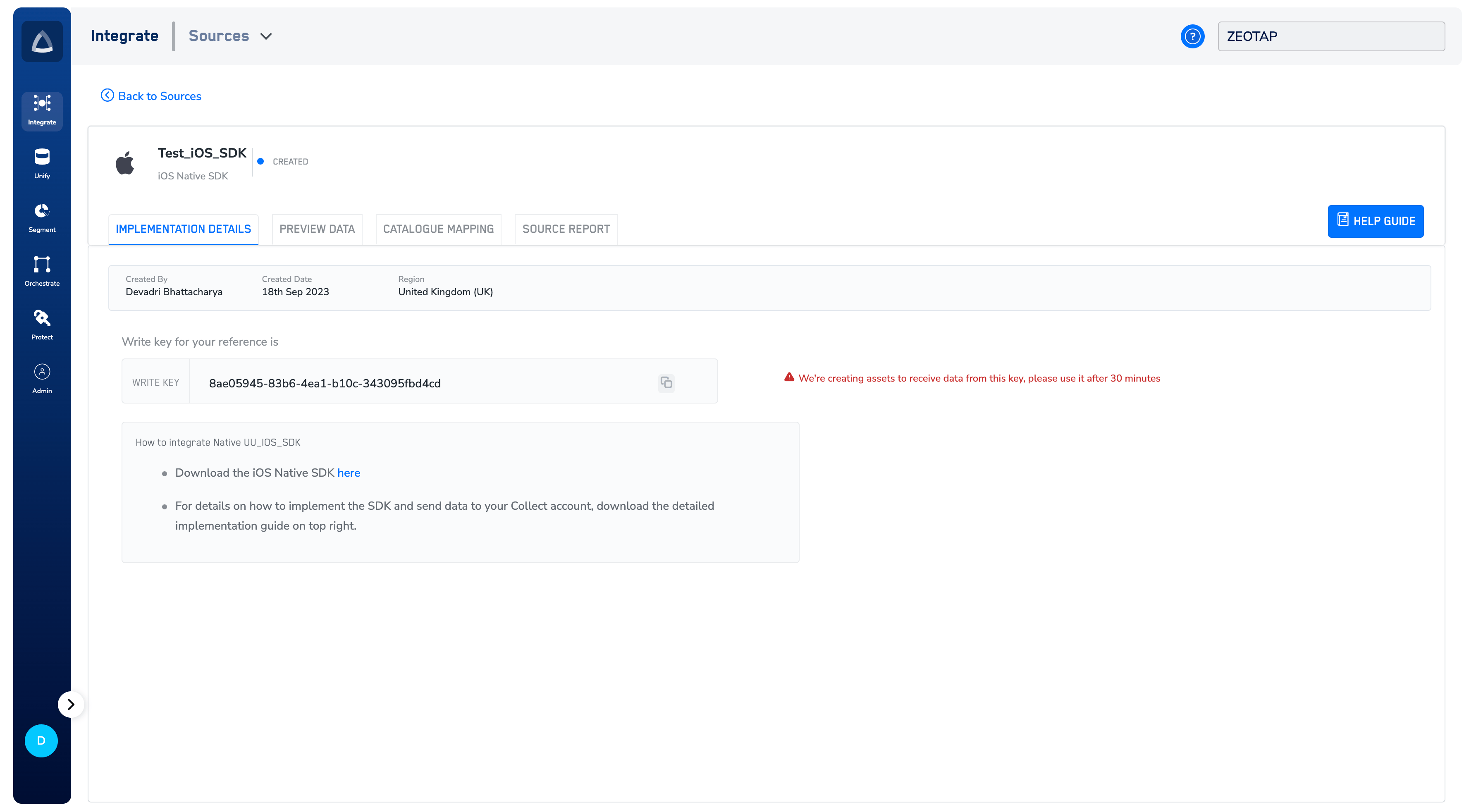
write_key` and the link to download the SDK. Click the link to download the SDK as zip and unzip the zip file.Note:To know more about how to implement the iOS SDK, refer to the iOS SDK docs.