

Note:Refer to Airship (Batch) source to know about this source.
Prerequisites
Ensure that you take care of the following prerequisites before creating an Airship (Batch) source:- Bearer Token (Access Token) – A bearer token in Airship is a unique string of characters that authenticates a user or application to access a resource. It grants limited access to a user or application for a specific period, allowing them to perform actions on behalf of the user who generated the token. Perform the following steps to create a Bearer Token in Airship.
1
Log into the Airship console and navigate to Settings.
2
Under Settings, select Project Configuration and click Manage for Tokens.
3
Click Create Token.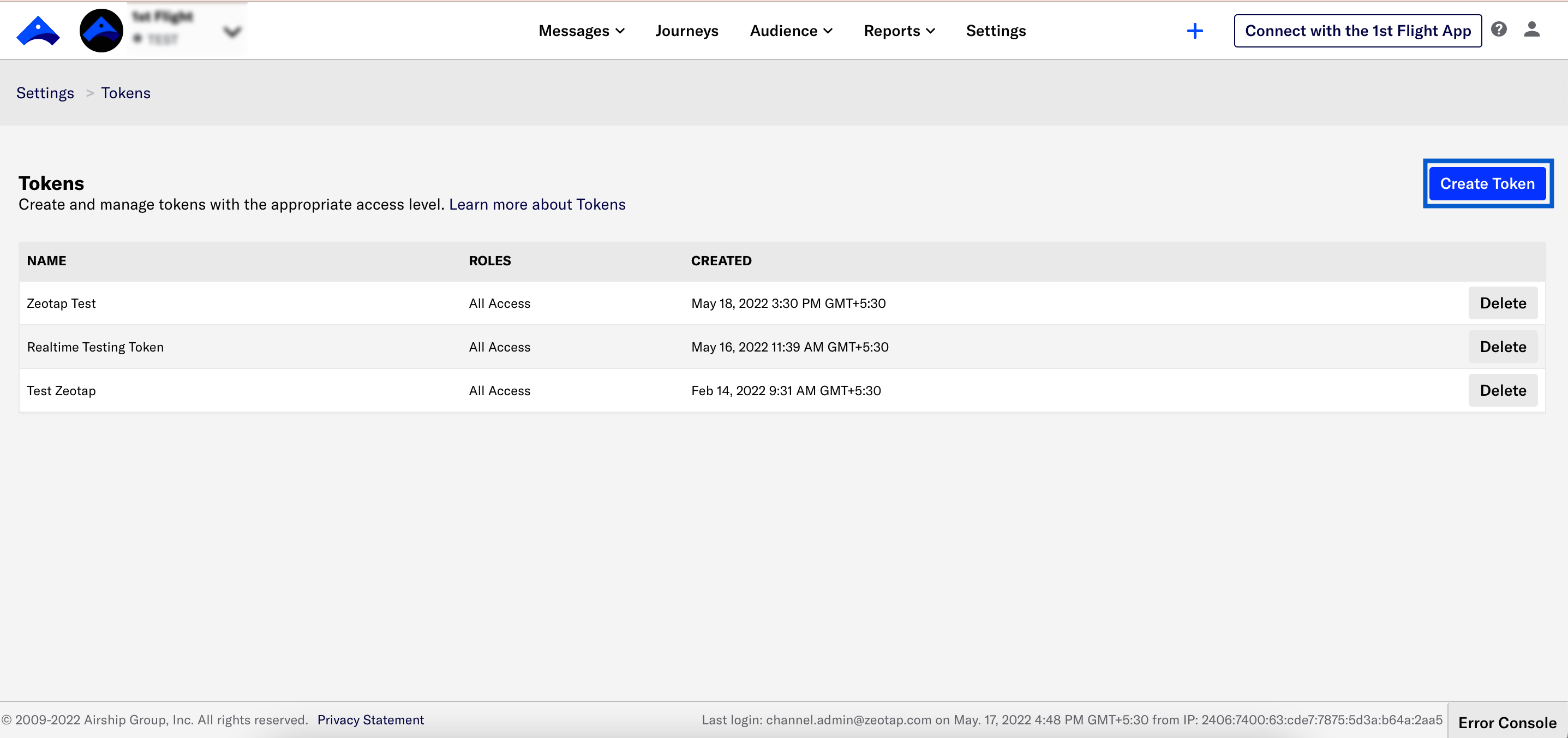
4
Enter a token name. This is just a friendly name to help you recognise your tokens in Airship.
5
Select the Role you want to grant for this token. For additional information, see Airship API Security.
- Audience Modification: Grants read and write permission to audience APIs, including channels, named users, segments, lists and so on. Use this permission for users sending custom events into Airship.
- All Access: Grants full access to your Airship project, except Acoustic integrations. You must use this permission when creating a token for an inbound message handling web-hook.
6
Click Create Token.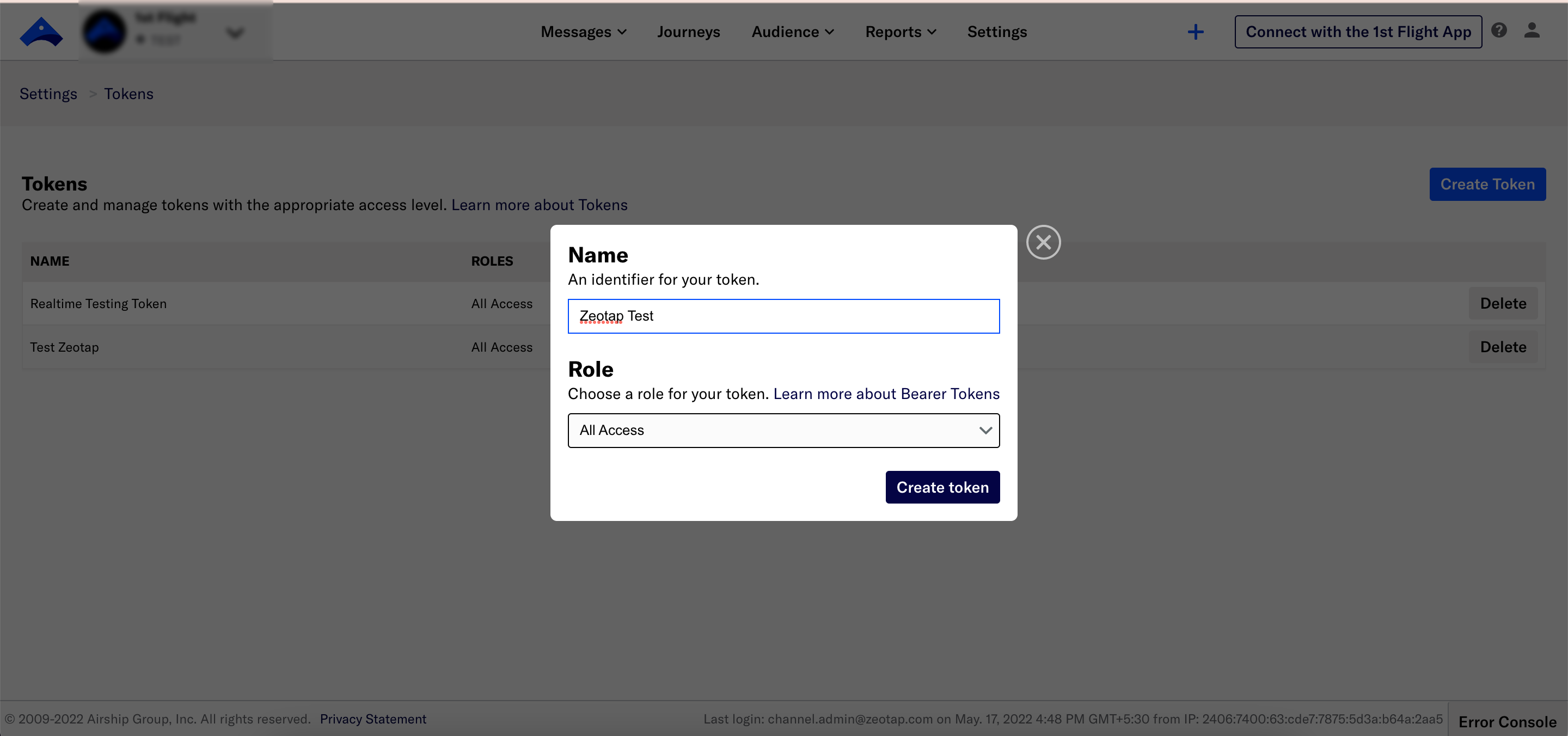
7
Copy the Access Token value, then click Got it to close the window.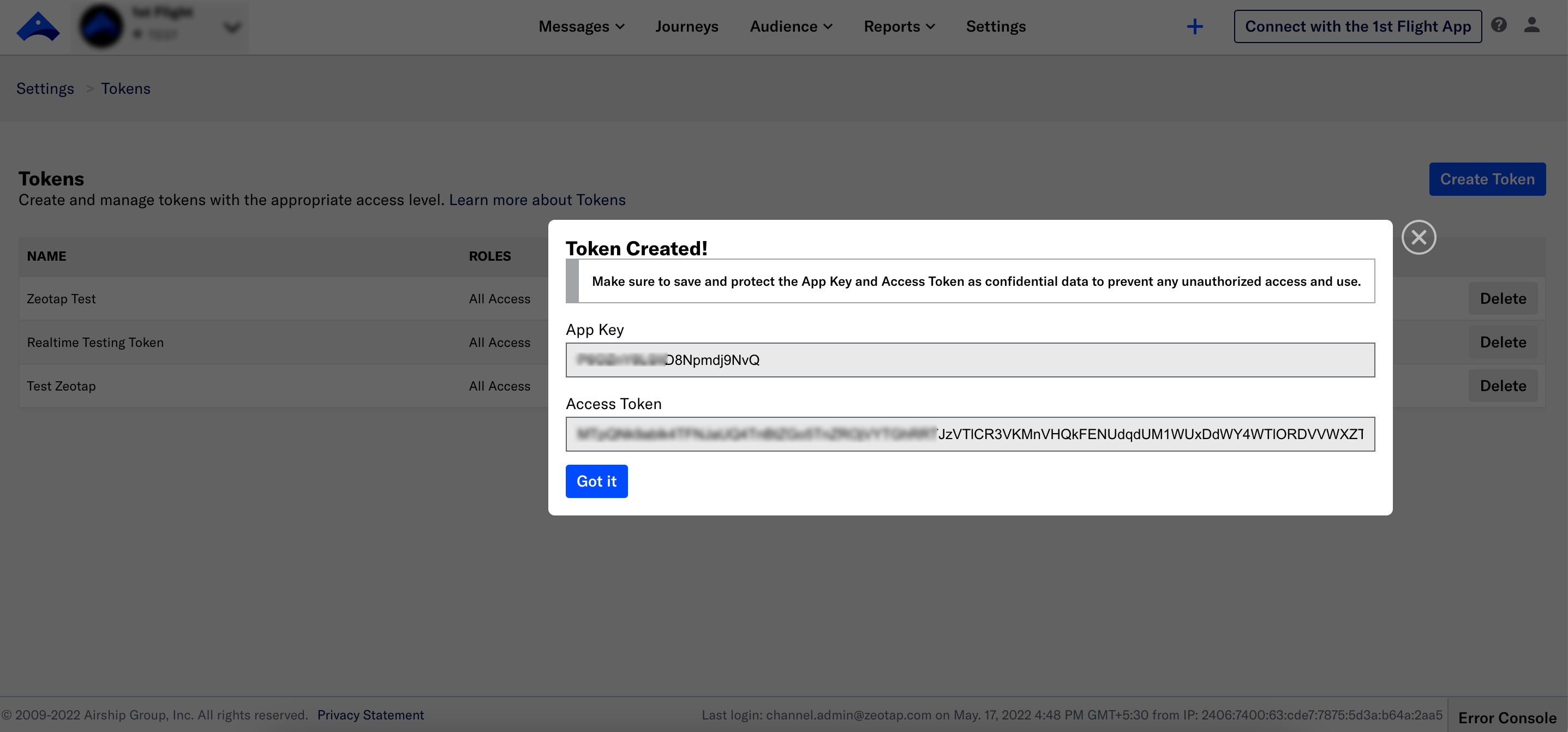
- Named Users – A Named User is a proprietary identifier that maps customer-chosen IDs. In other words, Named User is an individual consumer who can have more than one mobile device registered with your app. For example, Named User john_doe_123 can have a personal Android phone and an iPad, on both of which he has opted in for push notifications. If you want to reach John on both devices, associate the Channel (device) identifiers for each device to the Named User john_doe_123, and push to the Named User. This sends out notifications to both associated devices.
-
Match the Airship Channel ID to Zeotap attribute - In addition to the Named Users, you can also match the Airship channel ID with the Zeotap attribute to enhance customer profiles in the Zeotap system. The following get method can be used to retrieve the Airship channel ID through our SDK from the Airship SDK:
CodeNote:For more information about how to fetch the custom identities through Zeotap’s SDKs, refer here.
Create a Source
Once you have all the necessary information mentioned above, perform the following steps to create a Airship (Batch) source:1
Navigate to the Sources application under Integrate, in the Zeotap CDP App.
2
Click CREATE SOURCE.
3
Choose Customer Engagement Channels as the Category.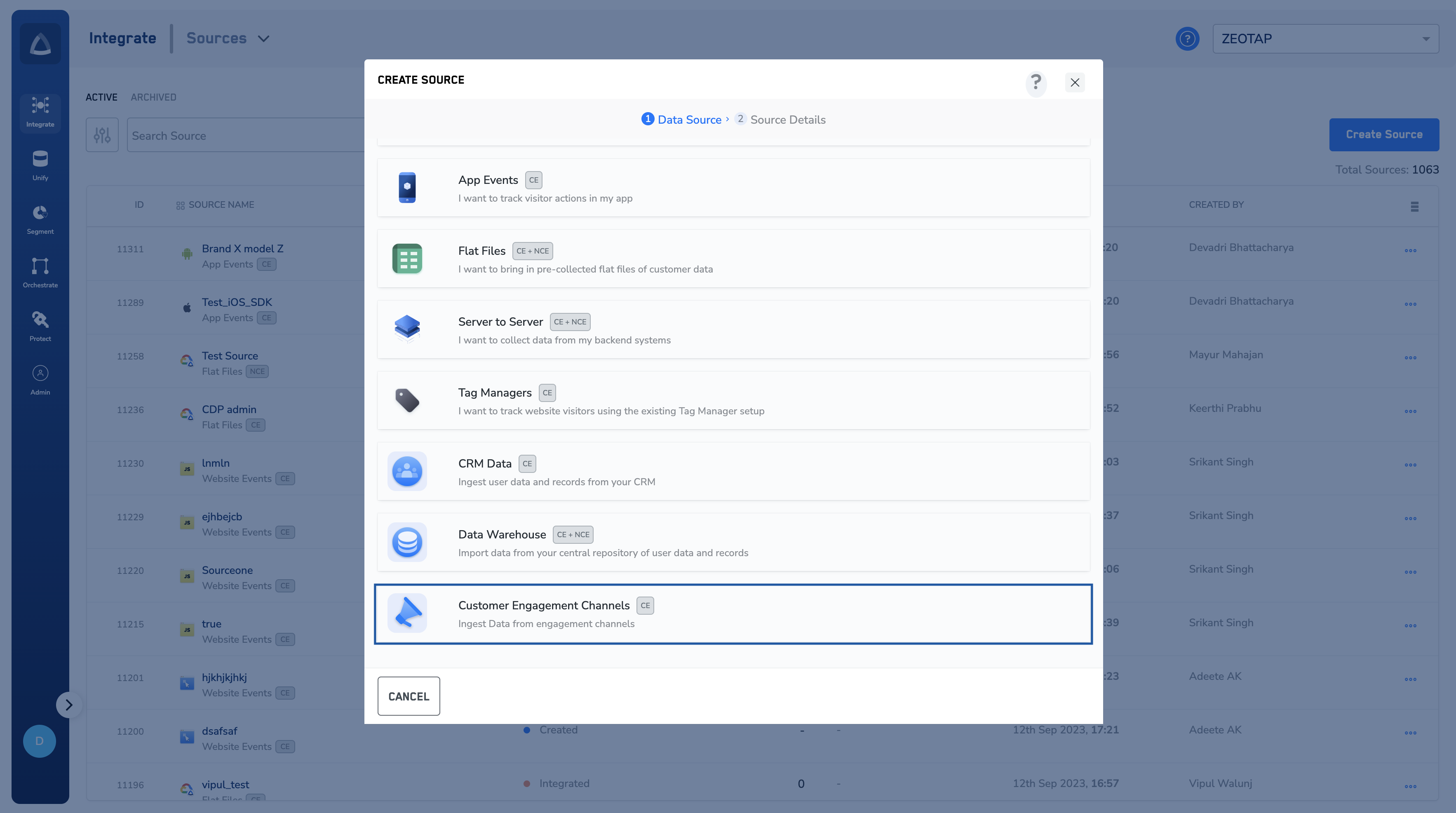
4
Click Airship at the Data Source.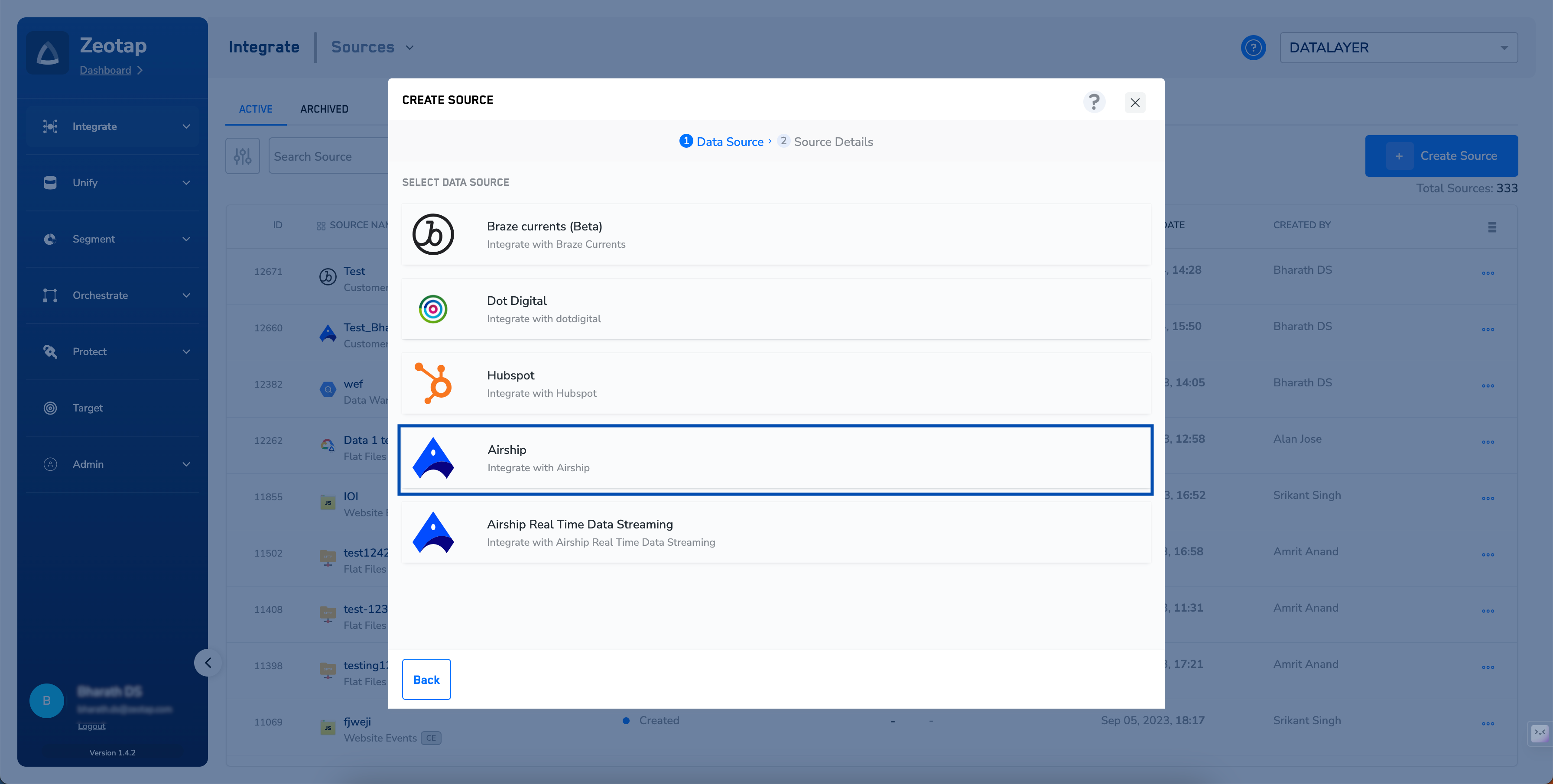
5
Enter a short and descriptive name for the Source.
6
Enter the Bearer Token. For more information about how to obtain your Bearer Token in Airship, refer here.
7
Under Data Entity, depending on the type of data that you want to ingest, choose either Customer Data or Non Customer Data and proceed with the source creation. To know more about Customer Data and Non Customer Data, refer here.
8
Select the Region of upload.
9
Click CREATE SOURCE.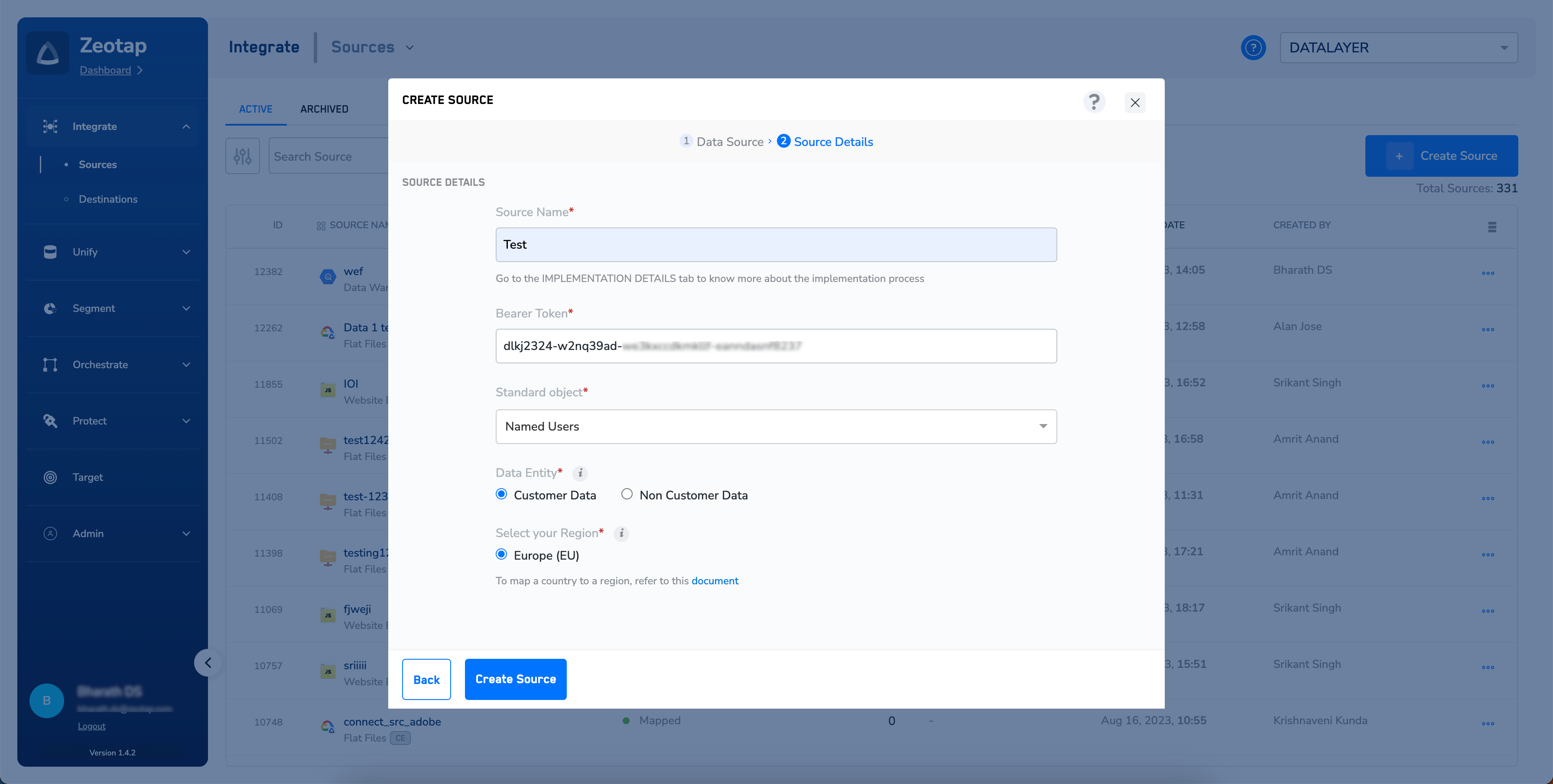
10
Upon successfully creating the source, it appears on the SOURCES listing page. You can open the created source and find essential details about the created source such as Bearer token, Created by, Created on information and more under the IMPLEMENTATION DETAILS tab.
Note:Once the connection between Zeotap and Airship is successfully established, you can view the data flowing into the system under the PREVIEW DATA tab.