

Note:Refer to Braze Currents Source to know more about this source.
1
Log into the Zeotap CDP App and navigate to the Sources application under Integrate.
2
Click CREATE SOURCE.
3
Choose Customer Engagement Channels as the Category.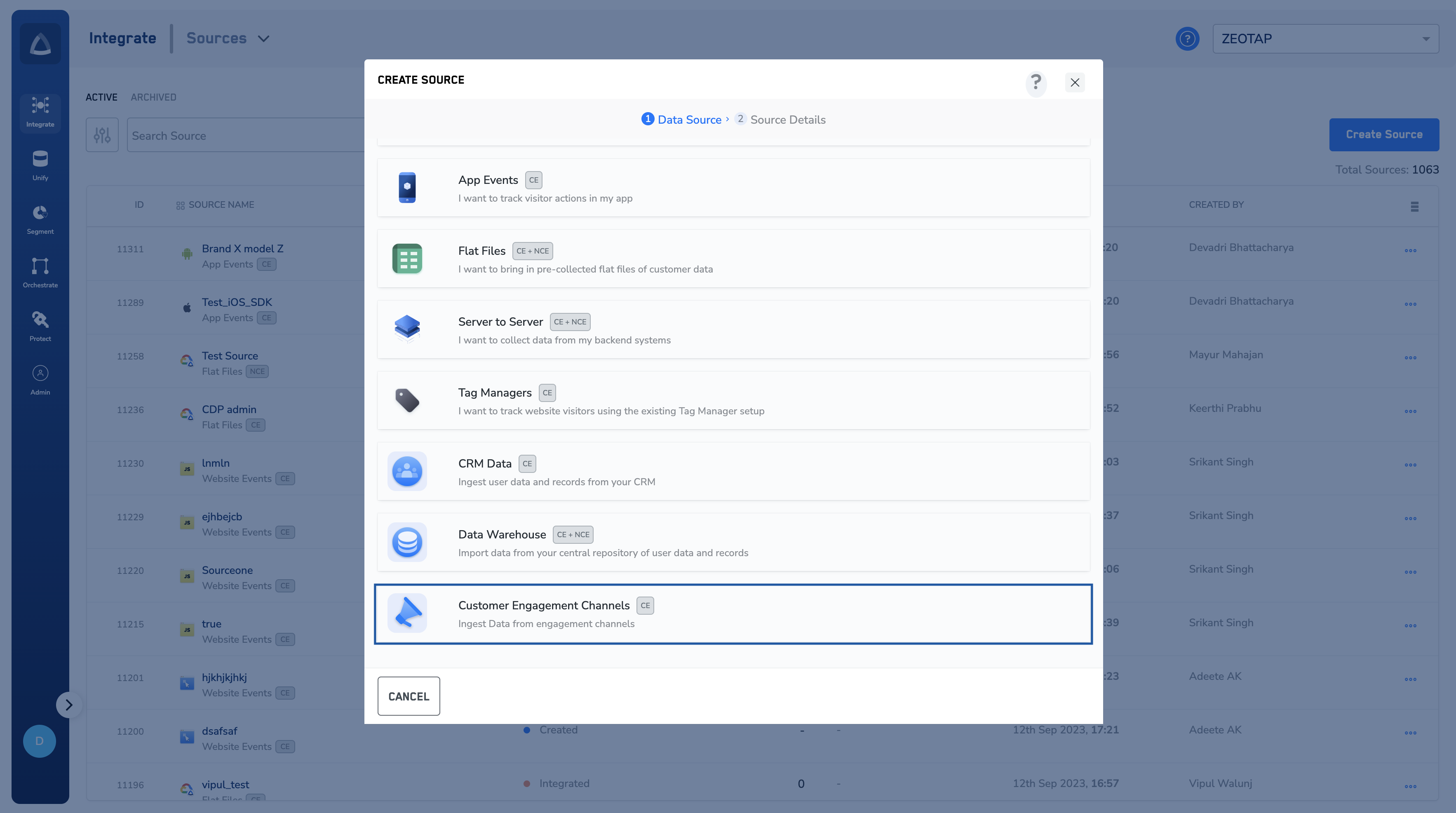
4
Click Braze as the Data Source.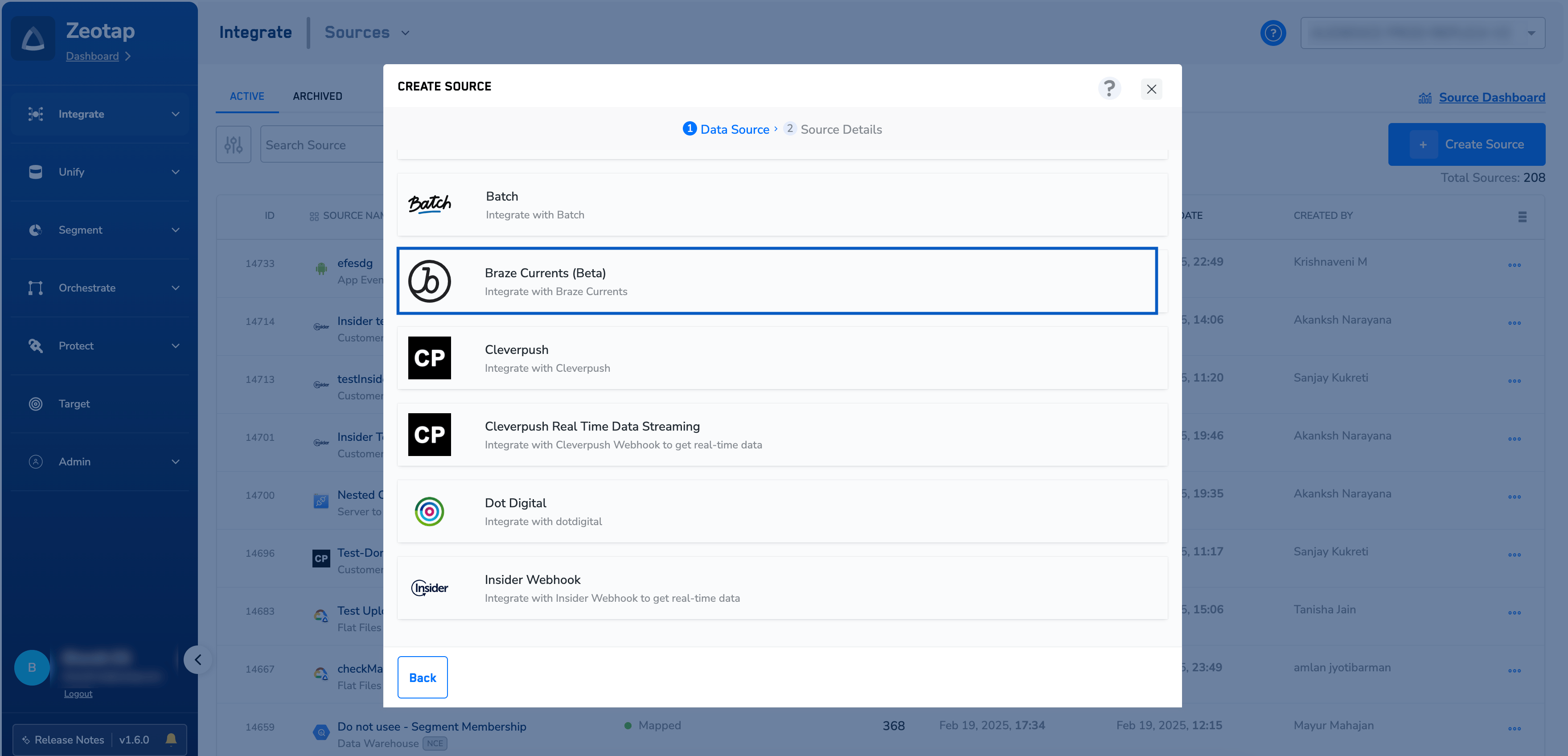
5
Enter a name for the source.
6
Select a Region using the option button provided.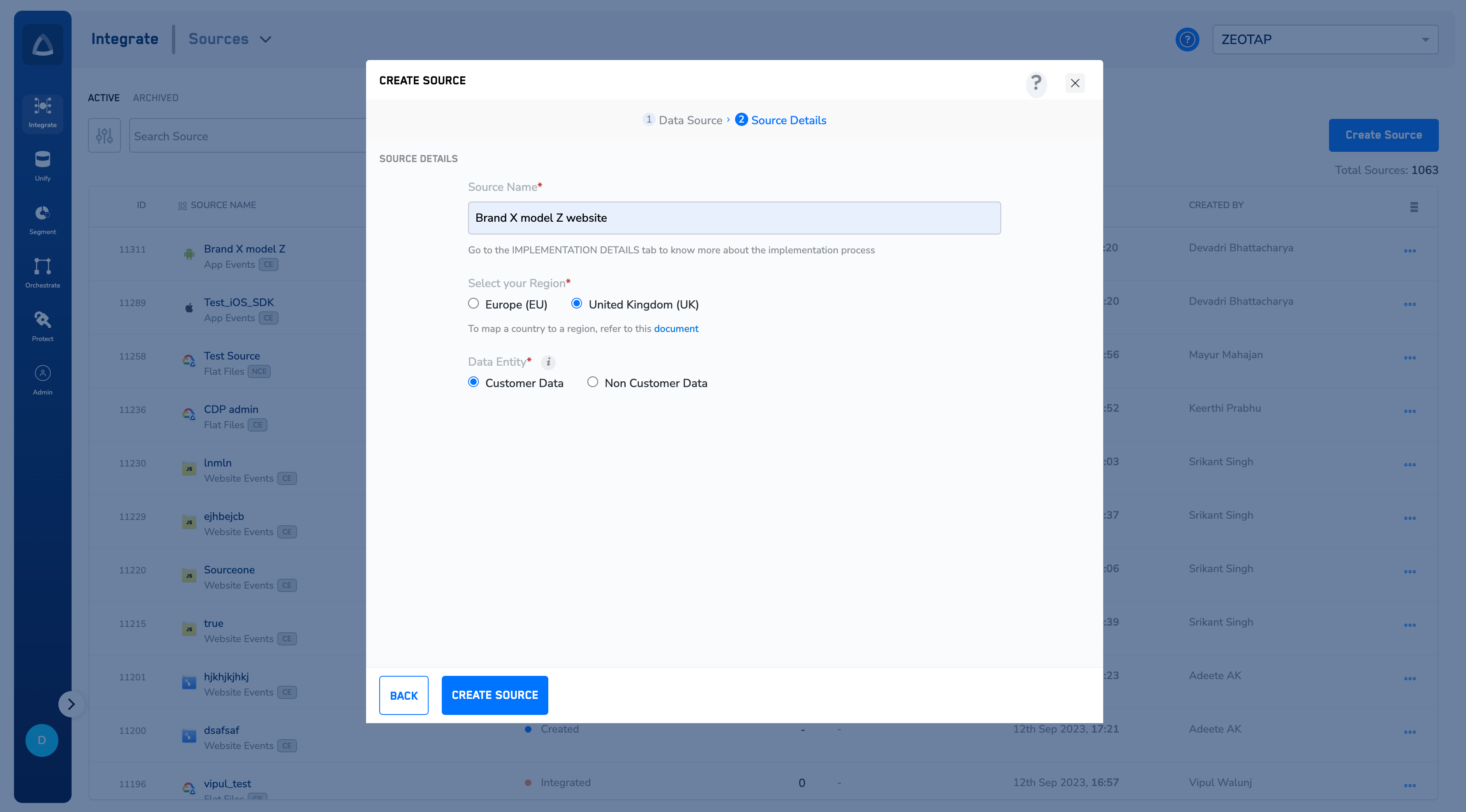
7
Click CREATE SOURCE. Upon successful creation, an API URL and a write_key is generated and is available under the IMPLEMENTATION DETAILS tab as shown in the image below. The API URL and the write_key are essential to complete the integration.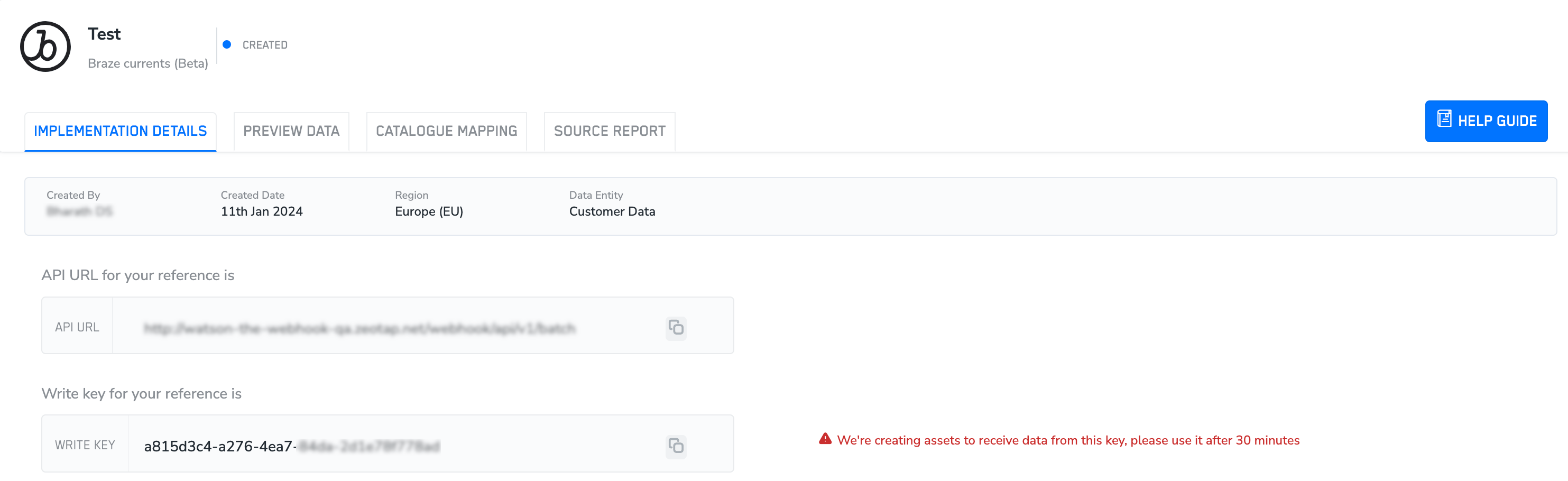
Note:To know more about Braze Currents Implementation, refer to Implement a Braze Currents source.