

Overview Tab
The Overview tab shows the total events and traits deleted under Customer Data and the total records deleted under Non-Customer Entity Data in your Organization or instance.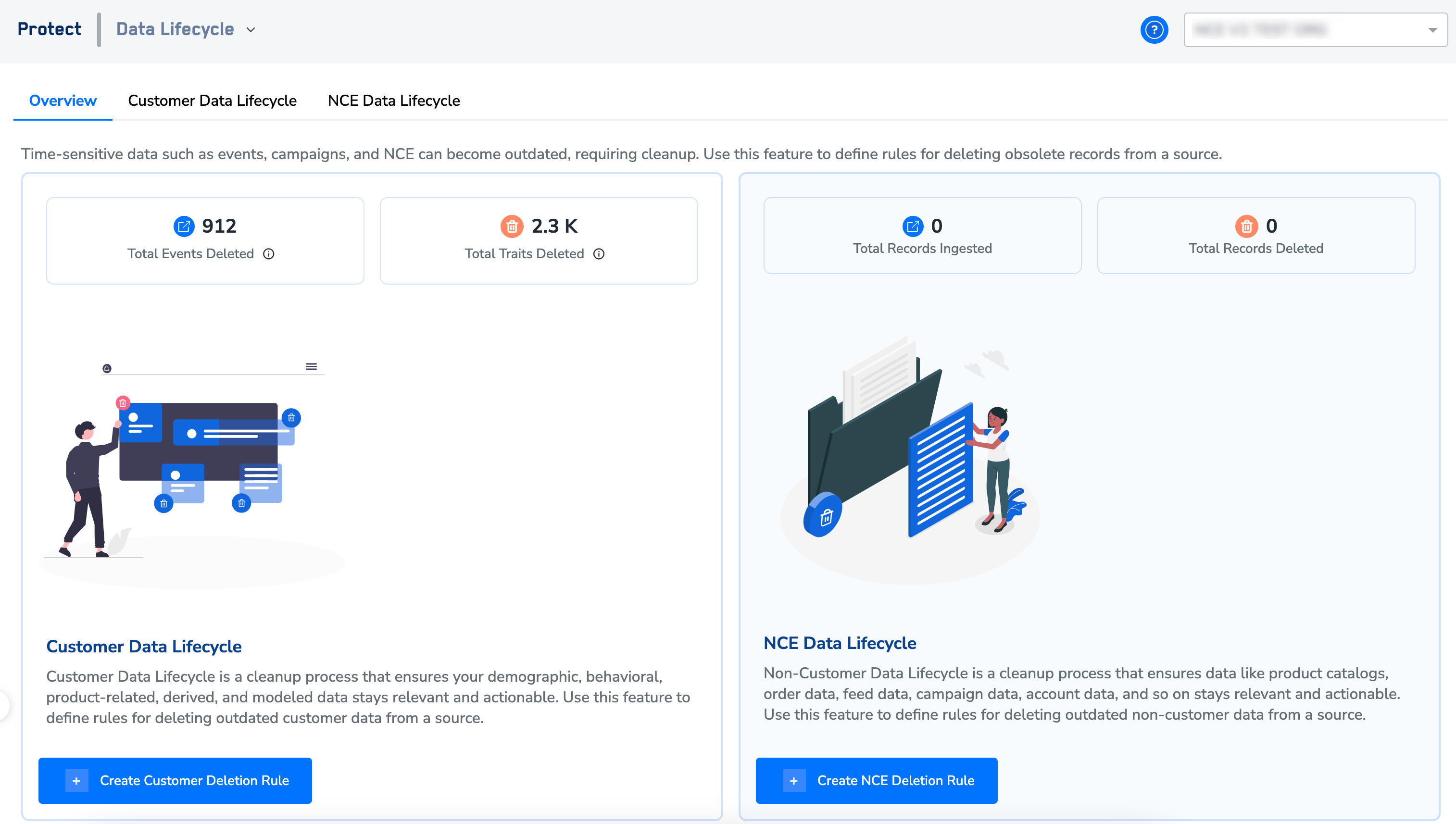
Customer Data Lifecycle Tab
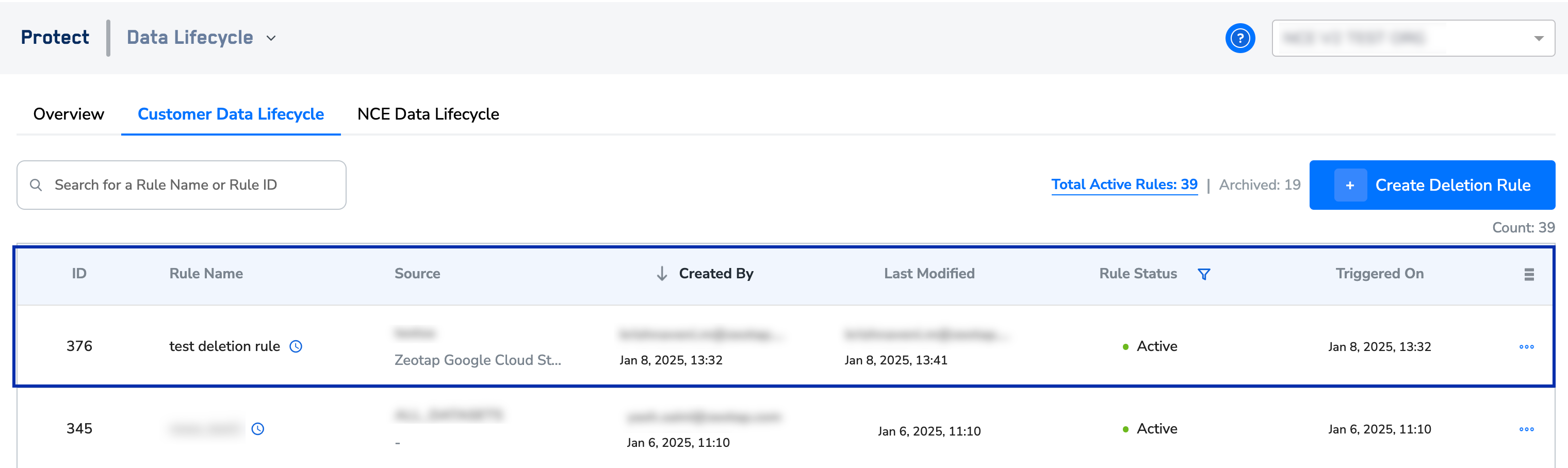
- Rule Name – This is the name of the deletion rule that is created.
- Source – This is the source on which the deletion rule is created. Note that based on the criteria set on the deletion rule, the records are deleted from the system.
- Created By – This is the information of the user who created the deletion rule.
- Last Modified – This is the timestamp of when the deletion rule was last updated.
-
Rule Status – This is the current status of the deletion rule. It can be Active, Paused and Archived. You can use the filter beside Rule Status to view the list of rules in a particular state.
- Active – shows the rule is in the active state. When the rule is created, it enters the active state and remains active, even after execution, until archived.
- Paused – shows that the deletion rule is paused. You can pause a rule in the active state. If the rule execution is in progress when you pause it, then it continues execution and pauses only after completing the current iteration. For recurring rules, it pauses before the next iteration.
- Archived – shows the rule is in archived state. You can archive a rule when it is not required. If the rule is in progress when you archive it, then it continues execution and completes the current iteration.
-
Triggered On – This is the timestamp of the last trigger of the deletion rule. After the rule triggers, the execution and deletion of records or data from the system can take 1 hour to 10 days. The duration depends on the data volume and the data pipeline sequence.
Note:The deletion process is irreversible. Ensure all necessary precautions are taken before triggering the deletion rule.
Other Actions
You can perform the following actions on the created deletion rules:- Edit – Use this option to modify a deletion rule. After the modifications are applied, the rule reruns. Note that when editing a deletion rule configured for Customer Data, you can update the deletion criteria and the attribute group to delete. However, you cannot modify the rule’s frequency or the selected source.
- Pause – Use this option to pause an active deletion rule. You can pause a rule in the active state. If the rule execution is in progress when you pause it, then it continues execution and pauses only after completing the current iteration. For recurring rules, it pauses before the next iteration.
- Resume – Use this option to resume a paused deletion rule.
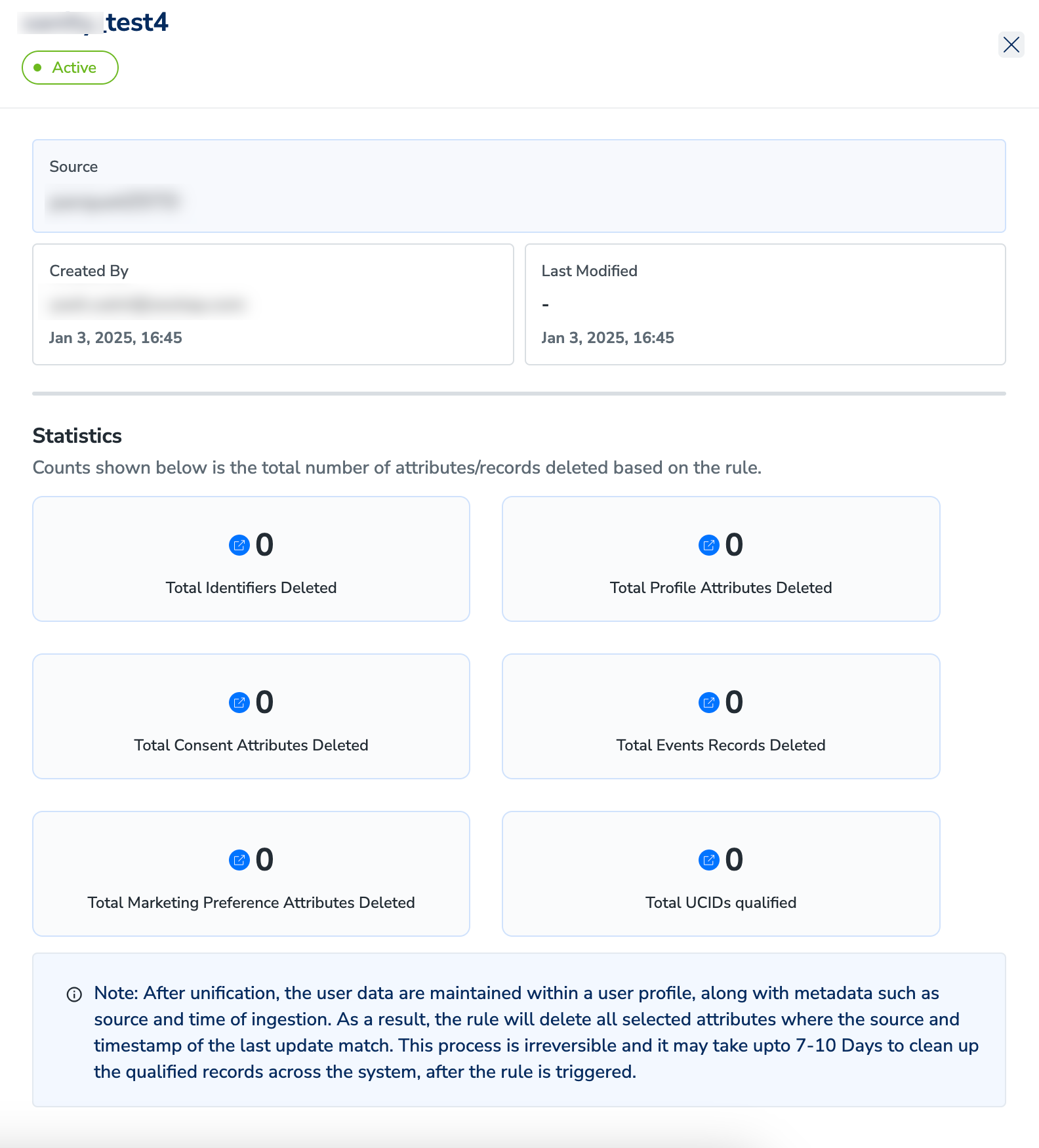
- View Insights – Use this option to access details about the deletion rule, including the selected source, creator, and last modified timestamp. View statistics such as the total records deleted under identifiers, profile attributes, consent attributes, events, and marketing preferences. You can also view the total number of UCIDs that qualified for the rule.
- Archive – Use this option to archive a deletion rule when you do not need it anymore. You can archive a rule when it is not required. If the rule is in progress when you archive it, then it continues execution and completes the current iteration.
Non-Customer Data Lifecycle Tab
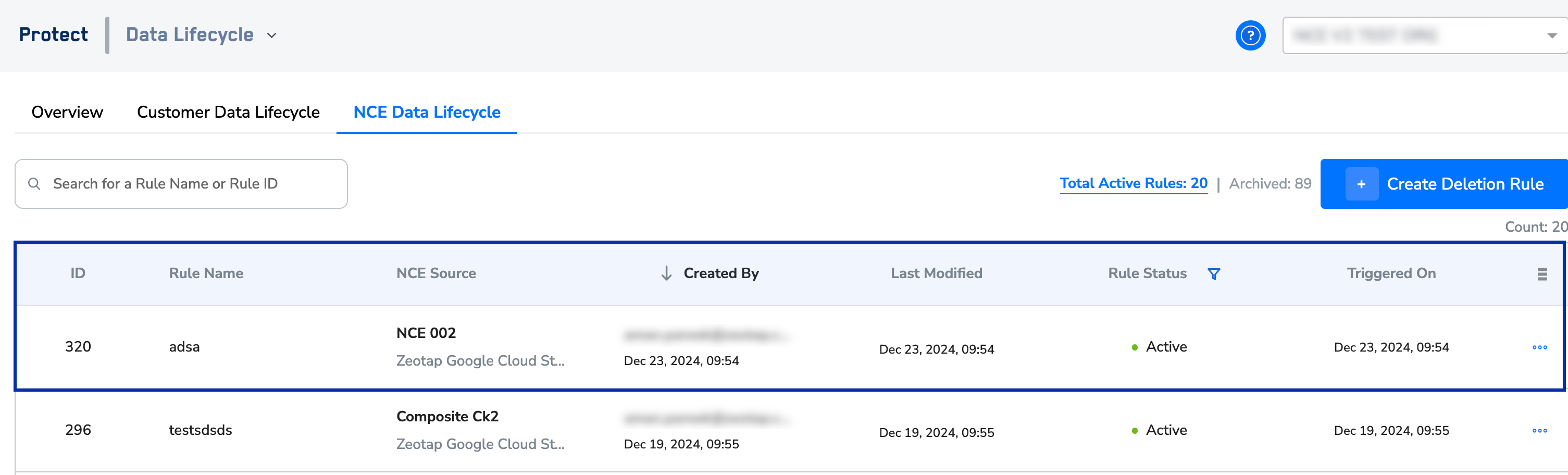
- Rule Name - This is the name of the deletion rule that is created.
- NCE Source – This is the NCE source on which the deletion rule is created. Note that based on the criteria set on the deletion rule, the records are deleted from the system.
- Created By – This is the information of the user who created the deletion rule.
- Last Modified – This is the timestamp of when the deletion rule was last updated.
-
Rule Status – This is the current status of the deletion rule. It can be Active, Paused and Archived. You can use the filter beside Rule Status to view the list of rules in a particular state.
- Active – shows the rule is in the active state. When the rule is created, it enters the active state and remains active, even after execution, until archived.
- Paused – shows that the deletion rule is paused. You can pause a rule in the active state. If the rule execution is in progress when you pause it, then it continues execution and pauses only after completing the current iteration. For recurring rules, it pauses before the next iteration.
- Archived – shows the rule is in archived state. You can archive a rule when it is not required. If the rule is in progress when you archive it, then it continues execution and completes the current iteration.
- Triggered On – This is the timestamp of the last trigger of the deletion rule. After the rule triggers, the execution and deletion of records or data from the system can take 1 hour to 10 days. The duration depends on the data volume and the data pipeline sequence.
Note:The deletion process is irreversible. Ensure all necessary precautions are taken before triggering the deletion rule.
Other Actions
You can perform the following actions on the created deletion rules:- Edit – Use this option to modify a deletion rule. After the modifications are applied, the rule reruns. Note that when editing a deletion rule configured for Customer Data, you can update the deletion criteria and the attribute group to delete. However, you cannot modify the rule’s frequency or the selected source.
- Pause – Use this option to pause an active deletion rule. You can pause a rule in the active state. If the rule execution is in progress when you pause it, then it continues execution and pauses only after completing the current iteration. For recurring rules, it pauses before the next iteration.
- Resume – Use this option to resume a paused deletion rule.
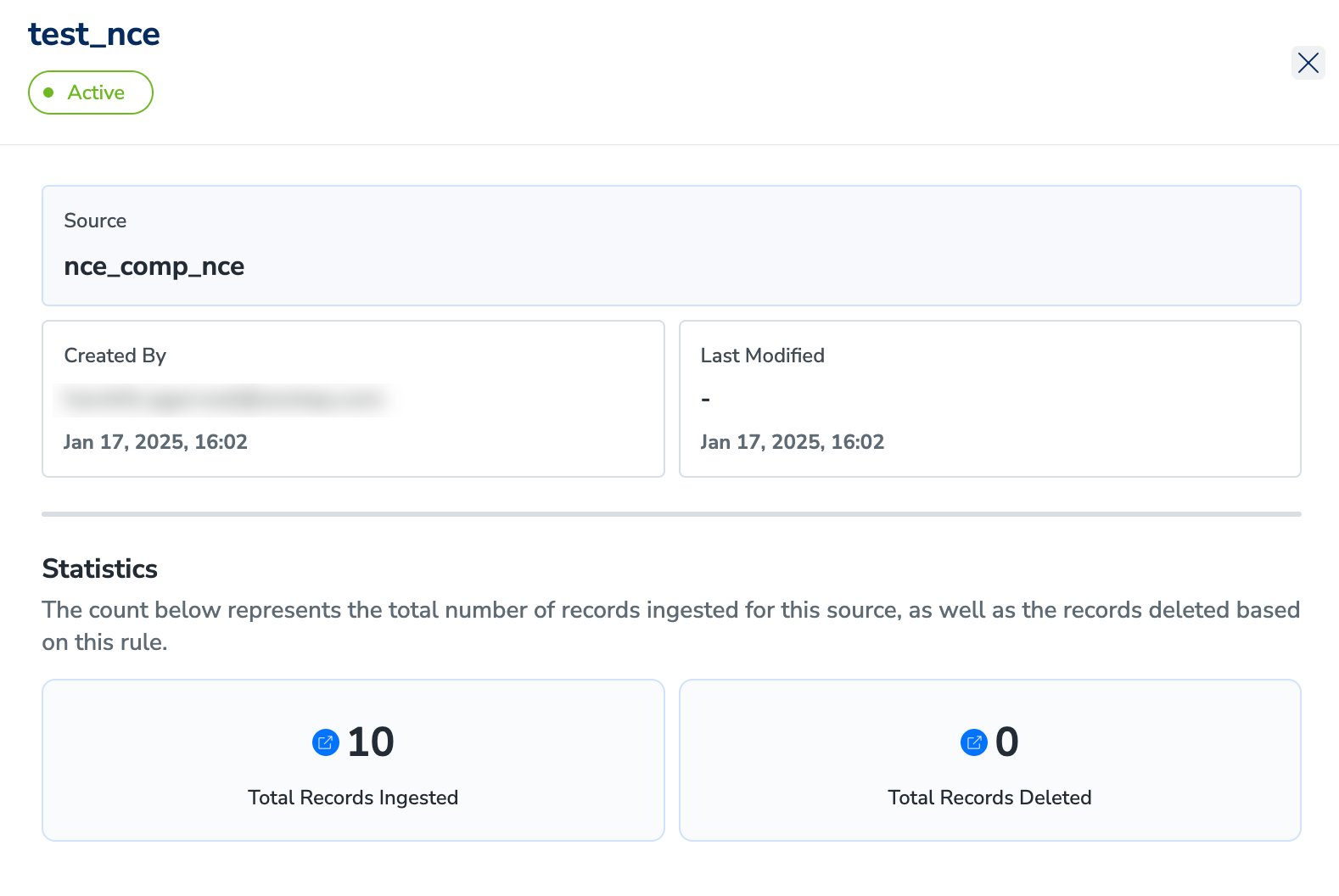
- View Insights – Use this option to access details about the NCE deletion rule, including the selected NCE source, creator, and last modified timestamp. Here, you can find more details about the deletion rule along with the statics, like the number of records ingested into the source, number of records deleted due to the created rule.
- Archive – Use this option to archive an NCE deletion rule when you do not need it anymore. You can archive a rule when it is not required. If the rule is in progress when you archive it, then it continues execution and completes the current iteration.