> ## Documentation Index
> Fetch the complete documentation index at: https://docs.zeotap.com/llms.txt
> Use this file to discover all available pages before exploring further.
# TikTok
> Configure the TikTok destination to push custom audiences from Zeotap to a TikTok Ad Account through the TikTok Marketing API.
## What this is
The TikTok destination connects your Zeotap audiences to a TikTok Ad Account through the TikTok Marketing API, letting you push custom audiences for targeting and personalisation on TikTok. The integration is offered as a Private Destination, supports batch delivery of email addresses, hashed cellphone numbers, and MAIDs, and refreshes your TikTok audience on each scheduled sync cycle.
## Prerequisites
Before you configure the destination, confirm the following:
* A TikTok Ad Account exists for your brand.
* A TikTok business centre account is set up and the Ad Account is added to it. See TikTok's guide on [adding an Ad Account to the business centre](https://ads.tiktok.com/help/article?aid=12786).
* You have your **Advertiser ID** — this is your TikTok Ad Account ID, visible in TikTok Ads Manager.
* You have a contact at Zeotap (your CSM/TAM) who will exchange the `auth_code` you generate for an **Access Token** that the destination setup needs.
## Supported identifiers and actions
The TikTok integration supports `Email addresses`, `Hashed cellphone numbers`, and `MAIDs`. TikTok requires hashed cellphone numbers in e164 format.
The table below shows the action exposed for TikTok and which delivery features it supports.
| Action | [ID EXTENSION](/articles/segment-customer/extend-your-audience#id-extension) | [DELETE](/articles/segment-customer/delta-upload-and-delete-functions) | [DELTA UPLOAD](/articles/segment-customer/delta-upload-and-delete-functions) |
| :------------------------- | :--------------------------------------------------------------------------: | :--------------------------------------------------------------------: | :--------------------------------------------------------------------------: |
| Send identifiers to TikTok | ✅ | ✅ | — |
## Generate the access token
You authorise the Zeotap CDP App to push audiences to your TikTok Ad Account on your behalf. The authorisation produces a short-lived `auth_code` that your Zeotap CSM/TAM exchanges for the **Access Token** used in the destination configuration.
The `auth_code` expires **10 minutes** after it is issued. Hand it to your Zeotap CSM/TAM through a secure channel as soon as you generate it — not by email. If it expires, repeat this procedure from step 1.
Open the TikTok Business API authorisation URL in your browser:
```bash theme={null}
https://business-api.tiktok.com/portal/auth?app_id=7010666682221854722&state=your_custom_params&redirect_uri=https%3A%2F%2Fads.tiktok.com%2Fmarketing_api%2Fdocs
```
You are redirected to the TikTok login page.
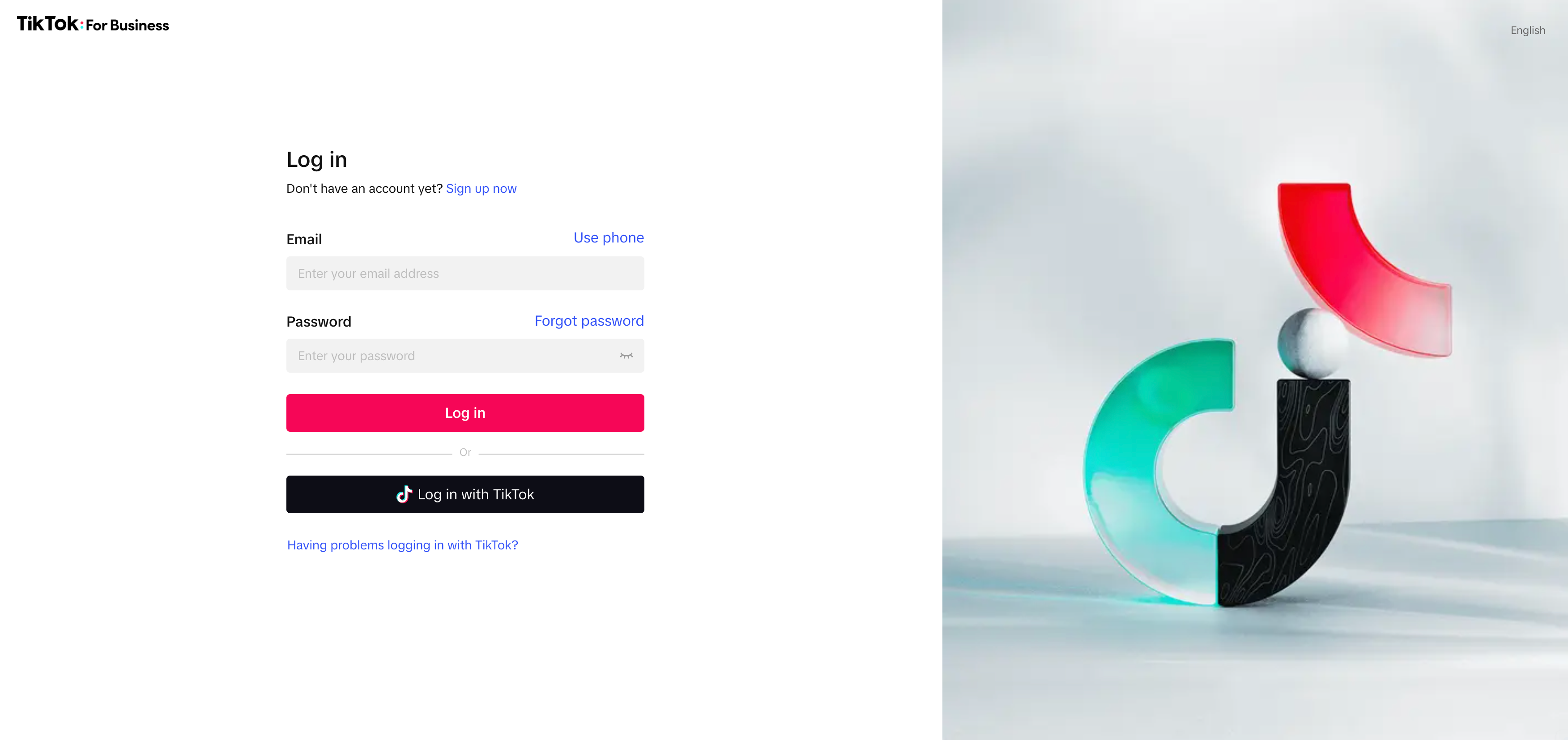 Sign in with your TikTok credentials. A permissions dialog appears — grant the requested permissions to the Zeotap CDP App.
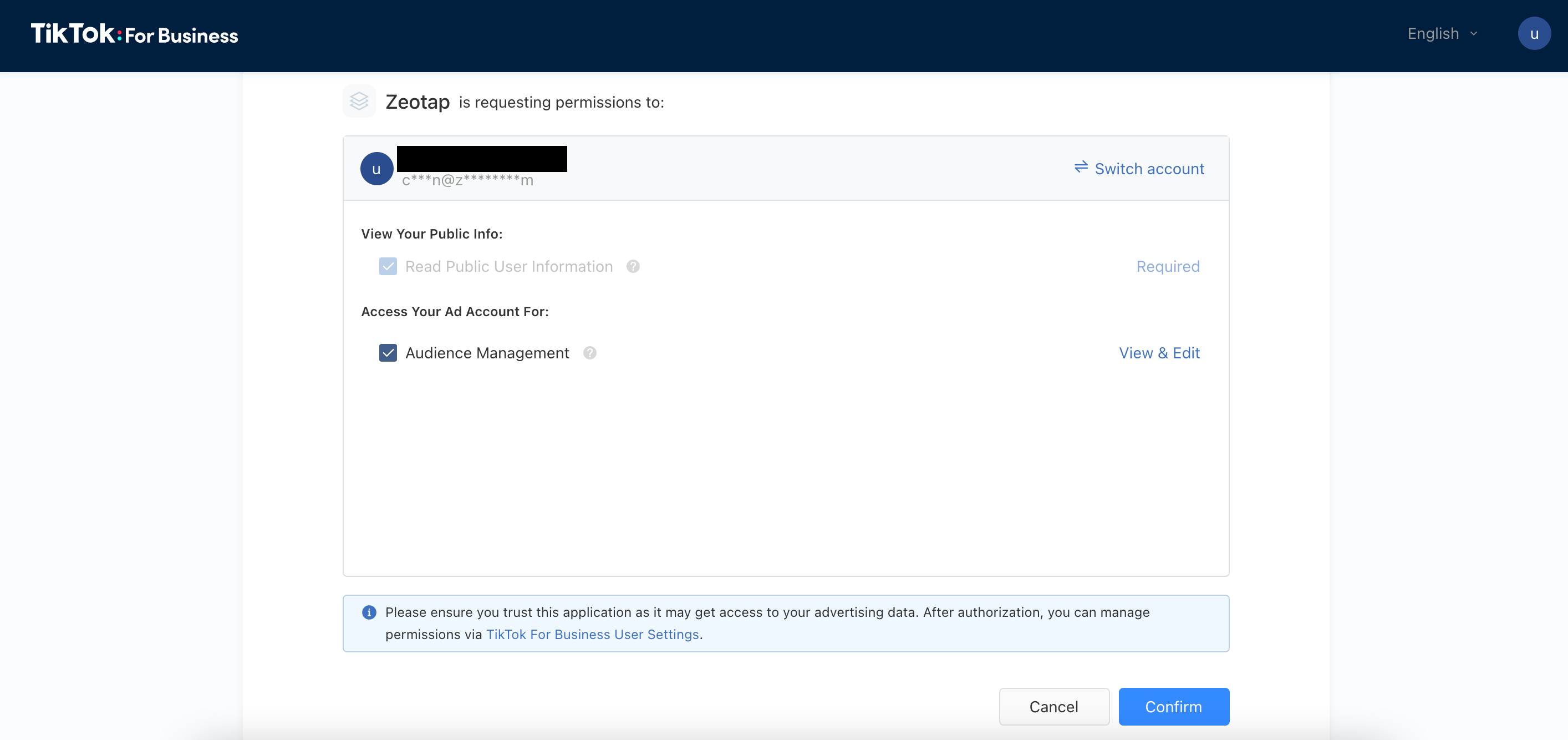 Click **Confirm**. TikTok redirects you to a new page.
In the browser address bar, copy the value of the `auth_code` parameter from the callback URL.
Click **Confirm**. TikTok redirects you to a new page.
In the browser address bar, copy the value of the `auth_code` parameter from the callback URL.
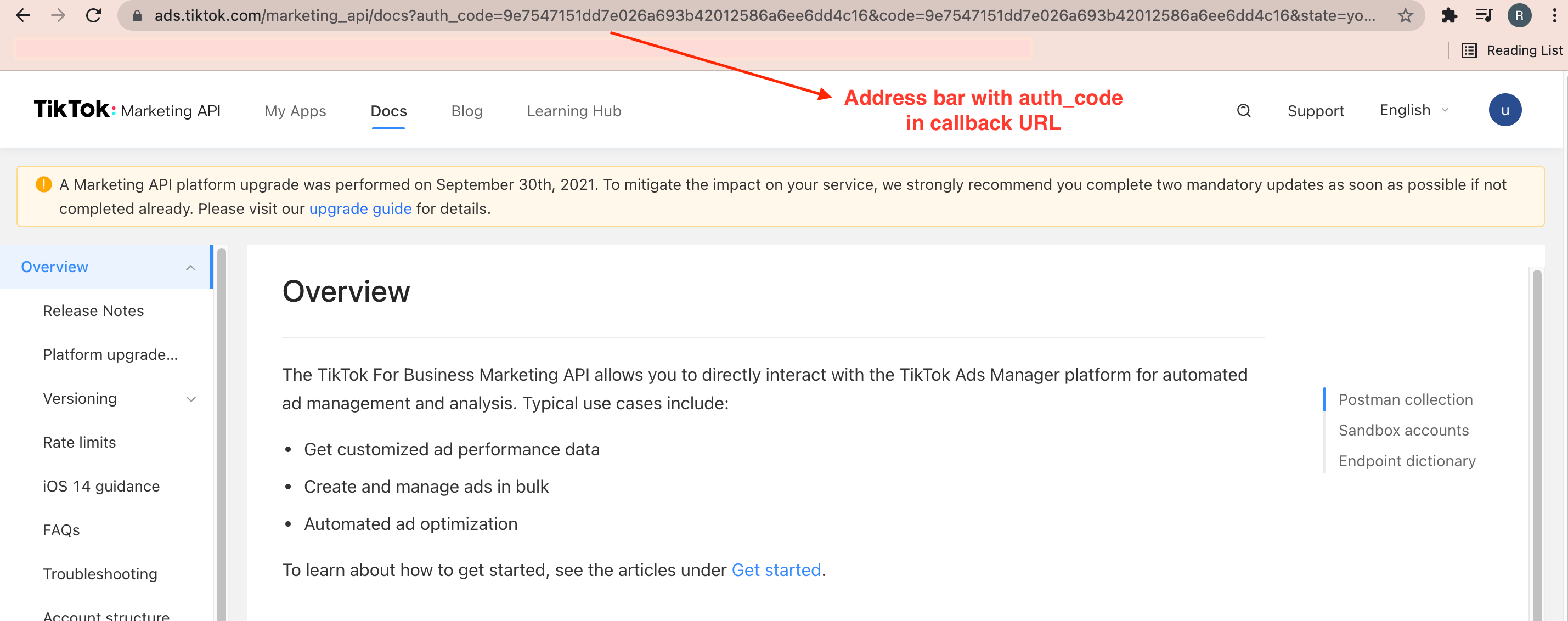 Send the `auth_code` and your Advertiser ID to your Zeotap CSM/TAM through a secure channel. Your Zeotap CSM/TAM generates the **Access Token** from the `auth_code` and returns it to you for the destination setup.
You can find your **Advertiser ID** (your TikTok Ad Account ID) in TikTok Ads Manager, in either of the two places highlighted below.
Send the `auth_code` and your Advertiser ID to your Zeotap CSM/TAM through a secure channel. Your Zeotap CSM/TAM generates the **Access Token** from the `auth_code` and returns it to you for the destination setup.
You can find your **Advertiser ID** (your TikTok Ad Account ID) in TikTok Ads Manager, in either of the two places highlighted below.
 ## Create the TikTok destination in Zeotap
TikTok is offered as a Private Destination only. Sign in to the Zeotap CDP App, then follow these steps.
Open the **DESTINATIONS** application and click **+ Create Destination**.
## Create the TikTok destination in Zeotap
TikTok is offered as a Private Destination only. Sign in to the Zeotap CDP App, then follow these steps.
Open the **DESTINATIONS** application and click **+ Create Destination**.
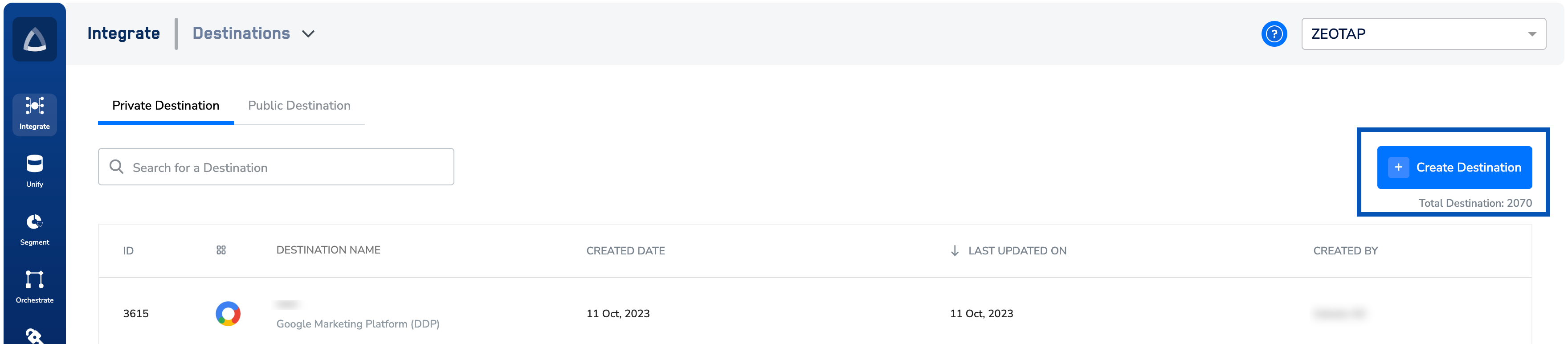 Under **All Destinations**, search for **TikTok** and select it.
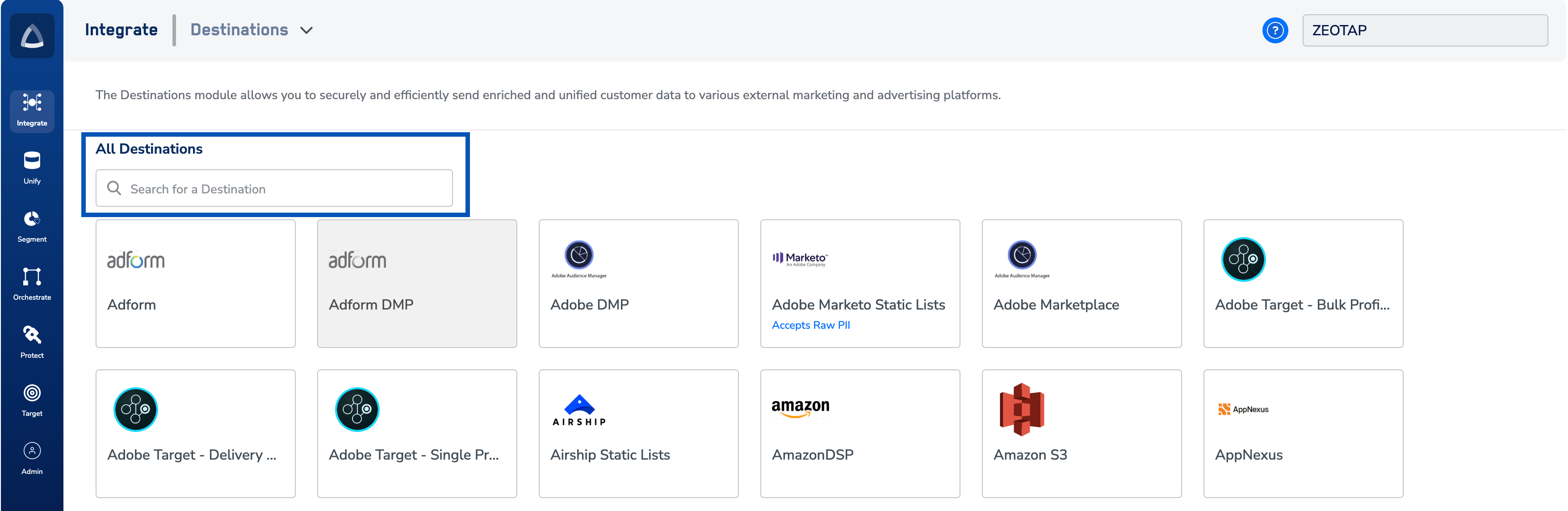 On the destination configuration screen, enter:
* A name for the destination.
* The **Advertiser ID** of your TikTok Ad Account.
* The **Access Token** provided by your Zeotap CSM/TAM.
Click **Next** to proceed to mapping.
Choose an [action](/articles/integrate-customer/destinations#actions) under **Choose your Action** and map the corresponding identifiers under **Map the Fields**. The default [Output Identifiers](/articles/segment-customer/choose-the-output-identifiers) accepted by TikTok are pre-populated. You can edit, add, or remove identifiers as described in [destination mappings](/articles/integrate-customer/destinations#mappings).
On the destination configuration screen, enter:
* A name for the destination.
* The **Advertiser ID** of your TikTok Ad Account.
* The **Access Token** provided by your Zeotap CSM/TAM.
Click **Next** to proceed to mapping.
Choose an [action](/articles/integrate-customer/destinations#actions) under **Choose your Action** and map the corresponding identifiers under **Map the Fields**. The default [Output Identifiers](/articles/segment-customer/choose-the-output-identifiers) accepted by TikTok are pre-populated. You can edit, add, or remove identifiers as described in [destination mappings](/articles/integrate-customer/destinations#mappings).
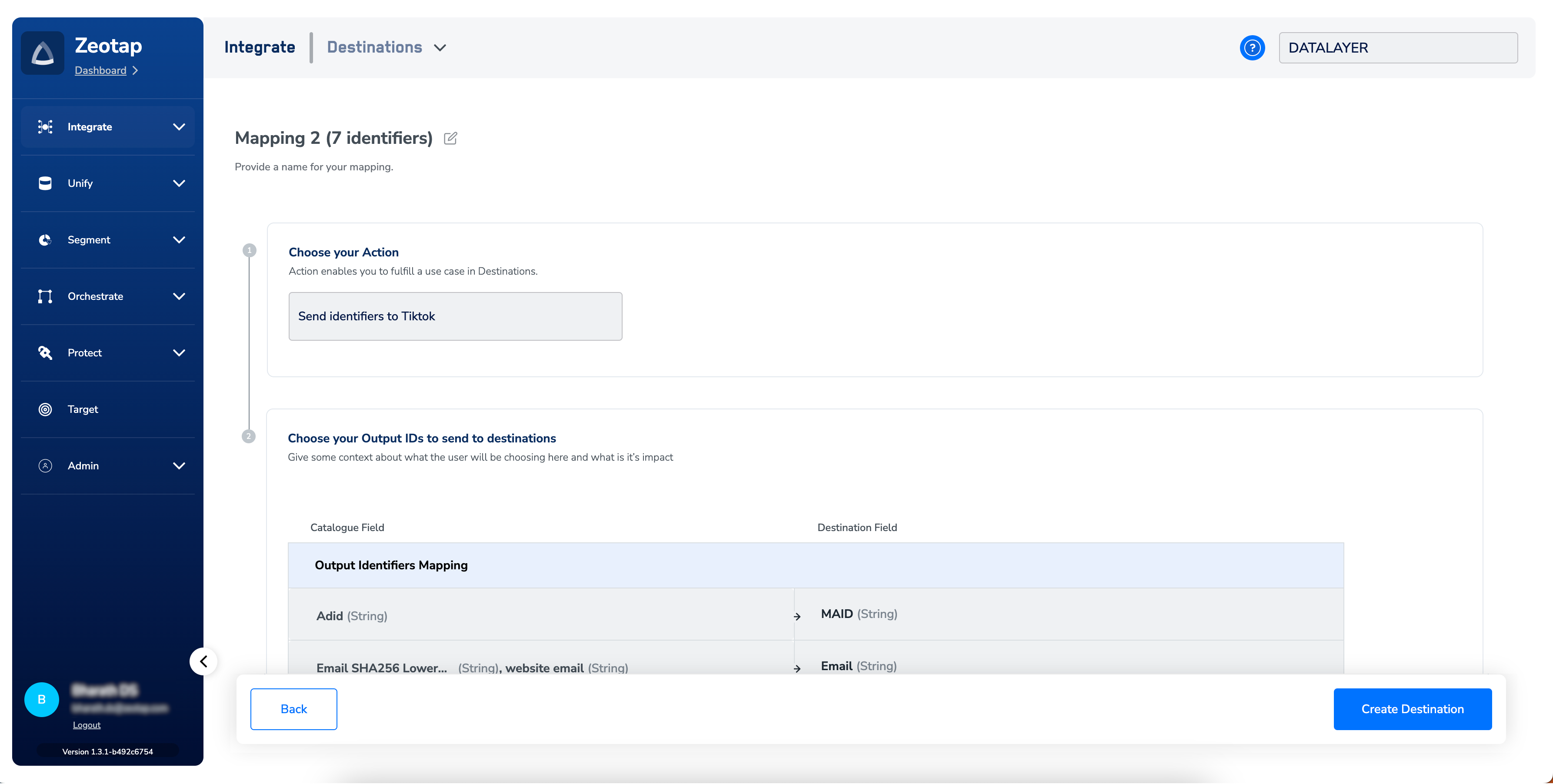 Click **Create Destination**. The created destination is listed in the **Target** and **Audiences** applications and is ready to be linked to an audience. See [Link an Audience to the Destination](/articles/integrate-customer/link-an-audience-to-the-destination).
To enrich an audience with additional online identifiers (cookies, device IDs) derived from your first-party email or phone records before activation, enable [ID Extension](/articles/segment-customer/extend-your-audience#id-extension) on the destination link.
## Verify the destination is active
The destination is configured correctly when all of the following hold:
1. The new TikTok destination appears in the **Target** and **Audiences** applications with no error badge on the card.
2. After you link an audience and the first refresh completes, the destination card in [Audience Insights](/articles/segment-customer/audience-insights) shows a **Last Refresh** timestamp and a populated **Next Fire Time** under the **Schedule** tab.
3. The audience appears in TikTok Ads Manager under **Tools → Audience manager**. Allow up to **three business days** for an audience to be available at the TikTok seat after the first successful push.
The audience size shown in TikTok Ads Manager will be lower than the audience size in Zeotap — only the records that match a known TikTok user are kept after TikTok's identity match runs. Depending on the audience composition, the matched count can be substantially lower than the input count.
## How disqualified users are removed
The TikTok destination supports user disqualification. When a profile no longer meets the audience criteria (for example, consent is withdrawn, or the profile falls out of the audience rules), Zeotap CDP issues a delete on the next refresh cycle and the profile is excluded from the linked TikTok audience at the next scheduled run. This is automatic — no configuration is required to enable it. See [Delta Upload and Delete Functions](/articles/segment-customer/delta-upload-and-delete-functions) for the file-level mechanics.
## Troubleshooting
Use the table to identify the symptom, then follow the matching numbered resolution path below.
| Symptom | What it means | Where to look |
| :--------------------------------------------------------------- | :----------------------------------------------------------------------------------------------- | :-------------------------------------------------------------------------------------------------------------- |
| `auth_code` expired before it reached your Zeotap CSM/TAM | The `auth_code` was not exchanged within 10 minutes of issue | TikTok auth callback URL |
| **Expired** badge on the destination card | The TikTok Access Token authorisation has lapsed and the destination has stopped accepting syncs | Audience listing screen; destination card in **Audience Insights**; destination card in **Link to Destination** |
| Audience not visible in TikTok Ads Manager after a refresh | The audience has not yet propagated to the TikTok seat, or no successful refresh has run | TikTok Ads Manager → **Tools → Audience manager**; destination card → **Last Refresh** column |
| Audience size on TikTok much lower than the Zeotap audience size | TikTok matched only a subset of the supplied identifiers to known TikTok users | TikTok Ads Manager → audience details; identifier format on the Zeotap side |
### 1. `auth_code` expired before it reached your Zeotap CSM/TAM
The `auth_code` is valid for 10 minutes from issue.
1. Repeat the steps in [Generate the access token](#generate-the-access-token) to produce a fresh `auth_code`.
2. Hand the new `auth_code` and your Advertiser ID to your Zeotap CSM/TAM through a secure channel immediately — do not send it by email.
3. Once you receive the new **Access Token**, continue with [Create the TikTok destination in Zeotap](#create-the-tiktok-destination-in-zeotap).
### 2. **Expired** badge on the destination card
The destination needs to be re-authorised against TikTok.
1. Generate a new `auth_code` by repeating [Generate the access token](#generate-the-access-token).
2. Send the `auth_code` and Advertiser ID to your Zeotap CSM/TAM so a new **Access Token** can be issued.
3. Open the destination's settings in the Zeotap CDP App and paste the new **Access Token** into the Access Token field, then save.
4. Confirm the **Expired** badge clears on the destination card in [Audience Insights](/articles/segment-customer/audience-insights) and that the next scheduled refresh runs to completion.
### 3. Audience not visible in TikTok Ads Manager after a refresh
1. In Zeotap, open the destination card in [Audience Insights](/articles/segment-customer/audience-insights) and check the **Last Refresh** column. If no successful refresh has run, trigger one with **Push now + follow schedule** from the audience's destination settings (see [Audience Scheduling](/articles/segment-customer/audience-scheduling)) or wait for the next scheduled cycle.
2. If the last refresh succeeded but the audience is still not visible in TikTok Ads Manager, allow up to **three business days** for the audience to propagate to the TikTok seat after the first successful push.
3. If three business days have passed and the audience is still missing, follow the escalation steps below.
### 4. Audience size on TikTok much lower than the Zeotap audience size
1. Confirm the identifier format. TikTok requires hashed cellphone numbers in e164 format (for example, `+16171339687`). Numbers in another format are dropped during TikTok's match.
2. Enable [ID Extension](/articles/segment-customer/extend-your-audience#id-extension) on the destination link to derive additional online identifiers from your first-party email or phone records, raising the pool of records that TikTok can match.
3. A match rate below your expectation that persists after the above is a property of TikTok's identity match, not a Zeotap-side issue. Compare the matched count in TikTok Ads Manager with the input count on the destination card to size the gap before escalating.
### When to escalate
Contact your Zeotap CSM/TAM if:
* The destination still shows **Expired** after a fresh Access Token has been applied and saved.
* An audience has not appeared in TikTok Ads Manager three business days after the first successful refresh.
* You see an error or badge on the destination card that is not listed in the table above.
Include in your request: audience name and ID, destination name, Advertiser ID, the timestamp of the most recent successful refresh from the **Last Refresh** column, and a screenshot of the destination card showing the symptom.
## Next steps
* [Explore audience scheduling →](/articles/segment-customer/audience-scheduling)
* [Explore delta upload and delete functions →](/articles/segment-customer/delta-upload-and-delete-functions)
* [Explore extending your audience with ID Extension and Lookalike →](/articles/segment-customer/extend-your-audience)
* [Explore the integrations master list →](/articles/integrations-master-list-publication/integrations-master-list)
Click **Create Destination**. The created destination is listed in the **Target** and **Audiences** applications and is ready to be linked to an audience. See [Link an Audience to the Destination](/articles/integrate-customer/link-an-audience-to-the-destination).
To enrich an audience with additional online identifiers (cookies, device IDs) derived from your first-party email or phone records before activation, enable [ID Extension](/articles/segment-customer/extend-your-audience#id-extension) on the destination link.
## Verify the destination is active
The destination is configured correctly when all of the following hold:
1. The new TikTok destination appears in the **Target** and **Audiences** applications with no error badge on the card.
2. After you link an audience and the first refresh completes, the destination card in [Audience Insights](/articles/segment-customer/audience-insights) shows a **Last Refresh** timestamp and a populated **Next Fire Time** under the **Schedule** tab.
3. The audience appears in TikTok Ads Manager under **Tools → Audience manager**. Allow up to **three business days** for an audience to be available at the TikTok seat after the first successful push.
The audience size shown in TikTok Ads Manager will be lower than the audience size in Zeotap — only the records that match a known TikTok user are kept after TikTok's identity match runs. Depending on the audience composition, the matched count can be substantially lower than the input count.
## How disqualified users are removed
The TikTok destination supports user disqualification. When a profile no longer meets the audience criteria (for example, consent is withdrawn, or the profile falls out of the audience rules), Zeotap CDP issues a delete on the next refresh cycle and the profile is excluded from the linked TikTok audience at the next scheduled run. This is automatic — no configuration is required to enable it. See [Delta Upload and Delete Functions](/articles/segment-customer/delta-upload-and-delete-functions) for the file-level mechanics.
## Troubleshooting
Use the table to identify the symptom, then follow the matching numbered resolution path below.
| Symptom | What it means | Where to look |
| :--------------------------------------------------------------- | :----------------------------------------------------------------------------------------------- | :-------------------------------------------------------------------------------------------------------------- |
| `auth_code` expired before it reached your Zeotap CSM/TAM | The `auth_code` was not exchanged within 10 minutes of issue | TikTok auth callback URL |
| **Expired** badge on the destination card | The TikTok Access Token authorisation has lapsed and the destination has stopped accepting syncs | Audience listing screen; destination card in **Audience Insights**; destination card in **Link to Destination** |
| Audience not visible in TikTok Ads Manager after a refresh | The audience has not yet propagated to the TikTok seat, or no successful refresh has run | TikTok Ads Manager → **Tools → Audience manager**; destination card → **Last Refresh** column |
| Audience size on TikTok much lower than the Zeotap audience size | TikTok matched only a subset of the supplied identifiers to known TikTok users | TikTok Ads Manager → audience details; identifier format on the Zeotap side |
### 1. `auth_code` expired before it reached your Zeotap CSM/TAM
The `auth_code` is valid for 10 minutes from issue.
1. Repeat the steps in [Generate the access token](#generate-the-access-token) to produce a fresh `auth_code`.
2. Hand the new `auth_code` and your Advertiser ID to your Zeotap CSM/TAM through a secure channel immediately — do not send it by email.
3. Once you receive the new **Access Token**, continue with [Create the TikTok destination in Zeotap](#create-the-tiktok-destination-in-zeotap).
### 2. **Expired** badge on the destination card
The destination needs to be re-authorised against TikTok.
1. Generate a new `auth_code` by repeating [Generate the access token](#generate-the-access-token).
2. Send the `auth_code` and Advertiser ID to your Zeotap CSM/TAM so a new **Access Token** can be issued.
3. Open the destination's settings in the Zeotap CDP App and paste the new **Access Token** into the Access Token field, then save.
4. Confirm the **Expired** badge clears on the destination card in [Audience Insights](/articles/segment-customer/audience-insights) and that the next scheduled refresh runs to completion.
### 3. Audience not visible in TikTok Ads Manager after a refresh
1. In Zeotap, open the destination card in [Audience Insights](/articles/segment-customer/audience-insights) and check the **Last Refresh** column. If no successful refresh has run, trigger one with **Push now + follow schedule** from the audience's destination settings (see [Audience Scheduling](/articles/segment-customer/audience-scheduling)) or wait for the next scheduled cycle.
2. If the last refresh succeeded but the audience is still not visible in TikTok Ads Manager, allow up to **three business days** for the audience to propagate to the TikTok seat after the first successful push.
3. If three business days have passed and the audience is still missing, follow the escalation steps below.
### 4. Audience size on TikTok much lower than the Zeotap audience size
1. Confirm the identifier format. TikTok requires hashed cellphone numbers in e164 format (for example, `+16171339687`). Numbers in another format are dropped during TikTok's match.
2. Enable [ID Extension](/articles/segment-customer/extend-your-audience#id-extension) on the destination link to derive additional online identifiers from your first-party email or phone records, raising the pool of records that TikTok can match.
3. A match rate below your expectation that persists after the above is a property of TikTok's identity match, not a Zeotap-side issue. Compare the matched count in TikTok Ads Manager with the input count on the destination card to size the gap before escalating.
### When to escalate
Contact your Zeotap CSM/TAM if:
* The destination still shows **Expired** after a fresh Access Token has been applied and saved.
* An audience has not appeared in TikTok Ads Manager three business days after the first successful refresh.
* You see an error or badge on the destination card that is not listed in the table above.
Include in your request: audience name and ID, destination name, Advertiser ID, the timestamp of the most recent successful refresh from the **Last Refresh** column, and a screenshot of the destination card showing the symptom.
## Next steps
* [Explore audience scheduling →](/articles/segment-customer/audience-scheduling)
* [Explore delta upload and delete functions →](/articles/segment-customer/delta-upload-and-delete-functions)
* [Explore extending your audience with ID Extension and Lookalike →](/articles/segment-customer/extend-your-audience)
* [Explore the integrations master list →](/articles/integrations-master-list-publication/integrations-master-list)